Ultimate Org Capture
Taking notes in org-mode while searching the web has never been easier.
Hvad er Ultimate Org Capture?
Ultimate Org Capture er en Chrome-udvidelse udviklet af Diego Berrocal, og dens hovedfunktion er "Taking notes in org-mode while searching the web has never been easier.".
Udvidelsesskærmbilleder
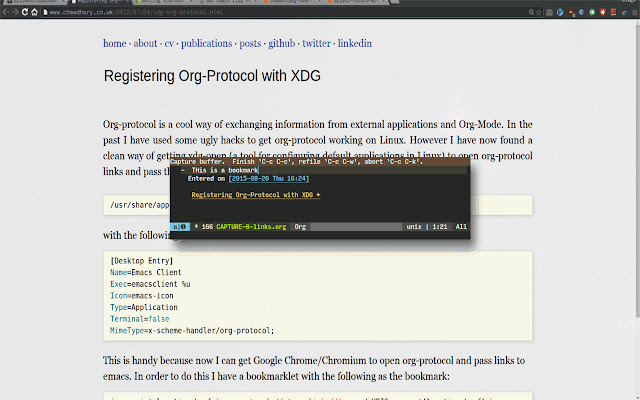
Download Ultimate Org Capture-udvidelses-CRX-fil
Download Ultimate Org Capture-udvidelsesfiler i crx-format, installer Chrome-udvidelser manuelt i browseren eller del crx-filer med venner for nemt at installere Chrome-udvidelser.
Brugsanvisning til Udvidelsen
You'll need aditional modification of you emacs/OS setup. Read more here: http://cestdiego.github.io/blog/2015/08/19/org-protocol/ Grundlæggende oplysninger om udvidelsen
| Navn |  Ultimate Org Capture Ultimate Org Capture |
| ID | ijcpiacdhbjjpfookgaodhblgainmcbf |
| Officiel URL | https://chrome.google.com/webstore/detail/ultimate-org-capture/ijcpiacdhbjjpfookgaodhblgainmcbf |
| Beskrivelse | Taking notes in org-mode while searching the web has never been easier. |
| Filstørrelse | 49.32 KB |
| Antal Installationer | 97 |
| Nuværende Version | 1.1 |
| Senest Opdateret | 2015-11-29 |
| Udgivelsesdato | 2015-11-29 |
| Bedømmelse | 5.00/5 Samlet 1 Bedømmelser |
| Udvikler | Diego Berrocal |
| Betalingsmetode | free |
| Understøttede Sprog | en |
| manifest.json | |
{
    "update_url": "https:\/\/clients2.google.com\/service\/update2\/crx",
    "manifest_version": 2,
    "name": "Ultimate Org Capture",
    "description": "Taking notes in org-mode while searching the web has never been easier.",
    "version": "1.1",
    "homepage_url": "https:\/\/github.com\/cestdiego\/org-capture-chrome",
    "permissions": [
        "activeTab"
    ],
    "background": {
        "persistent": true,
        "scripts": [
            "main.js"
        ]
    },
    "commands": {
        "link": {
            "suggested_key": {
                "default": "Ctrl+Shift+L"
            },
            "description": "Capture the link, if there was a selection, send that too"
        },
        "capture": {
            "suggested_key": {
                "default": "Ctrl+Shift+C"
            },
            "description": "Capture the selected text"
        }
    },
    "icons": {
        "128": "org-mode-unicorn-logo-large.png"
    },
    "browser_action": {
        "default_icon": "org-mode-unicorn-logo-large.png",
        "default_popup": "popup.html"
    }
} | |