Narwallets V3
NEAR protocol wallet
Hvad er Narwallets V3?
Narwallets V3 er en Chrome-udvidelse udviklet af Narwallets.com, og dens hovedfunktion er "NEAR protocol wallet".
Udvidelsesskærmbilleder
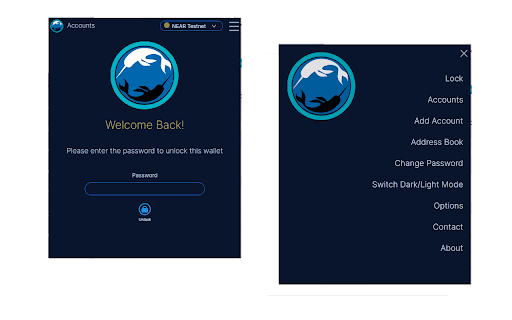
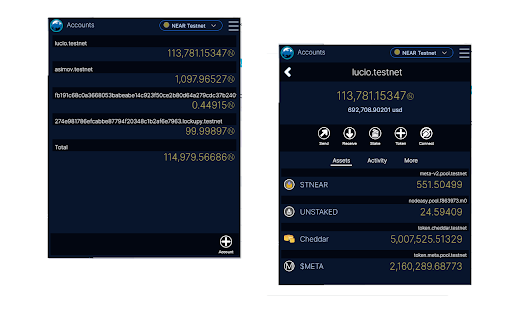
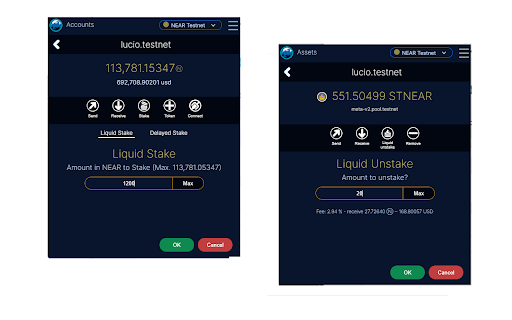
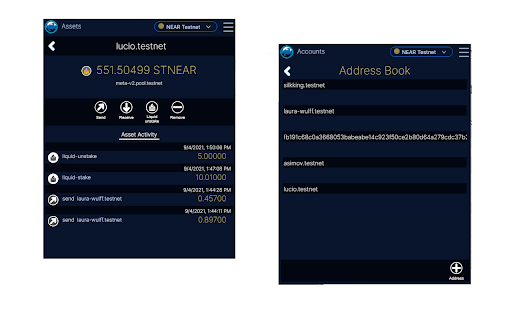
Download Narwallets V3-udvidelses-CRX-fil
Download Narwallets V3-udvidelsesfiler i crx-format, installer Chrome-udvidelser manuelt i browseren eller del crx-filer med venner for nemt at installere Chrome-udvidelser.
Brugsanvisning til Udvidelsen
                        Narwallets is a chrome-extension wallet for easily managing your NEAR accounts and accessing narwallets-enabled DApps in the NEAR blockchain.

Narwallets is the first chrome-extension wallet exclusive for the NEAR blockchain. It uses a secure API mechanism to connect to DApps, where *you* decide when to connect and when to disconnect from the webpage.

* NEP-141 Token Support
* Integrated Liquid Staking via Metapool.app
* Lockup Accounts Support

Changelog
2022-4-2 Better auto-refresh of on-chain balances
Grundlæggende oplysninger om udvidelsen
| Navn |  Narwallets V3 Narwallets V3 |
| ID | ipbomjpcpbebobdnkoogngmknkohncjd |
| Officiel URL | https://chromewebstore.google.com/detail/narwallets-v3/ipbomjpcpbebobdnkoogngmknkohncjd |
| Beskrivelse | NEAR protocol wallet |
| Filstørrelse | 232 KB |
| Antal Installationer | 1,476 |
| Nuværende Version | 3.0.10 |
| Senest Opdateret | 2022-04-02 |
| Udgivelsesdato | 2021-09-07 |
| Bedømmelse | 5.00/5 Samlet 2 Bedømmelser |
| Udvikler | Narwallets.com |
| [email protected] | |
| Betalingsmetode | free |
| Udvidelseswebsted | https://www.narwallets.com |
| Hjælpeside-URL | https://github.com/Narwallets/narwallets-extension/issues |
| URL til Fortrolighedspolitik Side | https://www.narwallets.com/privacy-policy.html |
| Understøttede Sprog | en-US |
| manifest.json | |
{
    "update_url": "https:\/\/clients2.google.com\/service\/update2\/crx",
    "manifest_version": 2,
    "name": "Narwallets V3",
    "description": "NEAR protocol wallet",
    "version": "3.0.10",
    "browser_action": {
        "default_popup": "index.html"
    },
    "background": {
        "page": "background\/background.html",
        "persistent": false
    },
    "permissions": [
        "activeTab",
        "tabs",
        "storage",
        "alarms"
    ],
    "icons": {
        "48": "icons\/logo_48.png",
        "128": "icons\/logo_128.png"
    }
} | |