Simple Tab Switcher
A Chrome tab switcher which enables a shortcut to switch the current tab to latest one.
Hvad er Simple Tab Switcher?
Simple Tab Switcher er en Chrome-udvidelse udviklet af JmQu, og dens hovedfunktion er "A Chrome tab switcher which enables a shortcut to switch the current tab to latest one.".
Udvidelsesskærmbilleder

Download Simple Tab Switcher-udvidelses-CRX-fil
Download Simple Tab Switcher-udvidelsesfiler i crx-format, installer Chrome-udvidelser manuelt i browseren eller del crx-filer med venner for nemt at installere Chrome-udvidelser.
Brugsanvisning til Udvidelsen
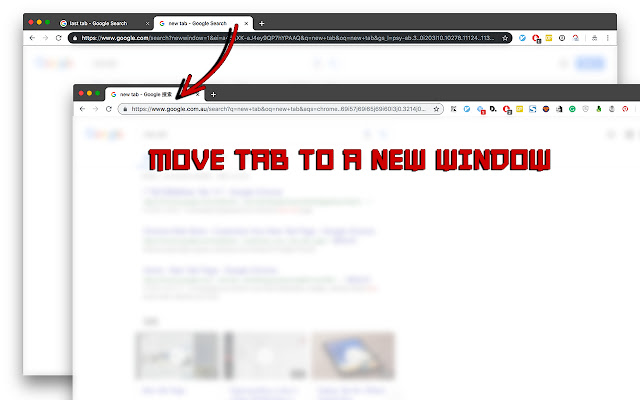
                        A FREE and SIMPLE tab switcher which enables a shortcut to switch the current tab to previous one. In addition, an extra shortcut to switch the current tab across different windows is also available.

- The default shortcut to switch tabs is [Alt + q] (Option + q) on MacOs.
- The default shortcut to switch windows is [Alt + w] (Option + w) on MacOs.

*P.S.* You can change it through the *chrome://extensions/shortcuts*.

It is open source at https://github.com/SanCoder-Q/tab-switcher
Grundlæggende oplysninger om udvidelsen
| Navn |  Simple Tab Switcher Simple Tab Switcher |
| ID | jmihjpkeaeknejefhonkbgldenaplegj |
| Officiel URL | https://chrome.google.com/webstore/detail/simple-tab-switcher/jmihjpkeaeknejefhonkbgldenaplegj |
| Beskrivelse | A Chrome tab switcher which enables a shortcut to switch the current tab to latest one. |
| Filstørrelse | 24.19 KB |
| Antal Installationer | 62 |
| Nuværende Version | 0.2.1 |
| Senest Opdateret | 2022-09-24 |
| Udgivelsesdato | 2019-03-04 |
| Bedømmelse | 5.00/5 Samlet 2 Bedømmelser |
| Udvikler | JmQu |
| [email protected] | |
| Betalingsmetode | free |
| Udvidelseswebsted | https://github.com/SanCoder-Q/tab-switcher |
| Hjælpeside-URL | https://github.com/SanCoder-Q/tab-switcher |
| Understøttede Sprog | en-US |
| manifest.json | |
{
    "update_url": "https:\/\/clients2.google.com\/service\/update2\/crx",
    "manifest_version": 2,
    "name": "Simple Tab Switcher",
    "description": "A Chrome tab switcher which enables a shortcut to switch the current tab to latest one.",
    "version": "0.2.1",
    "icons": {
        "16": "resources\/90.png",
        "48": "resources\/90.png",
        "128": "resources\/128.png"
    },
    "browser_action": {
        "default_icon": {
            "16": "resources\/90.png",
            "48": "resources\/90.png",
            "128": "resources\/128.png"
        }
    },
    "background": {
        "scripts": [
            "bundle.min.js"
        ]
    },
    "commands": {
        "switchTab": {
            "suggested_key": {
                "default": "Alt+Q"
            },
            "description": "Switch to recent tab"
        },
        "moveTabCrossWindow": {
            "suggested_key": {
                "default": "Alt+W"
            },
            "description": "Move current tab to next window"
        }
    },
    "permissions": [
        "storage",
        "commands",
        "tabs"
    ],
    "content_security_policy": "script-src 'self'; object-src 'self'",
    "homepage_url": "https:\/\/github.com\/SanCoder-Q\/tab-switcher"
} | |