Notion AI Anywhere
notion-ai-anywhere
Hvad er Notion AI Anywhere?
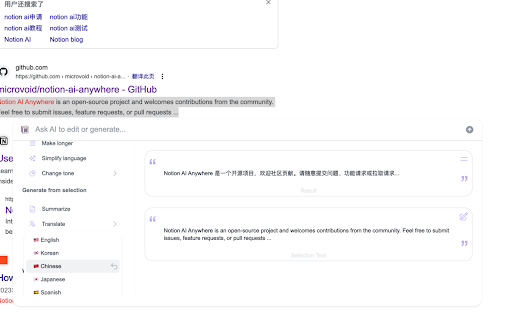
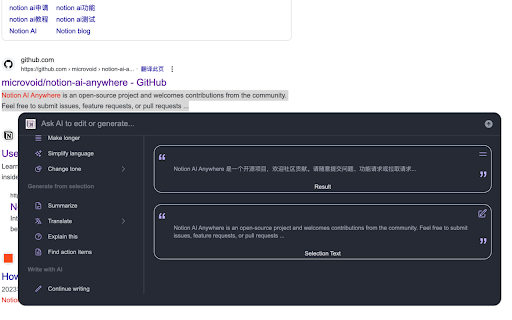
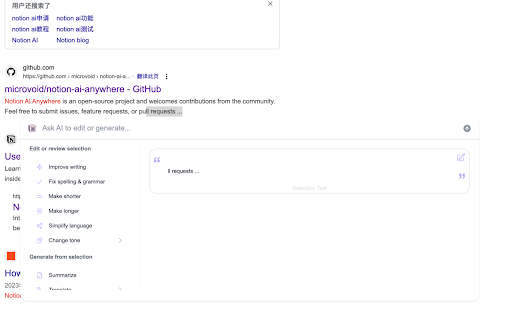
Notion AI Anywhere er en Chrome-udvidelse udviklet af whistleryz, og dens hovedfunktion er "notion-ai-anywhere".
Udvidelsesskærmbilleder

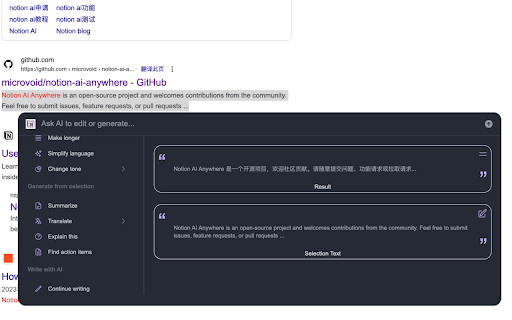
Download Notion AI Anywhere-udvidelses-CRX-fil
Download Notion AI Anywhere-udvidelsesfiler i crx-format, installer Chrome-udvidelser manuelt i browseren eller del crx-filer med venner for nemt at installere Chrome-udvidelser.
Brugsanvisning til Udvidelsen
                        参考文档:https://github.com/microvoid/notion-ai-anywhere

1. 安装该插件

2. 点击插件打开设置弹窗,如果你没有登录 Notion 会提示你去登录 Notion,然后再打开设置弹窗,选择一个 Notion 空间 (最好选择一个办理了 Notion AI Plus 的空间,否则使用次数受限)

3. 现在,你可以刷新任何浏览器的页面,并选中一段内容,会有一个按钮(设置中可以关闭这个按钮,关闭后选择内容使用 cmd+k 唤起 AI 弹窗),点击就可以正常使用了。
Grundlæggende oplysninger om udvidelsen
| Navn |  Notion AI Anywhere Notion AI Anywhere |
| ID | kifiejfehenpclioppfgjeginkeiaheb |
| Officiel URL | https://chromewebstore.google.com/detail/notion-ai-anywhere/kifiejfehenpclioppfgjeginkeiaheb |
| Beskrivelse | notion-ai-anywhere |
| Filstørrelse | 502 KB |
| Antal Installationer | 892 |
| Nuværende Version | 1.1.8 |
| Senest Opdateret | 2023-04-19 |
| Udgivelsesdato | 2023-03-31 |
| Bedømmelse | 4.75/5 Samlet 4 Bedømmelser |
| Udvikler | whistleryz |
| [email protected] | |
| Betalingsmetode | free |
| Udvidelseswebsted | https://github.com/microvoid/notion-ai-anywhere |
| Understøttede Sprog | en,fr |
| manifest.json | |
{
"update_url": "https:\/\/clients2.google.com\/service\/update2\/crx",
"icons": {
"16": "icon16.plasmo.00ac8b83.png",
"32": "icon32.plasmo.9ad0c5b6.png",
"48": "icon48.plasmo.cae3a6b3.png",
"64": "icon64.plasmo.e4b604fc.png",
"128": "icon128.plasmo.b89b7dfa.png"
},
"manifest_version": 3,
"action": {
"default_icon": {
"16": "icon16.plasmo.00ac8b83.png",
"32": "icon32.plasmo.9ad0c5b6.png",
"48": "icon48.plasmo.cae3a6b3.png",
"64": "icon64.plasmo.e4b604fc.png",
"128": "icon128.plasmo.b89b7dfa.png"
},
"default_popup": "popup.html"
},
"version": "1.1.8",
"author": "smackgg",
"name": "Notion AI Anywhere",
"description": "notion-ai-anywhere",
"background": {
"service_worker": "background.5fadff2f.js"
},
"permissions": [
"storage",
"scripting",
"activeTab"
],
"content_scripts": [
{
"matches": [
" | |