History Graph
Reads your history, and shows the top ten pages you go to by typing the URL.
Hvad er History Graph?
History Graph er en Chrome-udvidelse udviklet af William Ma, og dens hovedfunktion er "Reads your history, and shows the top ten pages you go to by typing the URL.".
Udvidelsesskærmbilleder
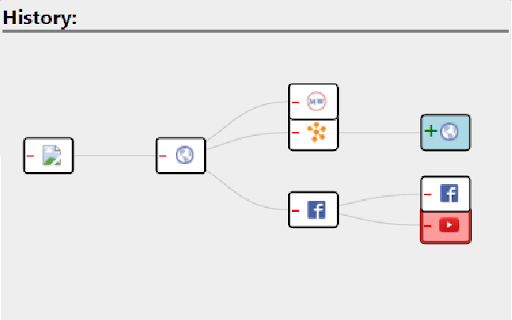
Download History Graph-udvidelses-CRX-fil
Download History Graph-udvidelsesfiler i crx-format, installer Chrome-udvidelser manuelt i browseren eller del crx-filer med venner for nemt at installere Chrome-udvidelser.
Brugsanvisning til Udvidelsen
Navigate through your recent history much easier with this extension. A graph of all travelled pages will be displayed for a user to navigate to any page he/she wishes. Grundlæggende oplysninger om udvidelsen
| Navn |  History Graph History Graph |
| ID | kknceihjckaijliogihaggomdjlaboim |
| Officiel URL | https://chromewebstore.google.com/detail/history-graph/kknceihjckaijliogihaggomdjlaboim |
| Beskrivelse | Reads your history, and shows the top ten pages you go to by typing the URL. |
| Filstørrelse | 134 KB |
| Antal Installationer | 11 |
| Nuværende Version | 1.6 |
| Senest Opdateret | 2016-01-15 |
| Udgivelsesdato | 2016-01-15 |
| Bedømmelse | 4.00/5 Samlet 1 Bedømmelser |
| Udvikler | William Ma |
| Betalingsmetode | free |
| Understøttede Sprog | en |
| manifest.json | |
{
    "update_url": "https:\/\/clients2.google.com\/service\/update2\/crx",
    "name": "History Graph",
    "version": "1.6",
    "description": "Reads your history, and shows the top ten pages you go to by typing the URL.",
    "permissions": [
        "tabs",
        "webNavigation"
    ],
    "background": {
        "scripts": [
            "jquery-1.11.1.min.js",
            "background.js"
        ]
    },
    "browser_action": {
        "default_popup": "GraphView.html",
        "default_icon": "icon.png"
    },
    "icons": {
        "128": "icon128.png",
        "64": "icon.png",
        "32": "icon32.png"
    },
    "manifest_version": 2
} | |