Mini Player for Spotify
Get a mini player for spotify!
Hvad er Mini Player for Spotify?
Mini Player for Spotify er en Chrome-udvidelse udviklet af Martin Nester, og dens hovedfunktion er "Get a mini player for spotify!".
Udvidelsesskærmbilleder
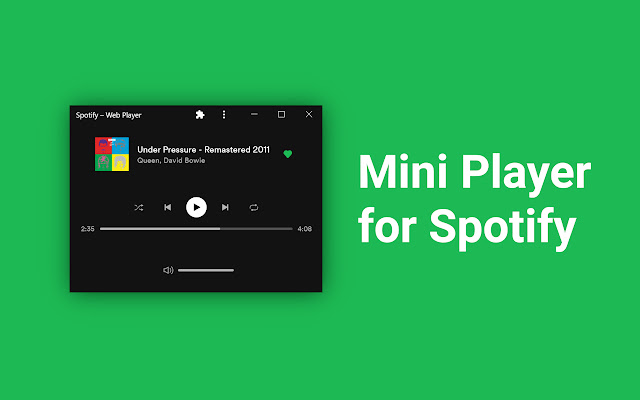
Download Mini Player for Spotify-udvidelses-CRX-fil
Download Mini Player for Spotify-udvidelsesfiler i crx-format, installer Chrome-udvidelser manuelt i browseren eller del crx-filer med venner for nemt at installere Chrome-udvidelser.
Brugsanvisning til Udvidelsen
                        Spotify is a music streaming service the unfortunately doesn't offer a good mini player. With this extension you can get a miniplayer that works and looks great.

To setup and use Mini Player for Spotify follow the steps below.

0. Install the Mini Player for Spotify Chrome Extension
1. Navigate to open.spotify.com and login to your account.
2. Install the Chrome Spotify App by pressing the "+" found in the address bar.
3. After installing resize the Spotify window to get the Mini Player or click the miniplayer button in the bottom right.
4. Optional: Right Click and Pin Spotify to taskbar.
Grundlæggende oplysninger om udvidelsen
| Navn |  Mini Player for Spotify Mini Player for Spotify |
| ID | mjjeebakniihklfggnacbigighgildlo |
| Officiel URL | https://chrome.google.com/webstore/detail/mini-player-for-spotify/mjjeebakniihklfggnacbigighgildlo |
| Beskrivelse | Get a mini player for spotify! |
| Filstørrelse | 2.91 MB |
| Antal Installationer | 34,581 |
| Nuværende Version | 1.1.2 |
| Senest Opdateret | 2021-03-21 |
| Udgivelsesdato | 2021-01-28 |
| Bedømmelse | 4.02/5 Samlet 41 Bedømmelser |
| Udvikler | Martin Nester |
| [email protected] | |
| Betalingsmetode | free |
| Understøttede Sprog | en |
| manifest.json | |
{
    "update_url": "https:\/\/clients2.google.com\/service\/update2\/crx",
    "manifest_version": 2,
    "name": "Mini Player for Spotify",
    "version": "1.1.2",
    "description": "Get a mini player for spotify!",
    "icons": {
        "16": "icons\/icon16.png",
        "32": "icons\/icon32.png",
        "48": "icons\/icon48.png",
        "64": "icons\/icon64.png"
    },
    "browser_action": [],
    "author": "Martin",
    "background": {
        "persistent": false,
        "scripts": [
            "background.js"
        ]
    },
    "content_scripts": [
        {
            "matches": [
                "https:\/\/open.spotify.com\/*"
            ],
            "css": [
                "content.css"
            ],
            "js": [
                "content.js"
            ]
        }
    ],
    "web_accessible_resources": [
        "icons\/icon32.png"
    ],
    "permissions": [
        "storage"
    ]
} | |




![Now Playing Notifier for Spotify [unofficial]](https://lh3.googleusercontent.com/tWy6Q6dK6DXt5dLvzed-p2oZ1-fRqk-cmE3O0yTSVvvQ5qh8iztGfEcYTTqXr2CV4WGasdR8S6OX2yQz7xGcfv7N)