Justin Bieber Photo Gallery
Justin Bieber Photo Gallery includes images about singer music and song showmen.
Hvad er Justin Bieber Photo Gallery?
Justin Bieber Photo Gallery er en Chrome-udvidelse udviklet af pictures and images, og dens hovedfunktion er "Justin Bieber Photo Gallery includes images about singer music and song showmen.".
Udvidelsesskærmbilleder
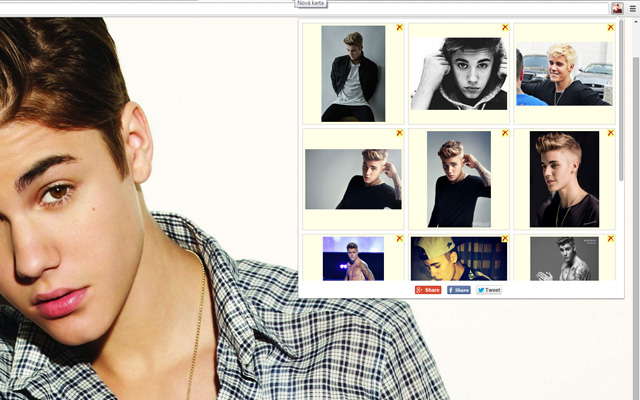
Download Justin Bieber Photo Gallery-udvidelses-CRX-fil
Download Justin Bieber Photo Gallery-udvidelsesfiler i crx-format, installer Chrome-udvidelser manuelt i browseren eller del crx-filer med venner for nemt at installere Chrome-udvidelser.
Brugsanvisning til Udvidelsen
                        Justin Bieber extension brings images from his video clips, music songs, his picture life.

Fans can add actual photos:
***************************
   * Right-click on the image.
   * Click to: Add to Justin Bieber Photo Gallery.
   * New picture shows in popup.

Please share this popular app on G+, Twitter or Facebook.
Grundlæggende oplysninger om udvidelsen
| Navn |  Justin Bieber Photo Gallery Justin Bieber Photo Gallery |
| ID | nfidhpelnadaaplkjajdhahhdnccggkm |
| Officiel URL | https://chrome.google.com/webstore/detail/justin-bieber-photo-galle/nfidhpelnadaaplkjajdhahhdnccggkm |
| Beskrivelse | Justin Bieber Photo Gallery includes images about singer music and song showmen. |
| Filstørrelse | 96.22 KB |
| Antal Installationer | 52 |
| Nuværende Version | 1.0 |
| Senest Opdateret | 2015-09-30 |
| Udgivelsesdato | 2015-09-30 |
| Bedømmelse | 2.10/5 Samlet 10 Bedømmelser |
| Udvikler | pictures and images |
| Betalingsmetode | free |
| Understøttede Sprog | en |
| manifest.json | |
{
    "update_url": "https:\/\/clients2.google.com\/service\/update2\/crx",
    "name": "Justin Bieber Photo Gallery",
    "description": "Justin Bieber Photo Gallery includes images about singer music and song showmen.",
    "version": "1.0",
    "manifest_version": 2,
    "background": {
        "scripts": [
            "jquery.js",
            "conf.js",
            "background.js"
        ]
    },
    "browser_action": {
        "default_icon": "img_sep\/ico_19.png",
        "default_popup": "popup.html"
    },
    "options_page": "options.html",
    "content_security_policy": "script-src 'self'; object-src 'self'",
    "permissions": [
        "tabs",
        "http:\/\/*\/*",
        "https:\/\/*\/*",
        "contextMenus",
        "notifications",
        "unlimitedStorage"
    ],
    "icons": {
        "16": "img_sep\/ico_16.png",
        "48": "img_sep\/ico_48.png"
    }
} | |