Manilla - Auto Login
Manilla Auto Login
Hvad er Manilla - Auto Login?
Manilla - Auto Login er en Chrome-udvidelse udviklet af https://manilla.com, og dens hovedfunktion er "Manilla Auto Login".
Udvidelsesskærmbilleder


Download Manilla - Auto Login-udvidelses-CRX-fil
Download Manilla - Auto Login-udvidelsesfiler i crx-format, installer Chrome-udvidelser manuelt i browseren eller del crx-filer med venner for nemt at installere Chrome-udvidelser.
Brugsanvisning til Udvidelsen
                        Overview
To use the Auto Login extension, you will need to have a Manilla account. Sign up at http://www.manilla.com.

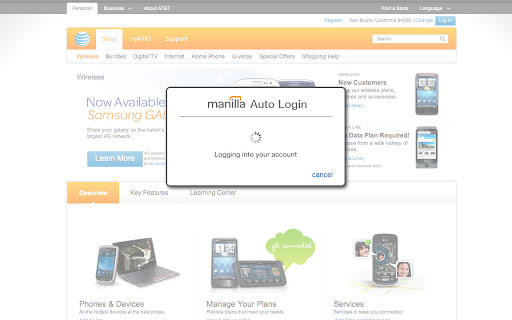
The Manilla Auto Login extension allows you to seamlessly access some linked accounts without entering a password, making it even faster and easier to manage all of your accounts. Once you've installed it, just click the "pay bill" or "go to site" button from an account page.

The Auto Login extension is available for the Chrome, Firefox, Internet Explorer, and Safari browsers. Mobile browsers such as iOS and Android are not supported. The extension must be installed separately for each browser and computer on which you use Manilla.

Security
Your login information is communicated securely to the Auto Login extension using AES 256-bit encryption (the strongest version of a standard endorsed by the National Institute of Standards and Technology). None of your information is stored in the Auto Login extension itself. The Auto Login extension is not recommended for use with public computers.
Grundlæggende oplysninger om udvidelsen
| Navn |  Manilla - Auto Login Manilla - Auto Login |
| ID | ofnmjkalkfignhmkhohdaipkbcchbmca |
| Officiel URL | https://chromewebstore.google.com/detail/manilla-auto-login/ofnmjkalkfignhmkhohdaipkbcchbmca |
| Beskrivelse | Manilla Auto Login |
| Filstørrelse | 2.4 MB |
| Antal Installationer | 3,779 |
| Nuværende Version | 2.0.28 |
| Senest Opdateret | 2013-09-12 |
| Udgivelsesdato | 2013-09-11 |
| Bedømmelse | 3.45/5 Samlet 11 Bedømmelser |
| Udvikler | https://manilla.com |
| Betalingsmetode | free |
| Udvidelseswebsted | http://www.manilla.com/ |
| Hjælpeside-URL | https://www.manilla.com/what-is-manilla/faq/ |
| Understøttede Sprog | id,ms,de,en-GB,en-US,fr,nl,vi,tr,ca,da,et,es,es-419,hr,it,lv,lt,hu,pl,pt-BR,pt-PT,ro,sk,sl,fi,sv,cs,el,sr,bg,ru,uk,iw,mr,hi,bn,gu,ta,kn-IN,ml,th,ar,zh-CN,zh-TW,ja,ko |
| manifest.json | |
{
    "update_url": "https:\/\/clients2.google.com\/service\/update2\/crx",
    "background": {
        "page": "background.html"
    },
    "manifest_version": 2,
    "name": "Manilla - Auto Login ",
    "version": "2.0.28",
    "description": "Manilla Auto Login",
    "icons": {
        "16": "images\/icon16.png",
        "32": "images\/icon32.png",
        "48": "images\/icon48.png",
        "128": "images\/icon128.png"
    },
    "default_locale": "en_US",
    "permissions": [
        "tabs",
        "http:\/\/*.manilla.com\/*",
        "https:\/\/*.manilla.com\/*",
        "http:\/\/*.lastpass.com\/*",
        "https:\/\/*.lastpass.com\/*"
    ],
    "content_scripts": [
        {
            "matches": [
                "http:\/\/*\/*",
                "https:\/\/*\/*",
                "file:\/\/\/*"
            ],
            "js": [
                "onloadwff.js"
            ],
            "all_frames": true,
            "run_at": "document_start"
        },
        {
            "matches": [
                "http:\/\/*\/*",
                "https:\/\/*\/*"
            ],
            "js": [
                "csp.js"
            ],
            "all_frames": true,
            "run_at": "document_start"
        }
    ]
} | |