Meetup Tools
Enhancments for meetup.com
Hvad er Meetup Tools?
Meetup Tools er en Chrome-udvidelse udviklet af guya.net, og dens hovedfunktion er "Enhancments for meetup.com".
Udvidelsesskærmbilleder
Download Meetup Tools-udvidelses-CRX-fil
Download Meetup Tools-udvidelsesfiler i crx-format, installer Chrome-udvidelser manuelt i browseren eller del crx-filer med venner for nemt at installere Chrome-udvidelser.
Brugsanvisning til Udvidelsen
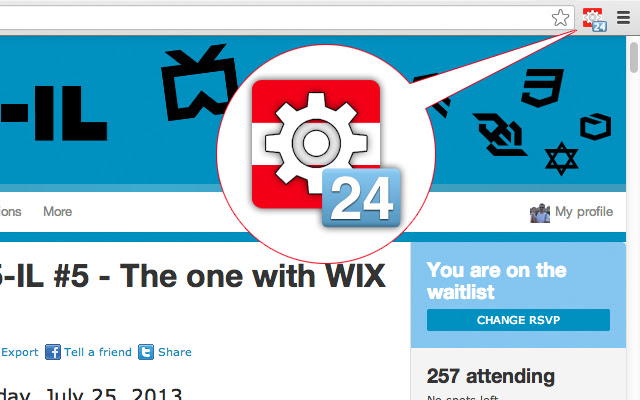
                        Meetup Tools is a small extension that is meant to enhance your meetup.com experience, and mainly does 3 things:
1. It shows you your place in the queue while on the waiting list.
2. It shows you your status for every meetup.
3. It takes you to meetup.com with one click.

Meetup.com Waitlists are almost always first come first serve.
When you are on the waitlist, Meetup.com doesn't tell what is your position in the queue.
This extension will tell you where you are in the queue so you'll be able to better estimate your chances of getting in.
Browse any meetup and it'll show you your current status.
If you are not in the meetup.com website, clicking the icon will take you there.

:)
Grundlæggende oplysninger om udvidelsen
| Navn |  Meetup Tools Meetup Tools |
| ID | okfdhdfbdobnclkegpfpepihhbbmapcj |
| Officiel URL | https://chrome.google.com/webstore/detail/meetup-tools/okfdhdfbdobnclkegpfpepihhbbmapcj |
| Beskrivelse | Enhancments for meetup.com |
| Filstørrelse | 60.96 KB |
| Antal Installationer | 200 |
| Nuværende Version | 1.0.2 |
| Senest Opdateret | 2018-04-15 |
| Udgivelsesdato | 2018-04-15 |
| Bedømmelse | 3.00/5 Samlet 5 Bedømmelser |
| Udvikler | guya.net |
| Betalingsmetode | free |
| Understøttede Sprog | en-US |
| manifest.json | |
{
    "update_url": "https:\/\/clients2.google.com\/service\/update2\/crx",
    "name": "Meetup Tools",
    "version": "1.0.2",
    "description": "Enhancments for meetup.com",
    "background": {
        "scripts": [
            "meetup.js"
        ]
    },
    "permissions": [
        "*:\/\/*.meetup.com\/*",
        "webNavigation",
        "tabs",
        "notifications"
    ],
    "browser_action": {
        "default_icon": "logo_19.png"
    },
    "web_accessible_resources": [
        "logo_48.png"
    ],
    "content_scripts": [
        {
            "matches": [
                "*:\/\/*.meetup.com\/*"
            ],
            "js": [
                "jquery-1.10.2.min.js",
                "content.js"
            ],
            "run_at": "document_end",
            "all_frames": false
        }
    ],
    "icons": {
        "48": "logo_48.png",
        "128": "logo_128.png"
    },
    "manifest_version": 2
} | |