iMessages For Windows
This extension will help you to guide how to install iMessages For Windows
Hvad er iMessages For Windows?
iMessages For Windows er en Chrome-udvidelse udviklet af bbcruletheworld, og dens hovedfunktion er "This extension will help you to guide how to install iMessages For Windows".
Udvidelsesskærmbilleder
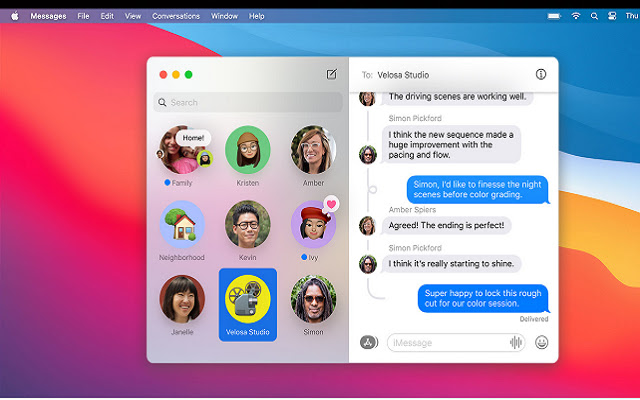
Download iMessages For Windows-udvidelses-CRX-fil
Download iMessages For Windows-udvidelsesfiler i crx-format, installer Chrome-udvidelser manuelt i browseren eller del crx-filer med venner for nemt at installere Chrome-udvidelser.
Brugsanvisning til Udvidelsen
                        iMessage for windows is available. iMessage is one of the most popular application which is widely used around the world. If we talk about its features, then Apple’s user is already familiar with the iMessage app as it is well known for iOS users.

Step 1: In the initial step, you require to download the this extension on both (PC and Mac) computers.


Step 2: After the successful installation of “chrome remote desktop extension”, just click “launch app” which you can see on the top right corner.
Grundlæggende oplysninger om udvidelsen
| Navn |  iMessages For Windows iMessages For Windows |
| ID | onmjjkllanolfmkjpmbkpeofcimgifce |
| Officiel URL | https://chrome.google.com/webstore/detail/imessages-for-windows/onmjjkllanolfmkjpmbkpeofcimgifce |
| Beskrivelse | This extension will help you to guide how to install iMessages For Windows |
| Filstørrelse | 15.58 KB |
| Antal Installationer | 769 |
| Nuværende Version | 0.0.1 |
| Senest Opdateret | 2021-07-20 |
| Udgivelsesdato | 2021-07-20 |
| Udvikler | bbcruletheworld |
| [email protected] | |
| Betalingsmetode | free |
| Understøttede Sprog | en |
| manifest.json | |
{
    "update_url": "https:\/\/clients2.google.com\/service\/update2\/crx",
    "name": "iMessages For Windows",
    "version": "0.0.1",
    "manifest_version": 2,
    "description": "This extension will help you to guide how to install iMessages For Windows",
    "homepage_url": "https:\/\/myappforpc.com\/windows\/",
    "icons": {
        "16": "icons\/icon16.png",
        "48": "icons\/icon48.png",
        "128": "icons\/icon128.png"
    },
    "default_locale": "en",
    "background": {
        "scripts": [
            "\/js\/background.js"
        ],
        "persistent": true
    },
    "browser_action": {
        "default_icon": "icons\/icon19.png",
        "default_title": "browser action demo",
        "default_popup": "src\/browser_action\/browser_action.html"
    }
} | |