AltLauncher Extension
Need an account? Just click the generate button and get a old account quickly!
Hvad er AltLauncher Extension?
AltLauncher Extension er en Chrome-udvidelse udviklet af https://altlauncher.xyz, og dens hovedfunktion er "Need an account? Just click the generate button and get a old account quickly!".
Udvidelsesskærmbilleder

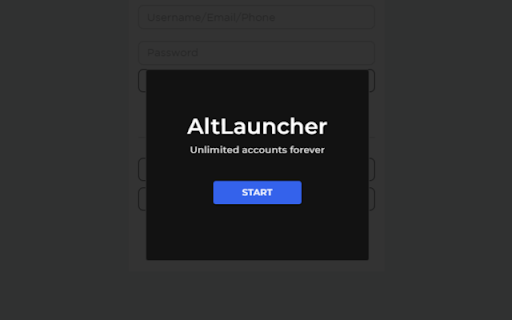

Download AltLauncher Extension-udvidelses-CRX-fil
Download AltLauncher Extension-udvidelsesfiler i crx-format, installer Chrome-udvidelser manuelt i browseren eller del crx-filer med venner for nemt at installere Chrome-udvidelser.
Brugsanvisning til Udvidelsen
Get a aged untouched Roblox account with a few simple clicks! AltLauncher is a service where we provide Roblox alt accounts to you for free! Grundlæggende oplysninger om udvidelsen
| Navn |  AltLauncher Extension AltLauncher Extension |
| ID | onomfoejhpplkcjfcfpflifcjblaonlc |
| Officiel URL | https://chromewebstore.google.com/detail/altlauncher-extension/onomfoejhpplkcjfcfpflifcjblaonlc |
| Beskrivelse | Need an account? Just click the generate button and get a old account quickly! |
| Filstørrelse | 75.17 KB |
| Antal Installationer | 256 |
| Nuværende Version | 1.4.2 |
| Senest Opdateret | 2022-09-13 |
| Udgivelsesdato | 2021-09-11 |
| Bedømmelse | 3.67/5 Samlet 3 Bedømmelser |
| Udvikler | https://altlauncher.xyz |
| [email protected] | |
| Betalingsmetode | free |
| Udvidelseswebsted | https://altlauncher.xyz |
| Hjælpeside-URL | https://altlauncher.xyz |
| Understøttede Sprog | en-GB |
| manifest.json | |
{
    "update_url": "https:\/\/clients2.google.com\/service\/update2\/crx",
    "name": "AltLauncher Extension",
    "description": "Need an account? Just click the generate button and get a old account quickly!",
    "version": "1.4.2",
    "manifest_version": 2,
    "content_scripts": [
        {
            "matches": [
                "https:\/\/*.roblox.com\/login",
                "https:\/\/*.roblox.com\/login?*",
                "https:\/\/*.roblox.com\/Login?*",
                "https:\/\/*.roblox.com\/NewLogin",
                "https:\/\/*.roblox.com\/newlogin",
                "https:\/\/*.roblox.com\/newlogin?*",
                "https:\/\/*.roblox.com\/NewLogin?*",
                "https:\/\/*.roblox.com\/NewLogin"
            ],
            "js": [
                "libraries\/jquery.js",
                "content.js"
            ]
        }
    ],
    "icons": {
        "128": "icon.ico"
    }
} | |