IPMonitor
IPMonitor lets you check your IP address with just one click. Reveal and Now Show your IP.
Hvad er IPMonitor?
IPMonitor er en Chrome-udvidelse udviklet af ZiB, og dens hovedfunktion er "IPMonitor lets you check your IP address with just one click. Reveal and Now Show your IP.".
Udvidelsesskærmbilleder
Download IPMonitor-udvidelses-CRX-fil
Download IPMonitor-udvidelsesfiler i crx-format, installer Chrome-udvidelser manuelt i browseren eller del crx-filer med venner for nemt at installere Chrome-udvidelser.
Brugsanvisning til Udvidelsen
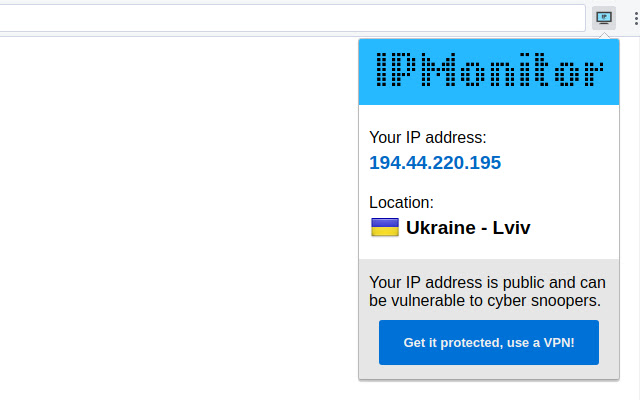
IPMonitor is all about getting to know your current IP address. Whether you are using a VPN or proxy, if your IP is still unchanged, there's something fishy with the cloaking services you are using. So, use, IPMonitor to get to know your current IP address to make sure there's no IP leakages taking place and your true identity is anonymous. Grundlæggende oplysninger om udvidelsen
| Navn |  IPMonitor IPMonitor |
| ID | oodjlfepkheipoglihhbapdcelcaojje |
| Officiel URL | https://chrome.google.com/webstore/detail/ipmonitor/oodjlfepkheipoglihhbapdcelcaojje |
| Beskrivelse | IPMonitor lets you check your IP address with just one click. Reveal and Now Show your IP. |
| Filstørrelse | 1.32 MB |
| Antal Installationer | 92 |
| Nuværende Version | 1.0 |
| Senest Opdateret | 2018-03-04 |
| Udgivelsesdato | 2018-03-04 |
| Bedømmelse | 4.57/5 Samlet 7 Bedømmelser |
| Udvikler | ZiB |
| Betalingsmetode | free |
| Understøttede Sprog | en |
| manifest.json | |
{
    "update_url": "https:\/\/clients2.google.com\/service\/update2\/crx",
    "name": "IPMonitor",
    "version": "1.0",
    "author": "Vadagon",
    "manifest_version": 2,
    "description": "IPMonitor lets you check your IP address with just one click. Reveal and Now Show your IP.",
    "browser_action": {
        "default_icon": {
            "128": "images\/logo.png"
        },
        "default_popup": "popup.html",
        "default_title": "Show your IP"
    },
    "icons": {
        "128": "images\/logo.png"
    },
    "web_accessible_resources": [
        "images\/*",
        "fonts\/*",
        "scripts\/*"
    ],
    "minimum_chrome_version": "32"
} | |