Open in Photopea
Context menu item to open images in Photopea
Hvad er Open in Photopea?
Open in Photopea er en Chrome-udvidelse udviklet af lautarolosio, og dens hovedfunktion er "Context menu item to open images in Photopea".
Udvidelsesskærmbilleder
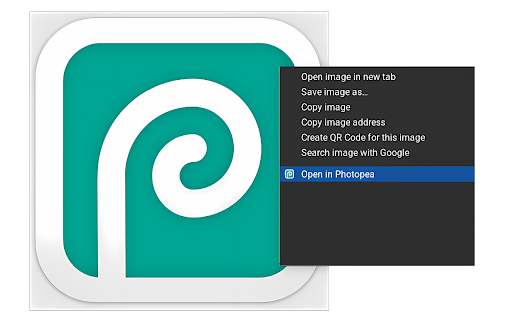
Download Open in Photopea-udvidelses-CRX-fil
Download Open in Photopea-udvidelsesfiler i crx-format, installer Chrome-udvidelser manuelt i browseren eller del crx-filer med venner for nemt at installere Chrome-udvidelser.
Brugsanvisning til Udvidelsen
                        Provides an easy and fast way to open any image type directly in Photopea, without the need to open the website and copy/paste the image yourself.

NOTE: For security reasons, webapps can access only files from the same domain. In order to let Photopea load your file, the response of your server must contain the following header:

Access-Control-Allow-Origin: *

This may result in the image not loading!
Grundlæggende oplysninger om udvidelsen
| Navn |  Open in Photopea Open in Photopea |
| ID | padbcfokjcleiccengmaadmjeonmmikg |
| Officiel URL | https://chromewebstore.google.com/detail/open-in-photopea/padbcfokjcleiccengmaadmjeonmmikg |
| Beskrivelse | Context menu item to open images in Photopea |
| Filstørrelse | 41.47 KB |
| Antal Installationer | 469 |
| Nuværende Version | 1.0 |
| Senest Opdateret | 2023-05-31 |
| Udgivelsesdato | 2023-05-31 |
| Bedømmelse | 4.00/5 Samlet 1 Bedømmelser |
| Udvikler | lautarolosio |
| [email protected] | |
| Betalingsmetode | free |
| Understøttede Sprog | en |
| manifest.json | |
{
    "update_url": "https:\/\/clients2.google.com\/service\/update2\/crx",
    "manifest_version": 3,
    "name": "Open in Photopea",
    "description": "Context menu item to open images in Photopea",
    "version": "1.0",
    "permissions": [
        "contextMenus"
    ],
    "action": {
        "default_popup": "popup.html"
    },
    "background": {
        "service_worker": "background.js"
    },
    "icons": {
        "16": "photopea.png",
        "32": "photopea.png",
        "48": "photopea.png",
        "128": "photopea.png"
    }
} | |