OneCleaner
One cleaner for browsing history, cache, cookie, and tracking. Configure cleaning on website level.
Hvad er OneCleaner?
OneCleaner er en Chrome-udvidelse udviklet af Emilio Leyva, og dens hovedfunktion er "One cleaner for browsing history, cache, cookie, and tracking. Configure cleaning on website level.".
Udvidelsesskærmbilleder
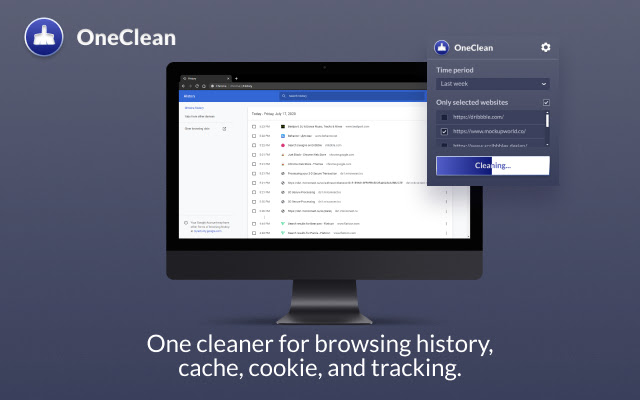
Download OneCleaner-udvidelses-CRX-fil
Download OneCleaner-udvidelsesfiler i crx-format, installer Chrome-udvidelser manuelt i browseren eller del crx-filer med venner for nemt at installere Chrome-udvidelser.
Brugsanvisning til Udvidelsen
                        Onecleaner is a handy and fast way to clean a browsing history

You can remove all data. Or remove a footprint of the last hour of browsing history.

Unlike many other tools, Onecleaner can remove data on website level.\
Let’s say you want to remove example.com website browsing data.
Onecleaner removed all data associated with example.com and all the data that is tracked on other domains used on example.com e.g. analytics or tracking pixels.

How to set it up One-click purge:
1. Click on the toolbar icon
2) Select configuration icon
3) Select kinds of data you want to remove
4) Check the option “Clear when clicking on the icon in the toolbar”
Grundlæggende oplysninger om udvidelsen
| Navn |  OneCleaner OneCleaner |
| ID | pinnfpbpjancnbidnnhpemakncopaega |
| Officiel URL | https://chrome.google.com/webstore/detail/onecleaner/pinnfpbpjancnbidnnhpemakncopaega |
| Beskrivelse | One cleaner for browsing history, cache, cookie, and tracking. Configure cleaning on website level. |
| Filstørrelse | 257 KB |
| Antal Installationer | 1,466,882 |
| Nuværende Version | 0.7.3 |
| Senest Opdateret | 2022-09-01 |
| Udgivelsesdato | 2021-05-21 |
| Bedømmelse | 4.06/5 Samlet 18 Bedømmelser |
| Udvikler | Emilio Leyva |
| [email protected] | |
| Betalingsmetode | free |
| URL til Fortrolighedspolitik Side | https://docs.google.com/document/d/e/2PACX-1vQKWdk2p1OzGplmiNYrqTNYHF48w8j0qOpjTQBUjgaDTFLmuE0_v6QEZtub0C8zmdZbuPi3O753KgNU/pub |
| Understøttede Sprog | id,ms,de,en,en-GB,en-US,fil,fr,nl,no,vi,tr,ca,da,et,es,es-419,hr,it,lv,lt,hu,pl,pt-BR,pt-PT,ro,sk,sl,fi,sv,cs,el,sr,bg,ru,uk,mr,hi,bn,gu,ta,te,ml,th,zh-CN,zh-TW,ja,ko |
| manifest.json | |
{
    "update_url": "https:\/\/clients2.google.com\/service\/update2\/crx",
    "background": {
        "scripts": [
            "background.js"
        ],
        "persistent": true
    },
    "browser_action": {
        "default_popup": "popup\/popup.html"
    },
    "content_security_policy": "script-src 'self' https:\/\/www.google-analytics.com; object-src 'self'",
    "default_locale": "en",
    "description": "__MSG_description__",
    "icons": {
        "128": "icons\/icon-128.png",
        "48": "icons\/icon-48.png",
        "16": "icons\/icon-16.png"
    },
    "manifest_version": 2,
    "name": "__MSG_name__",
    "options_ui": {
        "open_in_tab": true,
        "page": "option\/option.html"
    },
    "permissions": [
        "browsingData",
        "tabs",
        "storage",
        "http:\/\/*\/*",
        "https:\/\/*\/*"
    ],
    "version": "0.7.3"
} | |