Clockify Time Tracker
Track time from anywhere on the web and improve productivity.
Hvad er Clockify Time Tracker?
Clockify Time Tracker er en Chrome-udvidelse udviklet af https://clockify.me, og dens hovedfunktion er "Track time from anywhere on the web and improve productivity.".
Udvidelsesskærmbilleder
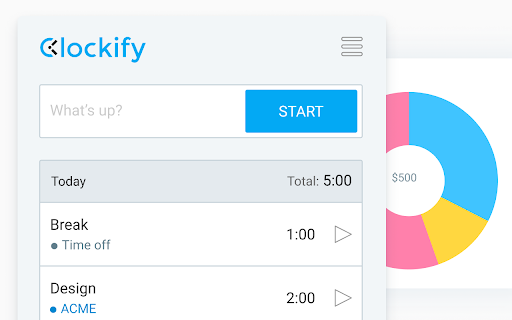

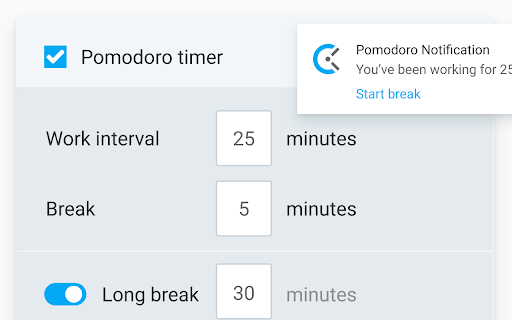


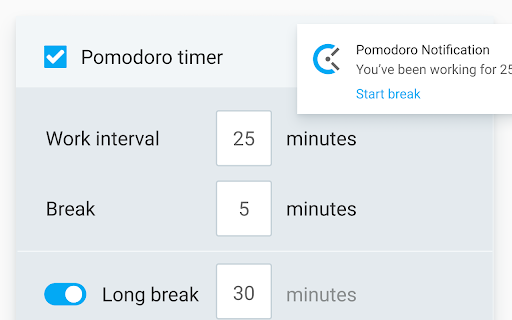
Download Clockify Time Tracker-udvidelses-CRX-fil
Download Clockify Time Tracker-udvidelsesfiler i crx-format, installer Chrome-udvidelser manuelt i browseren eller del crx-filer med venner for nemt at installere Chrome-udvidelser.
Brugsanvisning til Udvidelsen
                        Track time from anywhere on the web with one click. Later, analyze and export time at https://clockify.me/reports/summary

FEATURES

• Integrates with 50+ web apps
• Idle detection
• Reminders
• Pomodoro timer
• Automatically start/stop timer
• Start a timer from selected text
• Start/stop timer shortcut (Ctrl+Shift+U)
• Default project for new time entries

Q: Why does the extension need access to "read and change all your data on the websites you visit"?
A: We use the "Read and change all your data on the websites you visit" permission only for putting a timer button on other websites and taking the task's names as a description for the timer. If you don't wish to see the button on other websites, you can disable it in extension's Settings>Integrations.

The code for this extension is open source. Feel free to examine it and contribute on Github: https://github.com/clockify/browser-extension

For more information on how Clockify works, check out our help article https://clockify.me/help/apps/chrome-extension

If you have any issues or feedback, send us an email at [email protected]

ABOUT CLOCKIFY

Clockify is a time tracker that allows you to track the time you spend on projects and analyze your productivity. You can use Clockify on the web, desktop, and mobile – all your tracked data is synced in real time so you can seamlessly switch between devices.

- Free and simple online timer
- Analyze time in reports and export data
- Invite team and track time together
- Manage projects and monitor progress
Grundlæggende oplysninger om udvidelsen
| Navn |  Clockify Time Tracker Clockify Time Tracker |
| ID | pmjeegjhjdlccodhacdgbgfagbpmccpe |
| Officiel URL | https://chromewebstore.google.com/detail/clockify-time-tracker/pmjeegjhjdlccodhacdgbgfagbpmccpe |
| Beskrivelse | Track time from anywhere on the web and improve productivity. |
| Filstørrelse | 1.3 MB |
| Antal Installationer | 375,265 |
| Nuværende Version | 2.10.14 |
| Senest Opdateret | 2024-02-21 |
| Udgivelsesdato | 2020-06-24 |
| Bedømmelse | 3.77/5 Samlet 173 Bedømmelser |
| Udvikler | https://clockify.me |
| [email protected] | |
| Betalingsmetode | free |
| Udvidelseswebsted | https://clockify.me |
| Hjælpeside-URL | https://clockify.me/help/apps/chrome-extension |
| URL til Fortrolighedspolitik Side | https://cake.com/privacy |
| Understøttede Sprog | de,en,fr,es,ru,ja,ko |
| manifest.json | |
{
"update_url": "https:\/\/clients2.google.com\/service\/update2\/crx",
"manifest_version": 3,
"name": "__MSG_appName__",
"short_name": "Clockify",
"description": "__MSG_appDesc__",
"default_locale": "en",
"background": {
"service_worker": "sw.js"
},
"version": "2.10.14",
"action": {
"default_popup": "index.html",
"default_title": "Clockify"
},
"content_scripts": [
{
"matches": [
"https:\/\/*\/*",
"http:\/\/*\/*"
],
"js": [
"contentScripts\/service-localstorage.js",
"contentScripts\/clockifyLocales.js"
],
"run_at": "document_start"
},
{
"matches": [
"https:\/\/*\/*",
"http:\/\/*\/*"
],
"js": [
"vendors.bundle.js",
"main.bundle.js"
],
"css": [
"styles\/main-integration.css"
]
}
],
"options_page": "settings.html",
"commands": {
"quick-start-stop-entry": {
"suggested_key": {
"default": "Ctrl+Shift+U"
},
"description": "Quick start\/stop current entry"
}
},
"icons": {
"16": "assets\/images\/logo-16.png",
"48": "assets\/images\/logo-48.png",
"128": "assets\/images\/logo-128.png"
},
"web_accessible_resources": [
{
"resources": [
"assets\/images\/*.png",
"assets\/images\/*.svg",
"assets\/images\/ui-icons\/*.svg"
],
"matches": [
" | |