YouTube URL Shortener
Shorten YouTube video URLs and share them on social media.
Was ist YouTube URL Shortener?
YouTube URL Shortener ist eine Chrome-Erweiterung, die von https://ytmp3.nu entwickelt wurde, und ihr Hauptmerkmal ist "Shorten YouTube video URLs and share them on social media.".
Erweiterungsscreenshots

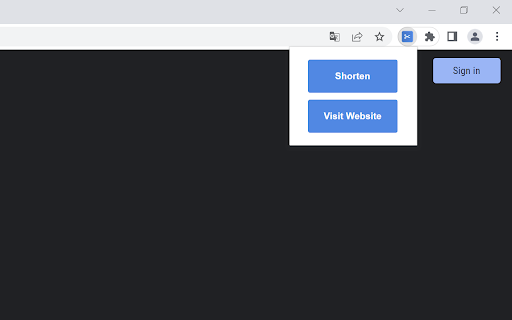
YouTube URL Shortener-Erweiterungs-CRX-Datei herunterladen
Laden Sie YouTube URL Shortener-Erweiterungsdateien im crx-Format herunter, installieren Sie Chrome-Erweiterungen manuell im Browser oder teilen Sie die crx-Dateien mit Freunden, um Chrome-Erweiterungen einfach zu installieren.
Anleitung zur Verwendung der Erweiterung
The Add-On will add a new Icon to your browser toolbar. After installing the Add-On, just visit a YouTube video URL (example: youtube.com/watch?v=id or youtube.com/shorts/id) and click on the Add-On icon. A small PopUp will open and show you a "Shorten" button. With a click on that button you will be redirected to our website that will automatically shorten the YouTube video URL. You will get 2 URLs. The official short YouTube video URL (youtu.be/id) and an even shorter URL using our website yts.nu which will be valid for 48 hours, allowing you to share it on Facebook and Twitter with just a click. Grundlegende Informationen zur Erweiterung
| Name |  YouTube URL Shortener YouTube URL Shortener |
| ID | afhogbpjeeoholecmgggidldmdjlgjbn |
| Offizielle URL | https://chromewebstore.google.com/detail/youtube-url-shortener/afhogbpjeeoholecmgggidldmdjlgjbn |
| Beschreibung | Shorten YouTube video URLs and share them on social media. |
| Dateigröße | 11.76 KB |
| Installationsanzahl | 857 |
| Aktuelle Version | 1.1 |
| Letztes Update | 2022-11-25 |
| Veröffentlichungsdatum | 2022-11-21 |
| Entwickler | https://ytmp3.nu |
| [email protected] | |
| Zahlungsart | free |
| Erweiterungswebsite | https://ytmp3.nu |
| Hilfeseite URL | https://ytmp3.nu/shortener/ |
| URL der Datenschutzrichtlinien-Seite | https://ytmp3.nu/privacy-policy |
| Unterstützte Sprachen | en-US |
| manifest.json | |
{
    "update_url": "https:\/\/clients2.google.com\/service\/update2\/crx",
    "manifest_version": 3,
    "name": "YouTube URL Shortener",
    "description": "Shorten YouTube video URLs and share them on social media.",
    "version": "1.1",
    "icons": {
        "16": "\/icons\/16.png",
        "32": "\/icons\/32.png",
        "48": "\/icons\/48.png",
        "128": "\/icons\/128.png"
    },
    "action": {
        "default_title": "YouTube URL Shortener",
        "default_popup": "\/html\/popup.html",
        "default_icon": {
            "16": "\/icons\/16.png",
            "32": "\/icons\/32.png",
            "48": "\/icons\/48.png",
            "128": "\/icons\/128.png"
        }
    },
    "permissions": [
        "activeTab"
    ]
} | |