Push Message to Mobile
Select content on HTML and push it to mobile device
Was ist Push Message to Mobile?
Push Message to Mobile ist eine Chrome-Erweiterung, die von www.3x.com.tw entwickelt wurde, und ihr Hauptmerkmal ist "Select content on HTML and push it to mobile device".
Erweiterungsscreenshots


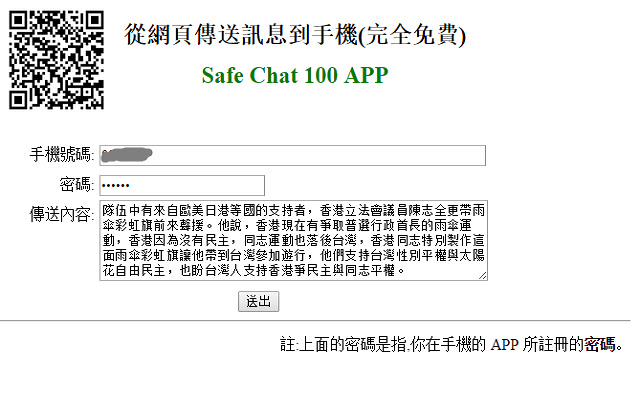

Push Message to Mobile-Erweiterungs-CRX-Datei herunterladen
Laden Sie Push Message to Mobile-Erweiterungsdateien im crx-Format herunter, installieren Sie Chrome-Erweiterungen manuell im Browser oder teilen Sie die crx-Dateien mit Freunden, um Chrome-Erweiterungen einfach zu installieren.
Anleitung zur Verwendung der Erweiterung
                        1.
Push html message to mobile
2.
From the computer to the phone,
you can easily push text or web content to your phone.
Typing on the Computer →
phone notified →
copy, send text messages, open a URL or map.
3.Translation : the process of translating words or text from one language into another.
Grundlegende Informationen zur Erweiterung
| Name |  Push Message to Mobile Push Message to Mobile |
| ID | bcagbbkmockgkkdggjimkijinbabcapp |
| Offizielle URL | https://chrome.google.com/webstore/detail/push-message-to-mobile/bcagbbkmockgkkdggjimkijinbabcapp |
| Beschreibung | Select content on HTML and push it to mobile device |
| Dateigröße | 196 KB |
| Installationsanzahl | 14 |
| Aktuelle Version | 1.9 |
| Letztes Update | 2014-10-30 |
| Veröffentlichungsdatum | 2014-10-30 |
| Bewertung | 3.00/5 Insgesamt 1 Bewertungen |
| Entwickler | www.3x.com.tw |
| Zahlungsart | free |
| Unterstützte Sprachen | en |
| manifest.json | |
{
    "update_url": "https:\/\/clients2.google.com\/service\/update2\/crx",
    "version": "1.9",
    "name": "__MSG_manifest_name__",
    "manifest_version": 2,
    "default_locale": "en",
    "description": "__MSG_manifest_description__",
    "author": "www.3x.com.tw",
    "icons": {
        "16": "images\/icon_16.png",
        "48": "images\/icon_48.png",
        "128": "images\/icon_128.png"
    },
    "permissions": [
        "tabs",
        "http:\/\/*\/*",
        "https:\/\/*\/*"
    ],
    "background": {
        "scripts": [
            "background.js"
        ]
    },
    "browser_action": {
        "default_icon": "images\/icon_128.png",
        "default_popup": "popup.html"
    },
    "content_scripts": [
        {
            "matches": [
                "http:\/\/dict.cn\/*"
            ],
            "js": [
                "my_dict.js"
            ],
            "run_at": "document_end",
            "all_frames": true
        },
        {
            "matches": [
                "http:\/\/*\/*",
                "https:\/\/*\/*"
            ],
            "js": [
                "my.js"
            ],
            "run_at": "document_end",
            "all_frames": true
        }
    ]
} | |