Stacker
Share links, videos, photos and content from anywhere on the web with the Stacker Browser Plugin.
Was ist Stacker?
Stacker ist eine Chrome-Erweiterung, die von http://getstacker.com entwickelt wurde, und ihr Hauptmerkmal ist "Share links, videos, photos and content from anywhere on the web with the Stacker Browser Plugin.".
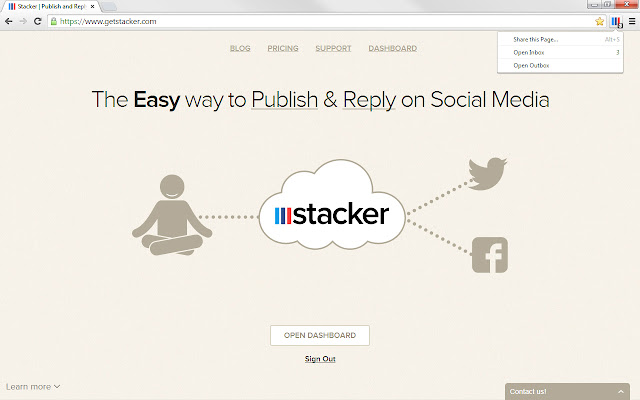
Erweiterungsscreenshots

Stacker-Erweiterungs-CRX-Datei herunterladen
Laden Sie Stacker-Erweiterungsdateien im crx-Format herunter, installieren Sie Chrome-Erweiterungen manuell im Browser oder teilen Sie die crx-Dateien mit Freunden, um Chrome-Erweiterungen einfach zu installieren.
Anleitung zur Verwendung der Erweiterung
The Stacker Chrome plugin makes it easy to share interesting Links,Videos & Photos you find on the web with your fans and followers across all your Social Media accounts. Grundlegende Informationen zur Erweiterung
| Name |  Stacker Stacker |
| ID | bgckommphflbikdkkpheadpnjbmmkceb |
| Offizielle URL | https://chrome.google.com/webstore/detail/stacker/bgckommphflbikdkkpheadpnjbmmkceb |
| Beschreibung | Share links, videos, photos and content from anywhere on the web with the Stacker Browser Plugin. |
| Dateigröße | 141 KB |
| Installationsanzahl | 275 |
| Aktuelle Version | 1.29 |
| Letztes Update | 2016-02-09 |
| Veröffentlichungsdatum | 2016-02-09 |
| Bewertung | 4.33/5 Insgesamt 9 Bewertungen |
| Entwickler | http://getstacker.com |
| Zahlungsart | free |
| Erweiterungswebsite | https://www.getstacker.com |
| Hilfeseite URL | https://www.getstacker.com/help |
| Unterstützte Sprachen | en |
| manifest.json | |
{
"update_url": "https:\/\/clients2.google.com\/service\/update2\/crx",
"name": "Stacker",
"version": "1.29",
"manifest_version": 2,
"commands": {
"toggle-feature-foo": {
"suggested_key": {
"default": "Alt+S",
"mac": "Alt+S"
},
"description": "Toggle feature foo"
}
},
"description": "Share links, videos, photos and content from anywhere on the web with the Stacker Browser Plugin.",
"background": {
"scripts": [
"jquery.min.js",
"checker.js",
"background.js",
"popup.js"
]
},
"browser_action": {
"default_icon": "apple-touch-icon.png",
"default_title": "Stacker",
"default_popup": "background.html"
},
"permissions": [
"webRequest",
"webRequestBlocking",
"contextMenus",
"activeTab",
"tabs",
"http:\/\/*\/*",
"https:\/\/*\/*",
"webNavigation",
"background",
"management"
],
"icons": {
"128": "apple-touch-icon.png"
},
"externally_connectable": {
"matches": [
"*:\/\/www.getstacker.com\/*",
"*:\/\/www.strikebooks.com\/*"
]
},
"content_scripts": [
{
"matches": [
" | |