Sporting Update
This extension will get team results, news, and standings as fast as you can click
Was ist Sporting Update?
Sporting Update ist eine Chrome-Erweiterung, die von dbextsandapps entwickelt wurde, und ihr Hauptmerkmal ist "This extension will get team results, news, and standings as fast as you can click".
Erweiterungsscreenshots

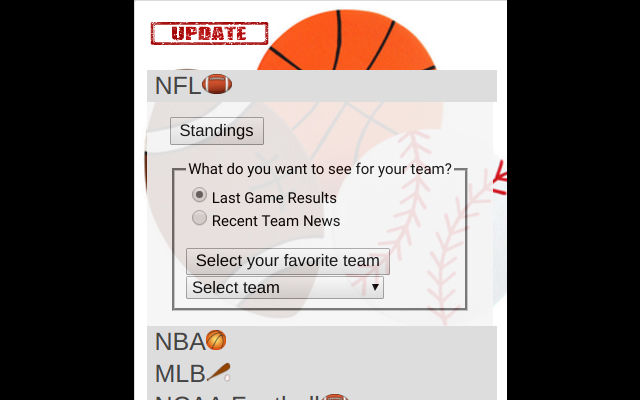
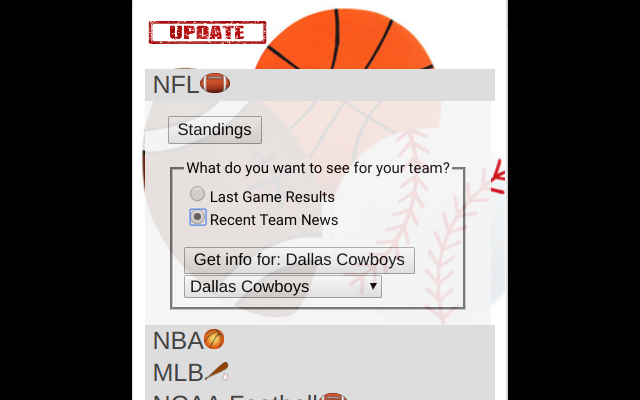
Sporting Update-Erweiterungs-CRX-Datei herunterladen
Laden Sie Sporting Update-Erweiterungsdateien im crx-Format herunter, installieren Sie Chrome-Erweiterungen manuell im Browser oder teilen Sie die crx-Dateien mit Freunden, um Chrome-Erweiterungen einfach zu installieren.
Anleitung zur Verwendung der Erweiterung
Tired of clicking around to link after link to find out what's happening with your favorite sports teams? Want to get to the standings, rankings, or latest team's result faster? Get the latest NFL, NBA, MLB, NCAA Football, and NCAA M Basketball information with this simple, easy to use extension. There is nothing mind-blowing about this extension, but I'm hoping it will slightly simplify your sports needs. Grundlegende Informationen zur Erweiterung
| Name |  Sporting Update Sporting Update |
| ID | blcjpfocolckibpejgelcfgjifdfjobm |
| Offizielle URL | https://chrome.google.com/webstore/detail/sporting-update/blcjpfocolckibpejgelcfgjifdfjobm |
| Beschreibung | This extension will get team results, news, and standings as fast as you can click |
| Dateigröße | 2.54 MB |
| Installationsanzahl | 53 |
| Aktuelle Version | 0.0.0.2 |
| Letztes Update | 2018-01-15 |
| Veröffentlichungsdatum | 2018-01-15 |
| Bewertung | 5.00/5 Insgesamt 1 Bewertungen |
| Entwickler | dbextsandapps |
| Zahlungsart | free |
| Unterstützte Sprachen | en |
| manifest.json | |
{
    "update_url": "https:\/\/clients2.google.com\/service\/update2\/crx",
    "manifest_version": 2,
    "name": "Sporting Update",
    "description": "This extension will get team results, news, and standings as fast as you can click",
    "version": "0.0.0.2",
    "browser_action": {
        "default_icon": {
            "19": "foamfinger19.png",
            "38": "foamfinger38.png"
        },
        "default_popup": "popup.html"
    },
    "icons": {
        "16": "foamfinger16.png",
        "48": "foamfinger48.png",
        "128": "foamfinger96.png"
    },
    "short_name": "SportUpdate",
    "permissions": [
        "activeTab"
    ]
} | |