Token signing
Use your eID smart card on the web
Was ist Token signing?
Token signing ist eine Chrome-Erweiterung, die von riaee entwickelt wurde, und ihr Hauptmerkmal ist "Use your eID smart card on the web".
Erweiterungsscreenshots
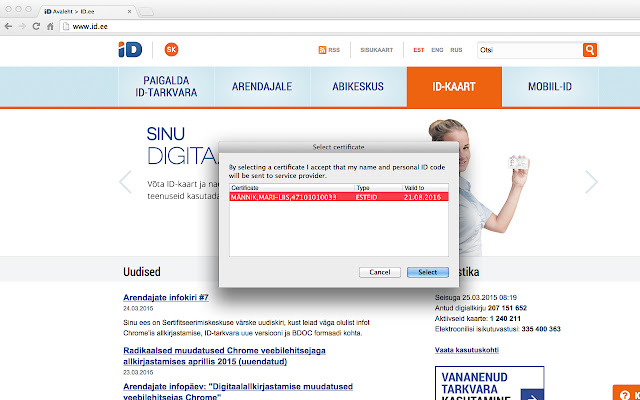
Token signing-Erweiterungs-CRX-Datei herunterladen
Laden Sie Token signing-Erweiterungsdateien im crx-Format herunter, installieren Sie Chrome-Erweiterungen manuell im Browser oder teilen Sie die crx-Dateien mit Freunden, um Chrome-Erweiterungen einfach zu installieren.
Anleitung zur Verwendung der Erweiterung
                        Active development and management of the Token Signing component have ended due to the transition to the new web authentication and signing solution (Web eID): https://www.id.ee/en/article/the-latest-version-of-the-id-software-includes-an-innovative-web-eid-interface/
Token Signing extension will be removed from the extensions stores on 1st September 2023.
Web eID components are included in the ID-software installation package which can be downloaded from the website www.id.ee.
NB! Please remove Token Signing extension in order for Web eID to work.

For Uninstallation, please follow these instructions https://github.com/open-eid/chrome-token-signing/wiki/Extension-removal.
Grundlegende Informationen zur Erweiterung
| Name |  Token signing Token signing |
| ID | ckjefchnfjhjfedoccjbhjpbncimppeg |
| Offizielle URL | https://chrome.google.com/webstore/detail/ckjefchnfjhjfedoccjbhjpbncimppeg |
| Beschreibung | Use your eID smart card on the web |
| Dateigröße | 60.28 KB |
| Installationsanzahl | 515,219 |
| Aktuelle Version | 0.0.33 |
| Letztes Update | 2023-08-15 |
| Veröffentlichungsdatum | 2019-07-22 |
| Bewertung | 1.83/5 Insgesamt 824 Bewertungen |
| Entwickler | riaee |
| [email protected] | |
| Zahlungsart | free |
| Erweiterungswebsite | https://www.id.ee/en/ |
| Unterstützte Sprachen | en,et,ru |
| manifest.json | |
{
    "update_url": "https:\/\/clients2.google.com\/service\/update2\/crx",
    "name": "Token signing",
    "version": "0.0.33",
    "minimum_chrome_version": "40.0",
    "manifest_version": 2,
    "description": "Use your eID smart card on the web",
    "icons": {
        "48": "icon48.png",
        "128": "icon128.png"
    },
    "default_locale": "en",
    "content_scripts": [
        {
            "matches": [
                "*:\/\/*\/*",
                "file:\/\/\/*"
            ],
            "exclude_matches": [
                "*:\/\/*.overdrive.com\/*",
                "*:\/\/*\/*.svg",
                "https:\/\/ebs.instructure.com\/*"
            ],
            "js": [
                "content.js"
            ],
            "run_at": "document_end",
            "all_frames": true
        }
    ],
    "background": {
        "scripts": [
            "background.js"
        ]
    },
    "permissions": [
        "nativeMessaging"
    ],
    "applications": {
        "gecko": {
            "id": "{443830f0-1fff-4f9a-aa1e-444bafbc7319}"
        }
    }
} | |