MyWeb New Tab
Use one of hundreds of unique new tab page experiences brought to you by Brand Thunder.
Was ist MyWeb New Tab?
MyWeb New Tab ist eine Chrome-Erweiterung, die von http://brandthunder.com entwickelt wurde, und ihr Hauptmerkmal ist "Use one of hundreds of unique new tab page experiences brought to you by Brand Thunder.".
Erweiterungsscreenshots

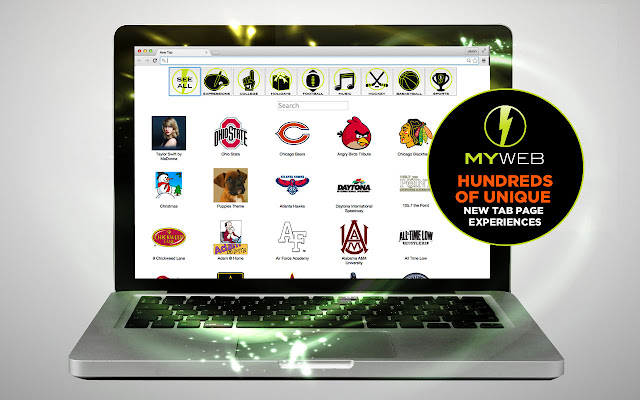
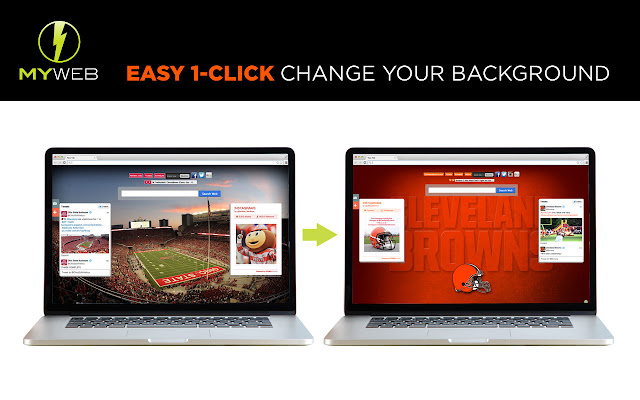

MyWeb New Tab-Erweiterungs-CRX-Datei herunterladen
Laden Sie MyWeb New Tab-Erweiterungsdateien im crx-Format herunter, installieren Sie Chrome-Erweiterungen manuell im Browser oder teilen Sie die crx-Dateien mit Freunden, um Chrome-Erweiterungen einfach zu installieren.
Anleitung zur Verwendung der Erweiterung
                        *Over 300 new tab experiences to choose from
*One extension, access to HUNDREDS of brands and galleries
*Professional Sports Teams, Colleges, Music Groups, Holidays, and MORE!
*This extension offers direct, convenient web search and features from a New Tab page.

Please Rate Us!  If you feel we don’t deserve a 5-star rating, PLEASE email or call us FIRST! We want to hear from you!
[email protected] or 614.321.9316

***More features to improve the user experience will be coming in the near future!

We are search and ad supported - appreciate your help!

Right click on the extension button and select "Install Theme" to install the theme that corresponds to the new tab experience.
Grundlegende Informationen zur Erweiterung
| Name |  MyWeb New Tab MyWeb New Tab |
| ID | cnbiadnhebmicjcbpgajglfemclnlagh |
| Offizielle URL | https://chrome.google.com/webstore/detail/myweb-new-tab/cnbiadnhebmicjcbpgajglfemclnlagh |
| Beschreibung | Use one of hundreds of unique new tab page experiences brought to you by Brand Thunder. |
| Dateigröße | 62.52 KB |
| Installationsanzahl | 767 |
| Aktuelle Version | 1.2 |
| Letztes Update | 2020-10-11 |
| Veröffentlichungsdatum | 2016-08-09 |
| Bewertung | 3.99/5 Insgesamt 73 Bewertungen |
| Entwickler | http://brandthunder.com |
| [email protected] | |
| Zahlungsart | free |
| Hilfeseite URL | http://support.brandthunder.com |
| URL der Datenschutzrichtlinien-Seite | http://brandthunder.com/privacy |
| Unterstützte Sprachen | en-US |
| manifest.json | |
{
    "update_url": "https:\/\/clients2.google.com\/service\/update2\/crx",
    "manifest_version": 2,
    "name": "MyWeb New Tab",
    "version": "1.2",
    "description": "Use one of hundreds of unique new tab page experiences brought to you by Brand Thunder.",
    "author": "Brand Thunder",
    "icons": {
        "16": "icon16.png",
        "32": "icon32.png",
        "48": "icon48.png",
        "128": "icon128.png"
    },
    "background": {
        "page": "background.html",
        "persistent": true
    },
    "options_ui": {
        "page": "options.html",
        "open_in_tab": true
    },
    "browser_action": {
        "default_icon": {
            "16": "icon16.png",
            "32": "icon32.png"
        },
        "default_title": "MyWeb"
    },
    "content_scripts": [
        {
            "matches": [
                "*:\/\/*.brandthunder.com\/*"
            ],
            "js": [
                "contentscript.js"
            ],
            "run_at": "document_start"
        }
    ],
    "chrome_url_overrides": {
        "newtab": "newtab.html"
    },
    "permissions": [
        "tabs",
        "cookies",
        "storage"
    ],
    "content_security_policy": "script-src 'self' https:\/\/ssl.google-analytics.com; object-src 'self'"
} | |