JIRAWorker
Track JIRA WorkLogs
Was ist JIRAWorker?
JIRAWorker ist eine Chrome-Erweiterung, die von JIRALyzer entwickelt wurde, und ihr Hauptmerkmal ist "Track JIRA WorkLogs".
Erweiterungsscreenshots

JIRAWorker-Erweiterungs-CRX-Datei herunterladen
Laden Sie JIRAWorker-Erweiterungsdateien im crx-Format herunter, installieren Sie Chrome-Erweiterungen manuell im Browser oder teilen Sie die crx-Dateien mit Freunden, um Chrome-Erweiterungen einfach zu installieren.
Anleitung zur Verwendung der Erweiterung
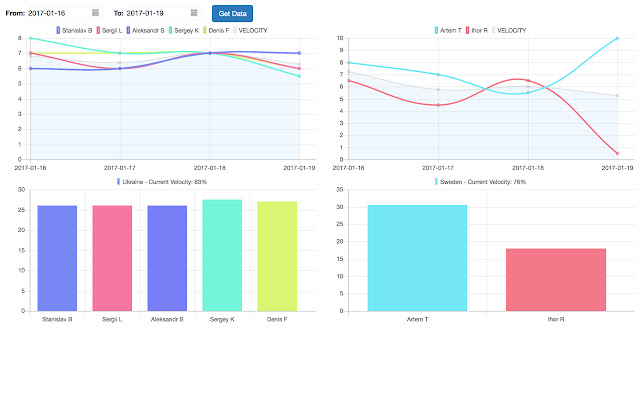
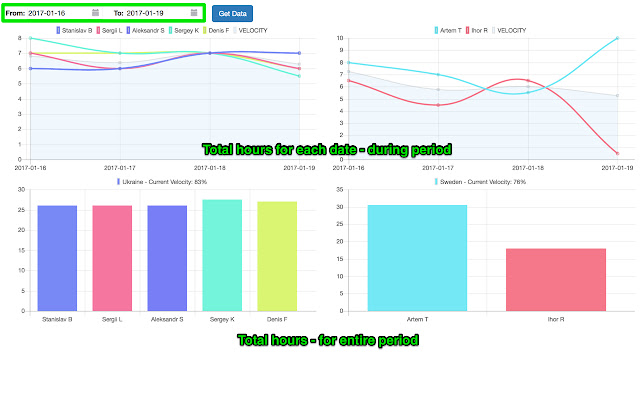
                        Easily track the amount of hours logged in JIRA over a set time period.

A great and easy way for Managers and Users alike to track their hours in JIRA in a nice and easy to use interface.

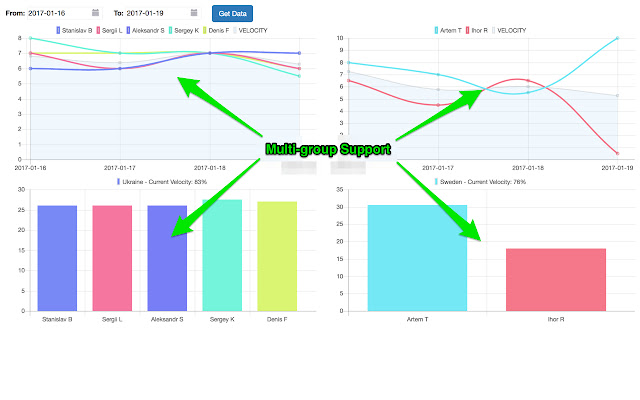
Now with support for up to two teams
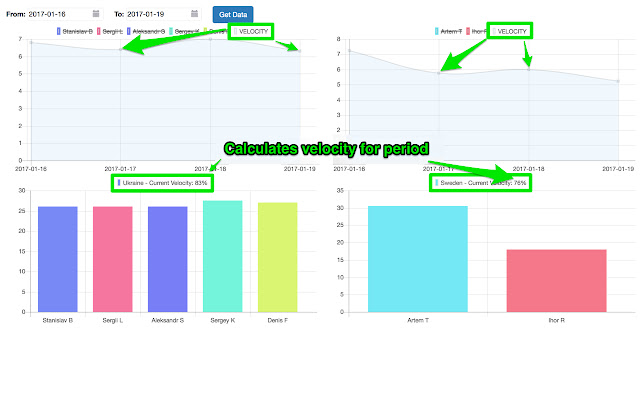
Dynamically enable/disable particular user(s) for easier overview

Displays current, and projected, velocity.

Fully responsive and retina ready
Grundlegende Informationen zur Erweiterung
| Name |  JIRAWorker JIRAWorker |
| ID | dcajmbfhmbfebahjbacngajigbapedjn |
| Offizielle URL | https://chrome.google.com/webstore/detail/jiraworker/dcajmbfhmbfebahjbacngajigbapedjn |
| Beschreibung | Track JIRA WorkLogs |
| Dateigröße | 1.77 MB |
| Installationsanzahl | 40 |
| Aktuelle Version | 0.0.0.5 |
| Letztes Update | 2017-01-20 |
| Veröffentlichungsdatum | 2017-01-20 |
| Entwickler | JIRALyzer |
| [email protected] | |
| Zahlungsart | free |
| Unterstützte Sprachen | en |
| manifest.json | |
{
"update_url": "https:\/\/clients2.google.com\/service\/update2\/crx",
"name": "JIRAWorker",
"version": "0.0.0.5",
"manifest_version": 2,
"description": "Track JIRA WorkLogs",
"icons": {
"16": "icons\/icon16.png",
"48": "icons\/icon48.png",
"80": "icons\/icon80.png",
"128": "icons\/icon128.png"
},
"browser_action": {
"default_icon": "icons\/icon19.png",
"default_title": "JIRAWorker",
"default_popup": "src\/browser_action\/browser_action.html"
},
"background": {
"scripts": [
"bower_components\/jquery\/dist\/jquery.min.js",
"src\/inject\/background.js"
]
},
"permissions": [
"tabs",
"storage",
"notifications",
" | |