MLDonkey
Interact with mldonkey and add download tasks automatically when you click elinks.
Was ist MLDonkey?
MLDonkey ist eine Chrome-Erweiterung, die von http://ogarcia.moire.org entwickelt wurde, und ihr Hauptmerkmal ist "Interact with mldonkey and add download tasks automatically when you click elinks.".
Erweiterungsscreenshots

MLDonkey-Erweiterungs-CRX-Datei herunterladen
Laden Sie MLDonkey-Erweiterungsdateien im crx-Format herunter, installieren Sie Chrome-Erweiterungen manuell im Browser oder teilen Sie die crx-Dateien mit Freunden, um Chrome-Erweiterungen einfach zu installieren.
Anleitung zur Verwendung der Erweiterung
                        This extension permits send elinks directly to your remote MLDonkey server.

>> What is new in 0.7.2?

· Simply remove unused permission.

>> What is new in 0.7.1?

· Fixed to work with latest versions of browser.
· Prevent ed2k links continue being opened with xdg-open.

>> What is new in 0.7?

· New Chrome Rich Notifications.
· Now, if you've previously downloaded the elink, the extension give you a warning message.

>> Configure

· Enable the web interface in your P2P client.
· Install the extension.
· Open the extension's options (Menu -> Tools -> Extensions -> MLDonkey -> Options), add service info (URL and Port), optionally set User and Password and save.

>> Use

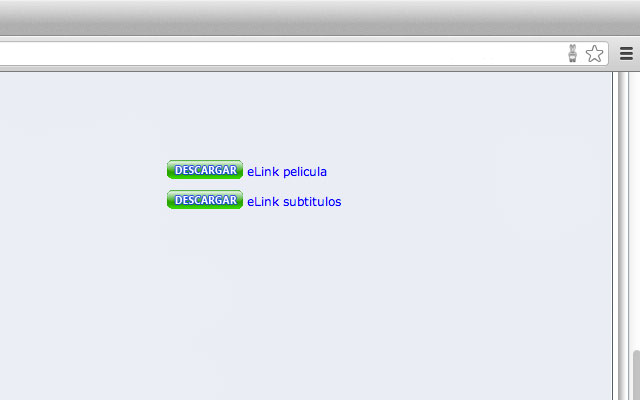
· Search any P2P page.
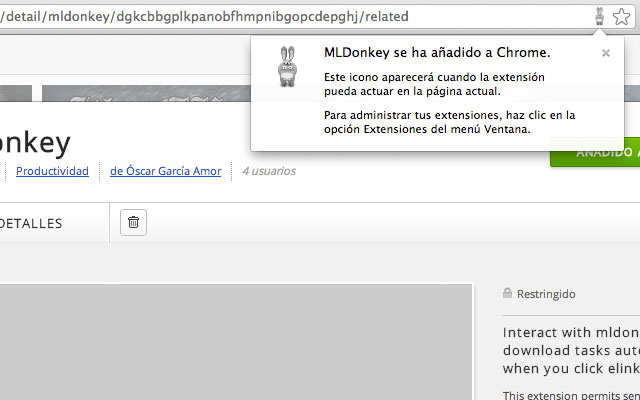
· A small icon appears in omnibox indicating elinks found.
· Click on link. A popup must indicate that the download are send to MLDonkey.
· See MLDonkey status.
Grundlegende Informationen zur Erweiterung
| Name |  MLDonkey MLDonkey |
| ID | dgkcbbgplkpanobfhmpnibgopcdepghj |
| Offizielle URL | https://chrome.google.com/webstore/detail/mldonkey/dgkcbbgplkpanobfhmpnibgopcdepghj |
| Beschreibung | Interact with mldonkey and add download tasks automatically when you click elinks. |
| Dateigröße | 89.77 KB |
| Installationsanzahl | 464 |
| Aktuelle Version | 0.7.2 |
| Letztes Update | 2021-07-08 |
| Veröffentlichungsdatum | 2018-11-26 |
| Bewertung | 4.11/5 Insgesamt 9 Bewertungen |
| Entwickler | http://ogarcia.moire.org |
| [email protected] | |
| Erweiterungswebsite | https://github.com/ogarcia/mldonkey |
| Hilfeseite URL | https://github.com/ogarcia/mldonkey/issues |
| Unterstützte Sprachen | en |
| manifest.json | |
{
    "update_url": "https:\/\/clients2.google.com\/service\/update2\/crx",
    "background": {
        "scripts": [
            "background.js"
        ]
    },
    "page_action": {
        "default_icon": "icon24.png",
        "default_title": "Downloadable resources found!"
    },
    "content_scripts": [
        {
            "js": [
                "jquery.js",
                "main.js"
            ],
            "matches": [
                "http:\/\/*\/*",
                "https:\/\/*\/*"
            ],
            "runat": "document_idle"
        }
    ],
    "description": "Interact with mldonkey and add download tasks automatically when you click elinks.",
    "icons": {
        "128": "icon128.png",
        "16": "icon16.png",
        "24": "icon24.png",
        "256": "icon256.png",
        "32": "icon32.png",
        "48": "icon48.png",
        "64": "icon64.png"
    },
    "manifest_version": 2,
    "name": "MLDonkey",
    "options_page": "options.html",
    "permissions": [
        "http:\/\/*\/*",
        "https:\/\/*\/*",
        "notifications",
        "storage"
    ],
    "version": "0.7.2",
    "web_accessible_resources": [
        "icon48.png"
    ]
} | |