Tubeit
Search and play YouTube videos without leaving your current tab. Tube it.
Was ist Tubeit?
Tubeit ist eine Chrome-Erweiterung, die von taehoon.lee entwickelt wurde, und ihr Hauptmerkmal ist "Search and play YouTube videos without leaving your current tab. Tube it.".
Erweiterungsscreenshots

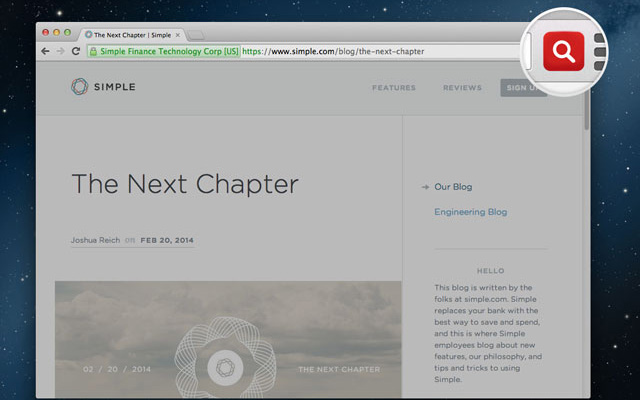


Tubeit-Erweiterungs-CRX-Datei herunterladen
Laden Sie Tubeit-Erweiterungsdateien im crx-Format herunter, installieren Sie Chrome-Erweiterungen manuell im Browser oder teilen Sie die crx-Dateien mit Freunden, um Chrome-Erweiterungen einfach zu installieren.
Anleitung zur Verwendung der Erweiterung
                        Tubeit - the simplest way to search and watch YouTube videos.

When you want to watch a YouTube video, search and play YouTube videos without opening a new tab.

Extension Features:
*Search for YouTube videos without opening a new tab
*To play, simply click on thumbnails or titles
*Watch videos on Fullscreen mode
*Scroll to load more videos
*Search bar is always active (you can search while the video is playing)
*Popout a new window of the video you are watching

Shortcut Key:
Ctrl/Command + i

version 1.0.2 : added "pop out" feature
version 1.0.1 : auto focus on search bar when starting up
Grundlegende Informationen zur Erweiterung
| Name |  Tubeit Tubeit |
| ID | digjbkcgjnjhhkkamhibpkniphndgoid |
| Offizielle URL | https://chrome.google.com/webstore/detail/tubeit/digjbkcgjnjhhkkamhibpkniphndgoid |
| Beschreibung | Search and play YouTube videos without leaving your current tab. Tube it. |
| Dateigröße | 533 KB |
| Installationsanzahl | 768 |
| Aktuelle Version | 1.0.2 |
| Letztes Update | 2014-06-30 |
| Veröffentlichungsdatum | 2014-06-30 |
| Bewertung | 4.62/5 Insgesamt 26 Bewertungen |
| Entwickler | taehoon.lee |
| Zahlungsart | free |
| Erweiterungswebsite | https://taehoonlee.com |
| Unterstützte Sprachen | en-US |
| manifest.json | |
{
    "update_url": "https:\/\/clients2.google.com\/service\/update2\/crx",
    "name": "Tubeit",
    "manifest_version": 2,
    "version": "1.0.2",
    "description": "Search and play YouTube videos without leaving your current tab. Tube it.",
    "icons": {
        "16": "img\/icon\/tubeit-16.png",
        "48": "img\/icon\/tubeit-48.png",
        "128": "img\/icon\/tubeit-128.png"
    },
    "permissions": [
        "tabs",
        "*:\/\/*.google.com\/*",
        "*:\/\/*.youtube.com\/*"
    ],
    "background": {
        "persistent": true,
        "page": "background.html"
    },
    "browser_action": {
        "default_icon": "img\/icon\/tubeit-48.png",
        "default_popup": "popup.html"
    },
    "content_scripts": [
        {
            "matches": [
                "*:\/\/*.youtube.com\/*"
            ],
            "js": [
                "js\/lib\/jquery-2.1.1.js",
                "js\/popup\/popup.js",
                "js\/background\/background.js"
            ]
        }
    ],
    "content_security_policy": "script-src 'self' https:\/\/www.youtube.com\/player_api https:\/\/www.youtube.com 'unsafe-eval' https:\/\/www.youtube.com\/player_api https:\/\/www.youtube.com https:\/\/www.youtube.com\/iframe_api https:\/\/s.ytimg.com https:\/\/apis.google.com; object-src 'self' https:\/\/www.youtube.com",
    "commands": {
        "_execute_browser_action": {
            "suggested_key": {
                "default": "Ctrl+I",
                "windows": "Ctrl+I",
                "mac": "Command+I"
            }
        }
    }
} | |