EyeCBest
A browser extension that increases the readability of websites.
Was ist EyeCBest?
EyeCBest ist eine Chrome-Erweiterung, die von http://eyecbest.com entwickelt wurde, und ihr Hauptmerkmal ist "A browser extension that increases the readability of websites.".
Erweiterungsscreenshots
EyeCBest-Erweiterungs-CRX-Datei herunterladen
Laden Sie EyeCBest-Erweiterungsdateien im crx-Format herunter, installieren Sie Chrome-Erweiterungen manuell im Browser oder teilen Sie die crx-Dateien mit Freunden, um Chrome-Erweiterungen einfach zu installieren.
Anleitung zur Verwendung der Erweiterung
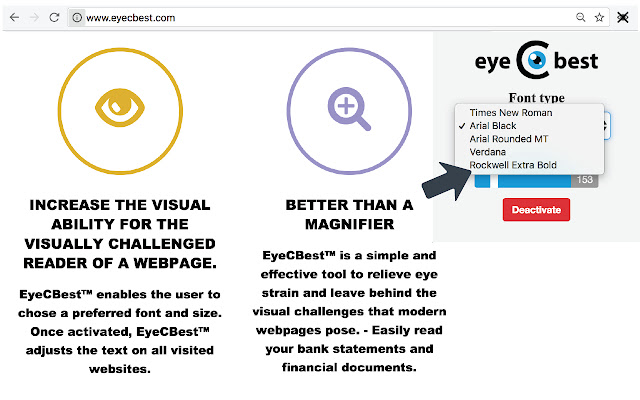
                        EyeCBest is a browser extension, which increases the visual ability for the visually challenged reader of a webpage.

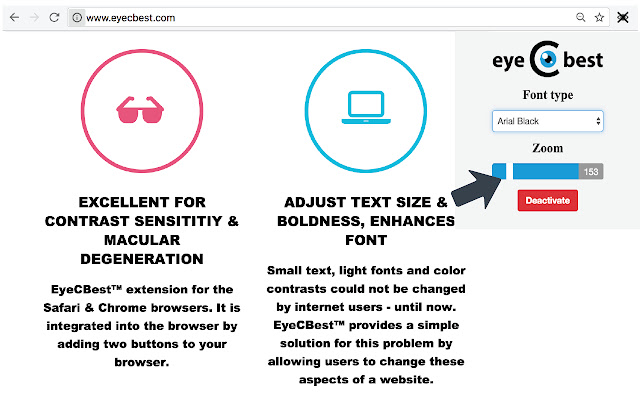
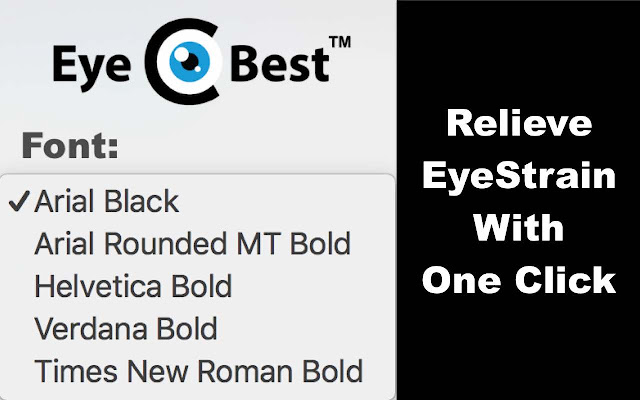
This extension enables the user to change the font, size and boldness of website text with one click.

The user can choose from a range of font types and increase text size up to 400%. All text on the webpage and those visited afterwards will be displayed in the same manner until EyeCBest is deactivated.
It thus provides a simple solution for those struggling with contrast sensitivity, macular degeneration and other eye issues.
Grundlegende Informationen zur Erweiterung
| Name |  EyeCBest EyeCBest |
| ID | edoaobpmgmdchahlfmikhpgkdcbkfjnh |
| Offizielle URL | https://chrome.google.com/webstore/detail/eyecbest/edoaobpmgmdchahlfmikhpgkdcbkfjnh |
| Beschreibung | A browser extension that increases the readability of websites. |
| Dateigröße | 75.38 KB |
| Installationsanzahl | 16 |
| Aktuelle Version | 1.0.8 |
| Letztes Update | 2017-05-24 |
| Veröffentlichungsdatum | 2017-05-24 |
| Bewertung | 5.00/5 Insgesamt 3 Bewertungen |
| Entwickler | http://eyecbest.com |
| [email protected] | |
| Zahlungsart | in_store |
| Erweiterungswebsite | http://www.eyecbest.com/ |
| URL der Datenschutzrichtlinien-Seite | http://www.eyecbest.com?page_id=430 |
| Unterstützte Sprachen | en |
| manifest.json | |
{
    "update_url": "https:\/\/clients2.google.com\/service\/update2\/crx",
    "name": "EyeCBest",
    "description": "A browser extension that increases the readability of websites.",
    "version": "1.0.8",
    "permissions": [
        "tabs",
        "activeTab",
        "storage",
        "*:\/\/*\/*",
        "http:\/\/*\/*",
        "https:\/\/*\/*",
        "identity"
    ],
    "oauth2": {
        "client_id": "995420877362-eq42h53qm5msf6ol1ddp7c43gh7n9dp5.apps.googleusercontent.com",
        "scopes": [
            "https:\/\/www.googleapis.com\/auth\/plus.login",
            "https:\/\/www.googleapis.com\/auth\/chromewebstore.readonly"
        ]
    },
    "icons": {
        "16": "resources\/eye16.png",
        "24": "resources\/eye24.png",
        "32": "resources\/eye32.png",
        "64": "resources\/eye64.png",
        "128": "resources\/[email protected]"
    },
    "key": "MIIBIjANBgkqhkiG9w0BAQEFAAOCAQ8AMIIBCgKCAQEAsyqA+ssotaHjGVKdH\/\/zqPimfAIk+nLw2RiyQrgoApWXKDuwSAeBfvmQaowusxHFNDRJ+nb\/TrD77cnvMm0N3uOY7TJ7dlO57WGQeus6RNyvgbNP2\/gubw0bfwY1BZWhKk8nyIwbZJ2v7TFllRIlQoL40mv\/3zazKYwXNNYb8NeRawu+rnTOP0ePRSRuJlMCgFSiPQREKv0IAUTMGVq48Ec9HyZVRmlsL92SR2RPfxhEtJgMiTVvDPR0AGuzEB9CteX\/bK28aDtYOV6sTt0rL3WYrEcqTzDBk9iCy+RAr4PTg0BxA1X\/07n9oFl0dwLDhC3mFsa62sDFbuJszA0DrwIDAQAB",
    "browser_action": {
        "default_title": "EyeCBest",
        "default_icon": "resources\/icon.png",
        "default_popup": "popup.html"
    },
    "background": {
        "scripts": [
            "background.js"
        ],
        "persistent": false
    },
    "manifest_version": 2
} | |