NoDetour
Changes links passed through redirection scripts to point straight to the final URL.
Was ist NoDetour?
NoDetour ist eine Chrome-Erweiterung, die von Patrick H. Lauke entwickelt wurde, und ihr Hauptmerkmal ist "Changes links passed through redirection scripts to point straight to the final URL.".
Erweiterungsscreenshots
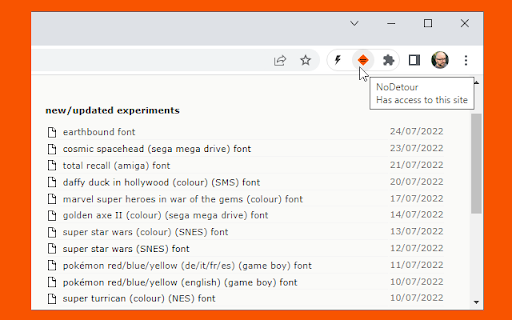
NoDetour-Erweiterungs-CRX-Datei herunterladen
Laden Sie NoDetour-Erweiterungsdateien im crx-Format herunter, installieren Sie Chrome-Erweiterungen manuell im Browser oder teilen Sie die crx-Dateien mit Freunden, um Chrome-Erweiterungen einfach zu installieren.
Anleitung zur Verwendung der Erweiterung
Changes links passed through redirection scripts (e.g. /cgi-bin/redirect.cgi?url=http://foo.com - often used for tracking click-throughs or forcing visitors through an intermediate adverts page) to point straight to the final URL. Based on my "link neutraliser" bookmarklet http://www.splintered.co.uk/experiments/48/ Grundlegende Informationen zur Erweiterung
| Name |  NoDetour NoDetour |
| ID | eghdfpkmigckncdkleddhgflbbacimmc |
| Offizielle URL | https://chromewebstore.google.com/detail/nodetour/eghdfpkmigckncdkleddhgflbbacimmc |
| Beschreibung | Changes links passed through redirection scripts to point straight to the final URL. |
| Dateigröße | 125 KB |
| Installationsanzahl | 583 |
| Aktuelle Version | 5.0 |
| Letztes Update | 2022-08-03 |
| Veröffentlichungsdatum | 2013-08-02 |
| Bewertung | 3.71/5 Insgesamt 7 Bewertungen |
| Entwickler | Patrick H. Lauke |
| [email protected] | |
| Zahlungsart | free |
| Erweiterungswebsite | https://www.splintered.co.uk |
| Unterstützte Sprachen | en |
| manifest.json | |
{
    "update_url": "https:\/\/clients2.google.com\/service\/update2\/crx",
    "name": "NoDetour",
    "action": [],
    "manifest_version": 3,
    "version": "5.0",
    "description": "Changes links passed through redirection scripts to point straight to the final URL.",
    "permissions": [
        "activeTab",
        "scripting"
    ],
    "background": {
        "service_worker": "background.js"
    },
    "homepage_url": "https:\/\/www.splintered.co.uk",
    "icons": {
        "16": "icon16.png",
        "48": "icon48.png",
        "64": "icon64.png",
        "128": "icon128.png"
    }
} | |