Enterprise Data Catalog Plug-in
Enterprise Data Catalog Plug-in is a quick way to access detailed metadata information about data assets.
Was ist Enterprise Data Catalog Plug-in?
Enterprise Data Catalog Plug-in ist eine Chrome-Erweiterung, die von Informatica entwickelt wurde, und ihr Hauptmerkmal ist "Enterprise Data Catalog Plug-in is a quick way to access detailed metadata information about data assets.".
Erweiterungsscreenshots
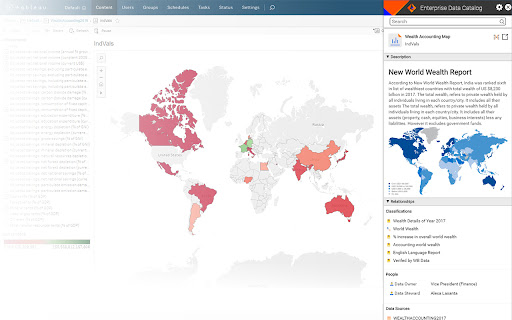
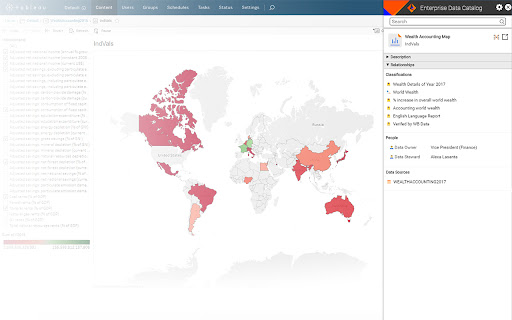
Enterprise Data Catalog Plug-in-Erweiterungs-CRX-Datei herunterladen
Laden Sie Enterprise Data Catalog Plug-in-Erweiterungsdateien im crx-Format herunter, installieren Sie Chrome-Erweiterungen manuell im Browser oder teilen Sie die crx-Dateien mit Freunden, um Chrome-Erweiterungen einfach zu installieren.
Anleitung zur Verwendung der Erweiterung
                        Enterprise Data Catalog Plug-in is a browser extension that is designed keeping data consumers and analysts in mind. With this plug-in, data consumers and analysts get business context and technical details about enterprise data assets, such as dashboards, reports, tables, and databases.

Use this extension within the Chrome browser to search and view any metadata, such as data asset description, relationships, associated business terms, data asset owners and contributors, and data sources. Launch the full version of Enterprise Data Catalog from the browser to view any metadata needed for data analysis and reporting.

Informatica Enterprise Data Catalog is a AI-powered data catalog that provides a machine-learning-based discovery engine to scan and catalog data assets across the enterprise across cloud, on-premises, and big data. Learn more about Enterprise Data Catalog on www.informatica.com/eic
Grundlegende Informationen zur Erweiterung
| Name |  Enterprise Data Catalog Plug-in Enterprise Data Catalog Plug-in |
| ID | ehmlceddjeepgfiimoofdnkblnkhojbh |
| Offizielle URL | https://chromewebstore.google.com/detail/enterprise-data-catalog-p/ehmlceddjeepgfiimoofdnkblnkhojbh |
| Beschreibung | Enterprise Data Catalog Plug-in is a quick way to access detailed metadata information about data assets. |
| Dateigröße | 1.65 MB |
| Installationsanzahl | 364 |
| Aktuelle Version | 1.2.2.33 |
| Letztes Update | 2021-07-03 |
| Veröffentlichungsdatum | 2019-06-25 |
| Bewertung | 5.00/5 Insgesamt 4 Bewertungen |
| Entwickler | Informatica |
| [email protected] | |
| Zahlungsart | free |
| Erweiterungswebsite | https://www.informatica.com/eic |
| URL der Datenschutzrichtlinien-Seite | https://www.informatica.com/privacy-policy.html |
| Unterstützte Sprachen | en |
| manifest.json | |
{
    "update_url": "https:\/\/clients2.google.com\/service\/update2\/crx",
    "manifest_version": 2,
    "name": "Enterprise Data Catalog Plug-in",
    "description": "Enterprise Data Catalog Plug-in is a quick way to access detailed metadata information about data assets.",
    "version": "1.2.2.33",
    "incognito": "split",
    "browser_action": {
        "default_icon": "ldmLogo.png",
        "default_title": "Enterprise Data Catalog Plug-in"
    },
    "icons": {
        "128": "ldmLogo.png"
    },
    "content_scripts": [
        {
            "run_at": "document_end",
            "matches": [
                "http:\/\/*\/*",
                "https:\/\/*\/*"
            ],
            "css": [
                "res\/css\/content_script.css",
                "res\/css\/login.css"
            ],
            "js": [
                "res\/js\/jquery\/jquery-3.2.1.min.js",
                "res\/js\/jquery\/jquery-ui.min.js",
                "res\/js\/jquery\/jquery.lang.string.js",
                "res\/js\/jquery\/jquery.class.js",
                "res\/js\/jquery\/jquery.cookie.js",
                "res\/js\/jquery\/jquery.reflection.js",
                "res\/js\/jquery\/jquery-tmpl.js",
                "res\/js\/eicConfiguration.js",
                "res\/js\/util.js",
                "res\/js\/ajaxUtils.js",
                "res\/js\/util.js",
                "res\/js\/EICsession.js",
                "res\/js\/extensionView.js",
                "res\/js\/ReportBookmarklet.js",
                "res\/js\/content_script.js"
            ],
            "all_frames": false
        }
    ],
    "options_page": "options.html",
    "background": {
        "scripts": [
            "res\/js\/jquery\/jquery-3.2.1.min.js",
            "background.js"
        ],
        "persistent": true
    },
    "permissions": [
        "tabs",
        "storage",
        "http:\/\/*\/",
        "https:\/\/*\/",
        "webRequest",
        "webRequestBlocking"
    ],
    "web_accessible_resources": [
        "res\/*",
        "images\/*",
        "index.html"
    ],
    "content_security_policy": "script-src 'self' 'unsafe-eval'; object-src 'self'"
} | |