Demon Slayer Zenitsu Wallpaper New Tab Theme
Change the layout Front Of Chrome Apps Using Demon Slayer Zenitsu Wallpaper New Tab Theme[Install Now]Images Change in every click
Was ist Demon Slayer Zenitsu Wallpaper New Tab Theme?
Demon Slayer Zenitsu Wallpaper New Tab Theme ist eine Chrome-Erweiterung, die von kaltenjenellghjd entwickelt wurde, und ihr Hauptmerkmal ist "Change the layout Front Of Chrome Apps Using Demon Slayer Zenitsu Wallpaper New Tab Theme[Install Now]Images Change in every click".
Erweiterungsscreenshots
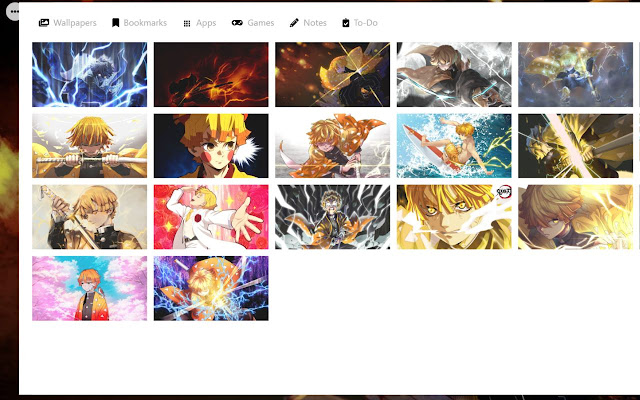


Demon Slayer Zenitsu Wallpaper New Tab Theme-Erweiterungs-CRX-Datei herunterladen
Laden Sie Demon Slayer Zenitsu Wallpaper New Tab Theme-Erweiterungsdateien im crx-Format herunter, installieren Sie Chrome-Erweiterungen manuell im Browser oder teilen Sie die crx-Dateien mit Freunden, um Chrome-Erweiterungen einfach zu installieren.
Anleitung zur Verwendung der Erweiterung
                        Demon Slayer Zenitsu Wallpaper New Tab Theme is available on Chrome Web Store, Install this theme and change the look of your browser With New & Latest HD Demon Slayer Zenitsu Wallpaper.

Replace your new tab with the Demon Slayer Zenitsu Wallpaper New Tab Theme Custom page, with bookmarks ,apps, games and Demon Slayer Zenitsu wallpaper.

HOW TO USE:

This Demon Slayer Zenitsu Wallpaper New Tab Theme is so simple and just by clicking on Add to chrome – it will be added automatically.
Enjoy the best Demon Slayer Zenitsu Wallpaper New Tab Theme .

Features:-

✔ With every new tab, you will have great wallpapers of Horimiya.
✔ Below the search bar, I added Famous Apps.
✔ Click on the setting Button and then click on Widget Button to turn of Date & Time.
✔ Click on Setting button and then click on Backgrounds option to change the background images.
✔ Click on the Setting button and then click on share button to share this theme in social media like- Facebook, Twitter, Linkedln, Instagram.
✔ You may also change the wallpaper if you just refresh the page.
✔ Click on the Games Icon and play Web Games.
✔ Rate our extension by pressing the heart button and marking the stars you wish to give us.
✔ In support option have- Support, Feedback, FAQ, How To, Privacy Policy, Uninstall, EULA & Donate.

How to remove Demon Slayer Zenitsu Wallpaper New Tab Theme:

Right-click on the Heart-Shaped icon in the toolbar and click on Remove from Chrome

Disclaimer:

Demon Slayer Zenitsu Wallpaper New Tab Theme is an extension made by fans for fans and the copyright belongs to the respective owners of the material. It is unofficial and if there should be any problem please alert us and we will resolve it.
Download more free extensions with awesome full HD wallpapers on onlynewtab.com

Privacy Policy - https://onlynewtab.com/privacy-policy/
EULA - https://onlynewtab.com/eula/
Grundlegende Informationen zur Erweiterung
| Name |  Demon Slayer Zenitsu Wallpaper New Tab Theme Demon Slayer Zenitsu Wallpaper New Tab Theme |
| ID | famehgfhnhienccenchnanccbeohjolo |
| Offizielle URL | https://chrome.google.com/webstore/detail/demon-slayer-zenitsu-wall/famehgfhnhienccenchnanccbeohjolo |
| Beschreibung | Change the layout Front Of Chrome Apps Using Demon Slayer Zenitsu Wallpaper New Tab Theme[Install Now]Images Change in every click |
| Dateigröße | 2.07 MB |
| Installationsanzahl | 197 |
| Aktuelle Version | 1.2 |
| Letztes Update | 2022-06-06 |
| Veröffentlichungsdatum | 2021-09-15 |
| Entwickler | kaltenjenellghjd |
| [email protected] | |
| Zahlungsart | free |
| Erweiterungswebsite | https://onlynewtab.com/ |
| URL der Datenschutzrichtlinien-Seite | https://onlynewtab.com/privacy-policy |
| Unterstützte Sprachen | id,ms,de,en,nl,no,vi,tr,ca,et,es,it,pl,ro,sk,sl,cs,el,bg,ru,hi,bn,gu,ta,ml,th,ko |
| manifest.json | |
{
    "update_url": "https:\/\/clients2.google.com\/service\/update2\/crx",
    "manifest_version": 3,
    "name": "Demon Slayer Zenitsu Wallpaper New Tab Theme",
    "version": "1.2",
    "description": "Change the layout Front Of Chrome Apps Using Demon Slayer Zenitsu Wallpaper New Tab Theme[Install Now]Images Change in every click",
    "action": {
        "default_icon": "images\/icon128.png"
    },
    "author": "Bishnu",
    "default_locale": "en",
    "background": {
        "service_worker": "background-service.js"
    },
    "chrome_url_overrides": {
        "newtab": "index.html"
    },
    "icons": {
        "128": "images\/icon128.png",
        "48": "images\/icon48.png"
    },
    "offline_enabled": true,
    "permissions": [
        "topSites",
        "bookmarks",
        "unlimitedStorage",
        "storage",
        "alarms"
    ]
} | |











![Nezuko Wallpaper New Tab Theme [Install]](https://lh3.googleusercontent.com/YTjEuESE0DivT9n9jNJICjRGZVOc2rCi73nKuS5JL0tXMteWuHotHCI6xbE9-HiDdVl9yzB45i3HUvtbT8v7XmJXGA)