Amogus Creator
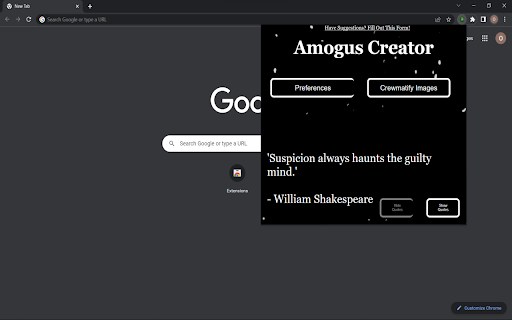
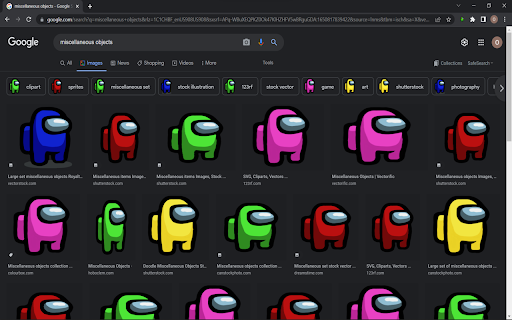
Replaces all images on the current page with a crisp, mint Amogus crewmate
Was ist Amogus Creator?
Amogus Creator ist eine Chrome-Erweiterung, die von OakTree entwickelt wurde, und ihr Hauptmerkmal ist "Replaces all images on the current page with a crisp, mint Amogus crewmate".
Erweiterungsscreenshots
Amogus Creator-Erweiterungs-CRX-Datei herunterladen
Laden Sie Amogus Creator-Erweiterungsdateien im crx-Format herunter, installieren Sie Chrome-Erweiterungen manuell im Browser oder teilen Sie die crx-Dateien mit Freunden, um Chrome-Erweiterungen einfach zu installieren.
Anleitung zur Verwendung der Erweiterung
                        Replaces all images on the current page with a crisp, Amogus crewmate!

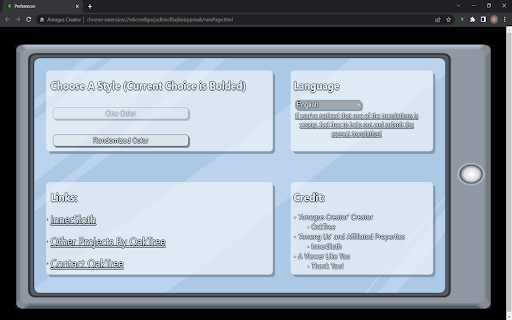
- Use the "Preferences" page to customize your experience
   ~ Choose whether the crewmates are one color, or randomized
   ~ Set your preferred language

- Update (04/24/22 Version 4.6): --> Based on user-submitted recommendations!
* Fixed a bug with displaying crewmates, and added new crewmate colors
Grundlegende Informationen zur Erweiterung
| Name |  Amogus Creator Amogus Creator |
| ID | gbdpnojdajfnhkoalmgeehgbfnhobfgk |
| Offizielle URL | https://chromewebstore.google.com/detail/amogus-creator/gbdpnojdajfnhkoalmgeehgbfnhobfgk |
| Beschreibung | Replaces all images on the current page with a crisp, mint Amogus crewmate |
| Dateigröße | 1.41 MB |
| Installationsanzahl | 565 |
| Aktuelle Version | 4.6 |
| Letztes Update | 2022-04-28 |
| Veröffentlichungsdatum | 2022-01-25 |
| Bewertung | 4.67/5 Insgesamt 3 Bewertungen |
| Entwickler | OakTree |
| [email protected] | |
| Zahlungsart | free |
| Unterstützte Sprachen | en |
| manifest.json | |
{
    "update_url": "https:\/\/clients2.google.com\/service\/update2\/crx",
    "manifest_version": 3,
    "name": "Amogus Creator",
    "description": "Replaces all images on the current page with a crisp, mint Amogus crewmate",
    "version": "4.6",
    "action": {
        "default_icon": {
            "16": "icon.png",
            "24": "icon.png",
            "32": "icon.png"
        },
        "default_popup": "button.html"
    },
    "background": {
        "service_worker": "background.js"
    },
    "icons": {
        "16": "icon.png",
        "48": "icon.png",
        "128": "icon.png"
    },
    "web_accessible_resources": [
        {
            "resources": [
                "icon.png"
            ],
            "matches": [
                "https:\/\/web-accessible-resources-1.glitch.me\/*"
            ]
        },
        {
            "resources": [
                "icon.png"
            ],
            "matches": [
                "https:\/\/web-accessible-resources-2.glitch.me\/*"
            ],
            "use_dynamic_url": true
        }
    ],
    "permissions": [
        "scripting",
        "activeTab",
        "storage"
    ],
    "host_permissions": [
        "https:\/\/www.google.com\/*"
    ]
} | |