OSlash - Text Expander and Keyboard Shortcut
Find, access, and share links & snippets blazingly fast
Was ist OSlash - Text Expander and Keyboard Shortcut?
OSlash - Text Expander and Keyboard Shortcut ist eine Chrome-Erweiterung, die von http://oslash.com entwickelt wurde, und ihr Hauptmerkmal ist "Find, access, and share links & snippets blazingly fast".
Erweiterungsscreenshots


OSlash - Text Expander and Keyboard Shortcut-Erweiterungs-CRX-Datei herunterladen
Laden Sie OSlash - Text Expander and Keyboard Shortcut-Erweiterungsdateien im crx-Format herunter, installieren Sie Chrome-Erweiterungen manuell im Browser oder teilen Sie die crx-Dateien mit Freunden, um Chrome-Erweiterungen einfach zu installieren.
Anleitung zur Verwendung der Erweiterung
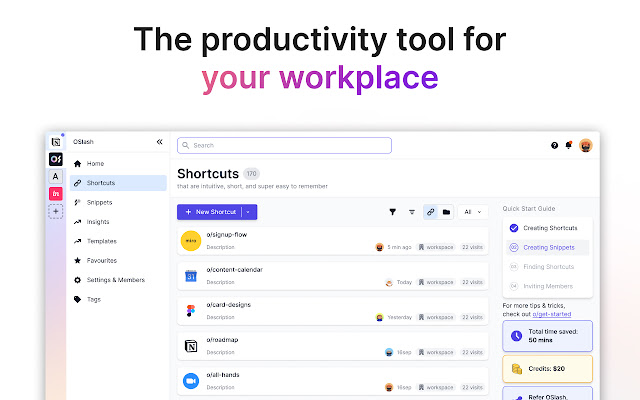
                        OSlash is free, top-rated Text Expander and Custom Keyboard Shortcut for you and your team.

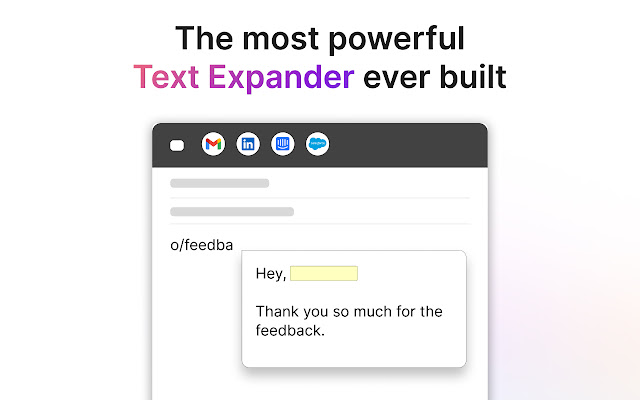
Using OSlash Text Expander, insert text templates everywhere you work in apps such as Gmail, LinkedIn, Intercom, and Google Docs.

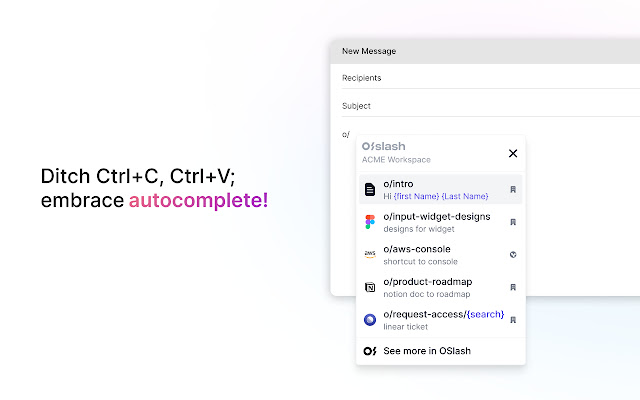
Use OSlash Keyboard Shortcut to create shortcuts for all your Google workplace links and other apps such as o/mail, o/doc, o/sheet, o/slide, etc.

Featured as the #1 Text Expander and Custom Keyboard Shortcut app in
 - Fortune
 - Fast Company
 - PC Mag
 - Tech Republic
 - MarketWatch
Grundlegende Informationen zur Erweiterung
| Name |  OSlash - Text Expander and Keyboard Shortcut OSlash - Text Expander and Keyboard Shortcut |
| ID | gpljeioabgadbidbkcbhjjglpinfhmal |
| Offizielle URL | https://chrome.google.com/webstore/detail/oslash-text-expander-and/gpljeioabgadbidbkcbhjjglpinfhmal |
| Beschreibung | Find, access, and share links & snippets blazingly fast |
| Dateigröße | 3.43 MB |
| Installationsanzahl | 3,527 |
| Aktuelle Version | 2.32.0 |
| Letztes Update | 2023-04-13 |
| Veröffentlichungsdatum | 2021-09-19 |
| Bewertung | 4.57/5 Insgesamt 23 Bewertungen |
| Entwickler | http://oslash.com |
| [email protected] | |
| Zahlungsart | free |
| Erweiterungswebsite | https://www.oslash.com/ |
| Hilfeseite URL | https://www.oslash.com/help-center |
| URL der Datenschutzrichtlinien-Seite | https://oslash.com/privacy-policy |
| Unterstützte Sprachen | en-US |
| manifest.json | |
{
"update_url": "https:\/\/clients2.google.com\/service\/update2\/crx",
"manifest_version": 2,
"name": "OSlash - Text Expander and Keyboard Shortcut",
"version": "2.32.0",
"description": "Find, access, and share links & snippets blazingly fast",
"icons": {
"16": "assets\/icons\/icon16.png",
"48": "assets\/icons\/icon48.png",
"128": "assets\/icons\/icon128.png"
},
"web_accessible_resources": [
"*.js",
"*.css",
"launcher\/launcher.html",
"oauth\/index.html",
"popup\/index.html",
"popup\/remote-index.html",
"recommendation\/recommendation.html",
"snippet\/snippet-form.html",
"shortcut\/shortcut-form.html",
"assets\/*",
"saa\/index.html",
"form\/index.html"
],
"background": {
"page": "background\/index.html",
"persistent": true
},
"browser_action": {
"default_icon": "assets\/icons\/icon48.png",
"default_title": "OSlash",
"default_popup": "popup\/remote-index.html"
},
"homepage_url": "https:\/\/app.oslash.com",
"content_scripts": [
{
"matches": [
"*:\/\/*.google.com\/search?*",
"*:\/\/*.google.com\/search?*q=o\/*",
"*:\/\/*.google.com\/search?*q=o%2F*",
"*:\/\/*.google.com\/search?q=o\/*",
"*:\/\/*.google.com\/search?q=o%2F*",
"*:\/\/*.google.com\/search?*q=m\/*",
"*:\/\/*.google.com\/search?*q=m%2F*",
"*:\/\/*.google.com\/search?q=m\/*",
"*:\/\/*.google.com\/search?q=m%2F*",
"*:\/\/*.google.com\/search*"
],
"js": [
"complementaryInstaller.js"
]
},
{
"matches": [
" | |