Speed Dial 3™
Speed Dial 3™ offers speed dial, and quick access to your APPS, bookmarks and history.
Was ist Speed Dial 3™?
Speed Dial 3™ ist eine Chrome-Erweiterung, die von SD3™ entwickelt wurde, und ihr Hauptmerkmal ist "Speed Dial 3™ offers speed dial, and quick access to your APPS, bookmarks and history.".
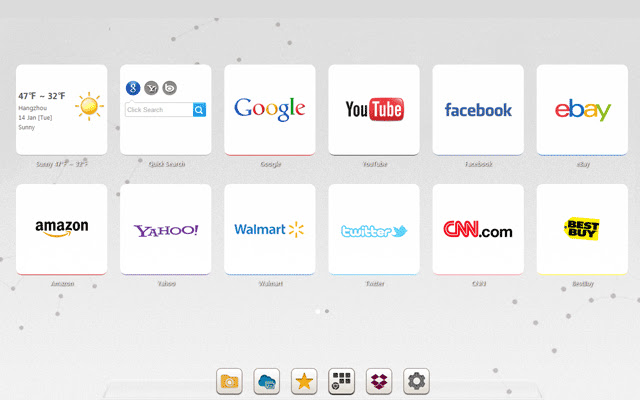
Erweiterungsscreenshots

Speed Dial 3™-Erweiterungs-CRX-Datei herunterladen
Laden Sie Speed Dial 3™-Erweiterungsdateien im crx-Format herunter, installieren Sie Chrome-Erweiterungen manuell im Browser oder teilen Sie die crx-Dateien mit Freunden, um Chrome-Erweiterungen einfach zu installieren.
Anleitung zur Verwendung der Erweiterung
                        Speed Dial 3™ is an extended application of the Chrome browser which is based on HTML5. It replaces original New tab page. Save your favorite pages in one place with quick access to apps, bookmarks and browsing history.

It provides several features such as custom speed dial(like  count,style,size,opacity,etc), custom themes and background, quick add your common sites and apps, weather, quick search and auto backup data in time.

==============================
Update Log:

Version: 1.7.9 Updated: 2014-12-11
1. Fixed some bugs.

Version: 1.7.8 Updated: 2014-11-20
1. Added Super Discount function (only for chinese language)
2. Fixed some bugs.
Grundlegende Informationen zur Erweiterung
| Name |  Speed Dial 3™ Speed Dial 3™ |
| ID | hfgjjcbbihjnpdommbepdkpfnkkapnbh |
| Offizielle URL | https://chrome.google.com/webstore/detail/speed-dial-3/hfgjjcbbihjnpdommbepdkpfnkkapnbh |
| Beschreibung | Speed Dial 3™ offers speed dial, and quick access to your APPS, bookmarks and history. |
| Dateigröße | 294 KB |
| Installationsanzahl | 40,000 |
| Aktuelle Version | 1.7.9 |
| Letztes Update | 2014-12-10 |
| Veröffentlichungsdatum | 2014-12-10 |
| Bewertung | 3.53/5 Insgesamt 637 Bewertungen |
| Entwickler | SD3™ |
| Zahlungsart | free |
| Unterstützte Sprachen | de,en,fr,es,es-419,pt-BR,pt-PT,ru,zh-CN,zh-TW,ja |
| manifest.json | |
{
    "background": {
        "scripts": [
            "js\/background.js"
        ]
    },
    "name": "__MSG_chrome_extension_name__",
    "short_name": "__MSG_chrome_extension_short_name__",
    "description": "__MSG_chrome_extension_description__",
    "version": "1.7.9",
    "browser_action": {
        "default_icon": "img\/icon_16.png",
        "default_popup": "pop.html"
    },
    "icons": {
        "16": "img\/icon_16.png",
        "128": "img\/icon_128.png"
    },
    "chrome_url_overrides": {
        "newtab": "index.html"
    },
    "update_url": "http:\/\/clients2.google.com\/service\/update2\/crx",
    "default_locale": "en",
    "options_page": "index.html#setting",
    "permissions": [
        "management",
        "history",
        "chrome:\/\/favicon\/",
        "bookmarks",
        "tabs",
        "http:\/\/*\/*",
        "https:\/\/*\/*",
        "contextMenus",
        "notifications",
        "topSites",
        "unlimitedStorage"
    ],
    "web_accessible_resources": [
        "background.html",
        "pop.html",
        "redirect.html",
        "index.html"
    ],
    "content_security_policy": "script-src 'self'; object-src 'self';",
    "manifest_version": 2
} | |


![Speed Dial [FVD] - New Tab Page, 3D, Sync...](https://lh3.googleusercontent.com/w3K2CDl4n-0LZVksR5dwGR4Su5USBhNXQQc1-1isyFxaaGGsja7_8_NntP_Gy5bu6gzLS3Kv0pHRM13ZmohkLTAOn4w)