Translate To English...
Adds a context menu to allow you to send the highlighted text to the Microsoft Translator API
Was ist Translate To English...?
Translate To English... ist eine Chrome-Erweiterung, die von Brave Location entwickelt wurde, und ihr Hauptmerkmal ist "Adds a context menu to allow you to send the highlighted text to the Microsoft Translator API".
Erweiterungsscreenshots

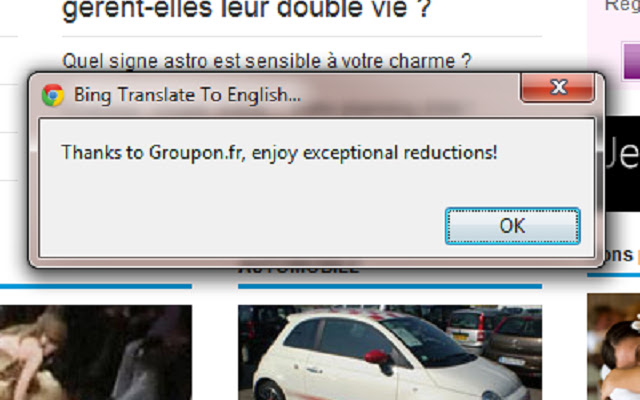
Translate To English...-Erweiterungs-CRX-Datei herunterladen
Laden Sie Translate To English...-Erweiterungsdateien im crx-Format herunter, installieren Sie Chrome-Erweiterungen manuell im Browser oder teilen Sie die crx-Dateien mit Freunden, um Chrome-Erweiterungen einfach zu installieren.
Anleitung zur Verwendung der Erweiterung
                        This extension simply adds a context menu to allow you to send the highlighted text to the Microsoft Translator API and get it translated into English.

Also note that the source code for this simple application can be found on GitHub at https://github.com/bravelocation/BingTranslateChromeExtension
Grundlegende Informationen zur Erweiterung
| Name |  Translate To English... Translate To English... |
| ID | hogdcbncicoifbkfdofpejkkckgkbjig |
| Offizielle URL | https://chrome.google.com/webstore/detail/translate-to-english/hogdcbncicoifbkfdofpejkkckgkbjig |
| Beschreibung | Adds a context menu to allow you to send the highlighted text to the Microsoft Translator API |
| Dateigröße | 326 KB |
| Installationsanzahl | 16,252 |
| Aktuelle Version | 1.3 |
| Letztes Update | 2019-01-13 |
| Veröffentlichungsdatum | 2019-01-13 |
| Bewertung | 3.94/5 Insgesamt 68 Bewertungen |
| Entwickler | Brave Location |
| [email protected] | |
| Zahlungsart | free |
| Erweiterungswebsite | http://www.bravelocation.com |
| Unterstützte Sprachen | en |
| manifest.json | |
{
    "update_url": "https:\/\/clients2.google.com\/service\/update2\/crx",
    "name": "Translate To English...",
    "description": "Adds a context menu to allow you to send the highlighted text to the Microsoft Translator API",
    "version": "1.3",
    "manifest_version": 2,
    "permissions": [
        "contextMenus"
    ],
    "icons": {
        "16": "translate16.png",
        "48": "translate48.png",
        "128": "translate128.png"
    },
    "content_security_policy": "script-src 'self' https:\/\/api.microsofttranslator.com; object-src 'self'",
    "background": {
        "scripts": [
            "translatescript.js"
        ]
    }
} | |