Sema Login Autocomplete
Configure users credentials for each environment of your development web-projects. It's more than an autocomplete feature :-)
Was ist Sema Login Autocomplete?
Sema Login Autocomplete ist eine Chrome-Erweiterung, die von José Manuel García García entwickelt wurde, und ihr Hauptmerkmal ist "Configure users credentials for each environment of your development web-projects. It's more than an autocomplete feature :-)".
Erweiterungsscreenshots
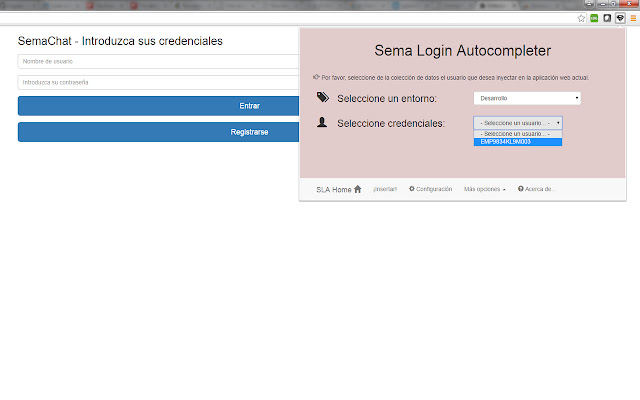
Sema Login Autocomplete-Erweiterungs-CRX-Datei herunterladen
Laden Sie Sema Login Autocomplete-Erweiterungsdateien im crx-Format herunter, installieren Sie Chrome-Erweiterungen manuell im Browser oder teilen Sie die crx-Dateien mit Freunden, um Chrome-Erweiterungen einfach zu installieren.
Anleitung zur Verwendung der Erweiterung
                        Are you tired of write several time the user credentials of your current web development? Do you have a lot of different users in your web-app? Don't you remember which one is each credentials?

With the help of this extension you'll manage all your users and all your development environments (ouh yeah, production too!!), and don't care about the passwords :-)

Moreover, you could share that configuration (users, environments, credentials...) with your new mates, and you'll save your appreciated and tight time avoiding to resent them manually!

Languages: english, spanish and coming soon... italian! (automatically selected based on the chrome-lang)

Install it right now!
Grundlegende Informationen zur Erweiterung
| Name |  Sema Login Autocomplete Sema Login Autocomplete |
| ID | icibgoniiblnlggidknaoijhcomafhma |
| Offizielle URL | https://chrome.google.com/webstore/detail/sema-login-autocomplete/icibgoniiblnlggidknaoijhcomafhma |
| Beschreibung | Configure users credentials for each environment of your development web-projects. It's more than an autocomplete feature :-) |
| Dateigröße | 349 KB |
| Installationsanzahl | 35 |
| Aktuelle Version | 1.2 |
| Letztes Update | 2016-04-23 |
| Veröffentlichungsdatum | 2016-04-23 |
| Bewertung | 5.00/5 Insgesamt 1 Bewertungen |
| Entwickler | José Manuel García García |
| [email protected] | |
| Zahlungsart | free |
| Unterstützte Sprachen | en,es |
| manifest.json | |
{
"update_url": "https:\/\/clients2.google.com\/service\/update2\/crx",
"manifest_version": 2,
"name": "__MSG_extName__",
"version": "1.2",
"default_locale": "en",
"description": "__MSG_extDescription__",
"author": "Sema (Jos\u00e9 Manuel Garc\u00eda Garc\u00eda)",
"browser_action": {
"default_icon": "icons\/16\/s2.png",
"default_title": "Sema Login Autocomplete Extension",
"default_popup": "browser\/browser-action.html"
},
"background": {
"scripts": [
"libs\/jquery.js",
"background\/background.js"
],
"persistent": false
},
"commands": {
"_execute_browser_action": {
"suggested_key": {
"windows": "Ctrl+Shift+S",
"mac": "Command+Shift+S",
"chromeos": "Ctrl+Shift+S",
"linux": "Ctrl+Shift+S"
}
}
},
"content_scripts": [
{
"matches": [
" | |