SN Search
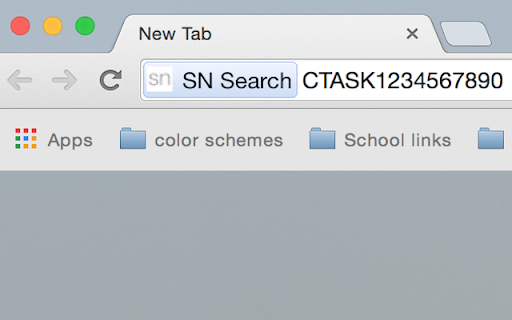
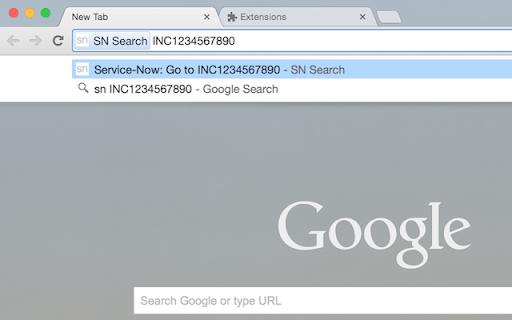
Enables Google Chrome omnibox to search Service-Now tickets by entering "sn" and ticket number.
Was ist SN Search?
SN Search ist eine Chrome-Erweiterung, die von rutulpatel.rtl entwickelt wurde, und ihr Hauptmerkmal ist "Enables Google Chrome omnibox to search Service-Now tickets by entering "sn" and ticket number.".
Erweiterungsscreenshots


SN Search-Erweiterungs-CRX-Datei herunterladen
Laden Sie SN Search-Erweiterungsdateien im crx-Format herunter, installieren Sie Chrome-Erweiterungen manuell im Browser oder teilen Sie die crx-Dateien mit Freunden, um Chrome-Erweiterungen einfach zu installieren.
Anleitung zur Verwendung der Erweiterung
                        Google chrome omnibox extension to open Service-Now ticket directly through browser.

Just type "sn " to directly go to that ticket.

You can enter RTASK, STASK, SRQ, SITM, CTASK, CRQ, INC, etc. number at  place in above syntax.
Grundlegende Informationen zur Erweiterung
| Name |  SN Search SN Search |
| ID | idkeaffmcbakhghefaafgpcdlnngkjge |
| Offizielle URL | https://chromewebstore.google.com/detail/sn-search/idkeaffmcbakhghefaafgpcdlnngkjge |
| Beschreibung | Enables Google Chrome omnibox to search Service-Now tickets by entering "sn" and ticket number. |
| Dateigröße | 121 KB |
| Installationsanzahl | 200 |
| Aktuelle Version | 1.0.2 |
| Letztes Update | 2015-06-05 |
| Veröffentlichungsdatum | 2015-06-05 |
| Bewertung | 4.60/5 Insgesamt 5 Bewertungen |
| Entwickler | rutulpatel.rtl |
| Zahlungsart | free |
| Unterstützte Sprachen | en |
| manifest.json | |
{
    "update_url": "https:\/\/clients2.google.com\/service\/update2\/crx",
    "name": "SN Search",
    "description": "Enables Google Chrome omnibox to search Service-Now tickets by entering \"sn\" and ticket number.",
    "version": "1.0.2",
    "manifest_version": 2,
    "omnibox": {
        "keyword": "sn"
    },
    "icons": {
        "128": "icon_128.png",
        "48": "icon_48.png",
        "16": "icon_16.png"
    },
    "background": {
        "scripts": [
            "background.js"
        ]
    },
    "minimum_chrome_version": "9",
    "options_ui": {
        "page": "options.html",
        "chrome_style": true
    },
    "permissions": [
        "storage"
    ]
} | |