Bookmarks Clean - Detect damaged bookmarks
Automatically find broken links and clean up your bookmarks
Was ist Bookmarks Clean - Detect damaged bookmarks?
Bookmarks Clean - Detect damaged bookmarks ist eine Chrome-Erweiterung, die von BookmarksSync entwickelt wurde, und ihr Hauptmerkmal ist "Automatically find broken links and clean up your bookmarks".
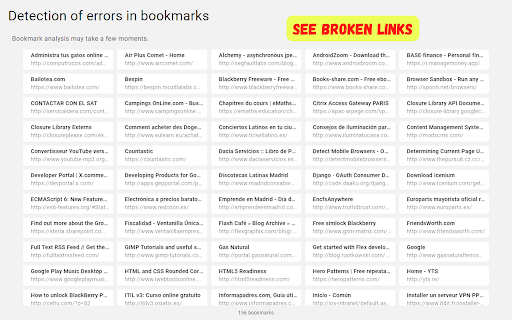
Erweiterungsscreenshots

Bookmarks Clean - Detect damaged bookmarks-Erweiterungs-CRX-Datei herunterladen
Laden Sie Bookmarks Clean - Detect damaged bookmarks-Erweiterungsdateien im crx-Format herunter, installieren Sie Chrome-Erweiterungen manuell im Browser oder teilen Sie die crx-Dateien mit Freunden, um Chrome-Erweiterungen einfach zu installieren.
Anleitung zur Verwendung der Erweiterung
                        ⭐ Analice automáticamente sus favoritos y encuentre enlaces rotos y otros errores

⭐ Edite o elimine marcadores dañados
Grundlegende Informationen zur Erweiterung
| Name |  Bookmarks Clean - Detect damaged bookmarks Bookmarks Clean - Detect damaged bookmarks |
| ID | ijhmpfekapalndkialhcmlipjhfohdkl |
| Offizielle URL | https://chromewebstore.google.com/detail/bookmarks-clean-detect-da/ijhmpfekapalndkialhcmlipjhfohdkl |
| Beschreibung | Automatically find broken links and clean up your bookmarks |
| Dateigröße | 479 KB |
| Installationsanzahl | 33 |
| Aktuelle Version | 1.1.1 |
| Letztes Update | 2023-10-21 |
| Veröffentlichungsdatum | 2023-02-15 |
| Bewertung | 2.00/5 Insgesamt 1 Bewertungen |
| Entwickler | BookmarksSync |
| [email protected] | |
| Zahlungsart | free |
| URL der Datenschutzrichtlinien-Seite | https://www.bookmarkssync.com/privacy |
| Unterstützte Sprachen | en,fr,es |
| manifest.json | |
{
    "update_url": "https:\/\/clients2.google.com\/service\/update2\/crx",
    "manifest_version": 3,
    "name": "__MSG_app_name_clean__",
    "description": "__MSG_app_description_clean__",
    "version": "1.1.1",
    "default_locale": "en",
    "background": {
        "service_worker": "background.js",
        "type": "module"
    },
    "permissions": [
        "bookmarks",
        "history",
        "storage"
    ],
    "action": {
        "default_title": "__MSG_Detect_errors__"
    },
    "icons": {
        "32": "images\/icon-clean-32.png",
        "64": "images\/icon-clean-64.png",
        "128": "images\/icon-clean-128.png",
        "256": "images\/icon-clean-256.png"
    }
} | |