Images proxy
Change images path
Was ist Images proxy?
Images proxy ist eine Chrome-Erweiterung, die von balabasiknet entwickelt wurde, und ihr Hauptmerkmal ist "Change images path".
Erweiterungsscreenshots
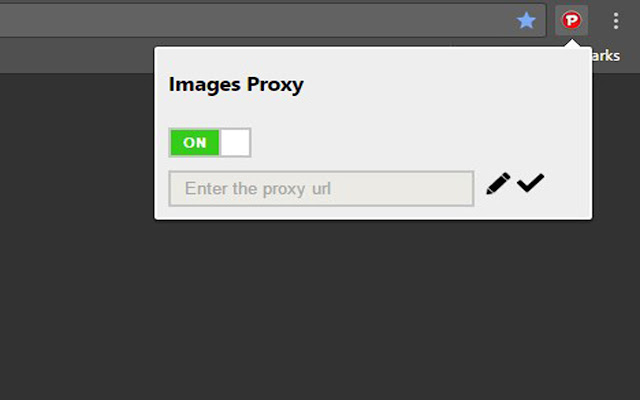
Images proxy-Erweiterungs-CRX-Datei herunterladen
Laden Sie Images proxy-Erweiterungsdateien im crx-Format herunter, installieren Sie Chrome-Erweiterungen manuell im Browser oder teilen Sie die crx-Dateien mit Freunden, um Chrome-Erweiterungen einfach zu installieren.
Anleitung zur Verwendung der Erweiterung
                        Chrome Images Proxy

Browser Chrome extension which allows to proxy images
What is this for?

With this extension you will be able to replace the path to pictures in the 'img' tag. Thus 'src' attribute in 'img' tag will be contain path to image on third-party resource
Features

Proxy images with a third-party resource
Each page has its own configurate
Simple for usage
Easy for configuration
Grundlegende Informationen zur Erweiterung
| Name |  Images proxy Images proxy |
| ID | ijliaoaljdgaejgefphjpgekglneaofh |
| Offizielle URL | https://chrome.google.com/webstore/detail/images-proxy/ijliaoaljdgaejgefphjpgekglneaofh |
| Beschreibung | Change images path |
| Dateigröße | 75.47 KB |
| Installationsanzahl | 65 |
| Aktuelle Version | 1.0 |
| Letztes Update | 2017-03-24 |
| Veröffentlichungsdatum | 2017-03-24 |
| Bewertung | 5.00/5 Insgesamt 1 Bewertungen |
| Entwickler | balabasiknet |
| Zahlungsart | free |
| Unterstützte Sprachen | en |
| manifest.json | |
{
"update_url": "https:\/\/clients2.google.com\/service\/update2\/crx",
"manifest_version": 2,
"name": "Images proxy",
"version": "1.0",
"description": "Change images path",
"devtools_page": "pages\/popup.html",
"icons": {
"128": "images\/icon.png"
},
"permissions": [
"storage",
"tabs",
"contentSettings",
"activeTab",
"http:\/\/*\/*",
"https:\/\/*\/*"
],
"background": {
"scripts": [
"js\/utils.js",
"js\/background.js"
]
},
"content_scripts": [
{
"matches": [
" | |