ecdiff
Beautifies Git and CVS code patches on the browser.
Was ist ecdiff?
ecdiff ist eine Chrome-Erweiterung, die von https://earvinpiamonte.com entwickelt wurde, und ihr Hauptmerkmal ist "Beautifies Git and CVS code patches on the browser.".
Erweiterungsscreenshots
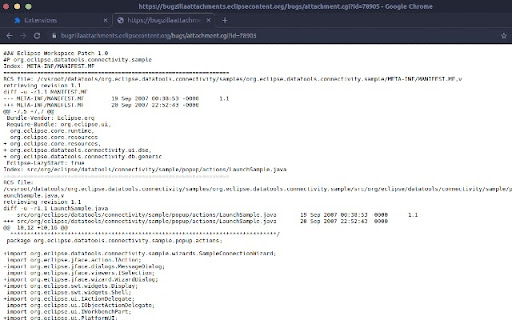
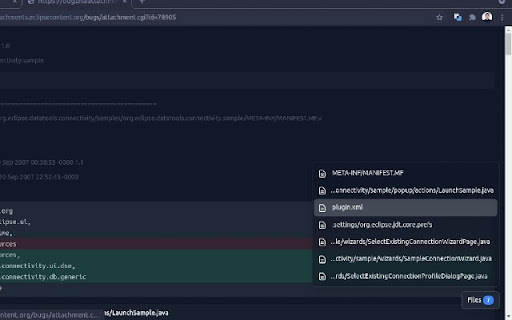
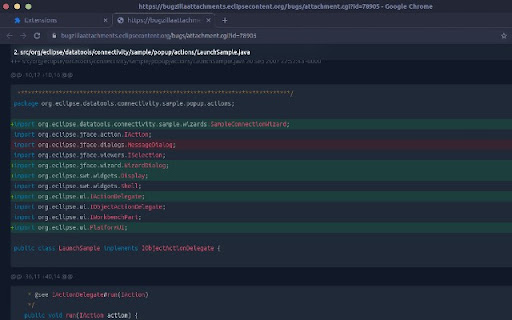

ecdiff-Erweiterungs-CRX-Datei herunterladen
Laden Sie ecdiff-Erweiterungsdateien im crx-Format herunter, installieren Sie Chrome-Erweiterungen manuell im Browser oder teilen Sie die crx-Dateien mit Freunden, um Chrome-Erweiterungen einfach zu installieren.
Anleitung zur Verwendung der Erweiterung
                        Updates
- Add support for git patch

Features
- Code syntax highlighting
- Light/ dark mode

Usage
1. Open a code patch file on a Chrome browser
2. Click on the ecdiff extension icon

Toggle dark mode on options page: Right click on the ecdiff extension icon then click on "Options".

To format local code patch files at file:///, enable "Allow access to file URLs" on chrome://extensions/?id=jockmidhjggcfnfdinaihmndknopjjij.

Supported
- git diff
- unified diff code patches created with Eclipse IDE
- unified diff code patches created with CVS diff

Open source
https://github.com/earvinpiamonte/ecdiff
Grundlegende Informationen zur Erweiterung
| Name |  ecdiff ecdiff |
| ID | jockmidhjggcfnfdinaihmndknopjjij |
| Offizielle URL | https://chromewebstore.google.com/detail/ecdiff/jockmidhjggcfnfdinaihmndknopjjij |
| Beschreibung | Beautifies Git and CVS code patches on the browser. |
| Dateigröße | 484 KB |
| Installationsanzahl | 51 |
| Aktuelle Version | 0.2.0 |
| Letztes Update | 2022-04-27 |
| Veröffentlichungsdatum | 2021-11-05 |
| Entwickler | https://earvinpiamonte.com |
| [email protected] | |
| Zahlungsart | free |
| Unterstützte Sprachen | en-US |
| manifest.json | |
{
    "update_url": "https:\/\/clients2.google.com\/service\/update2\/crx",
    "manifest_version": 3,
    "name": "ecdiff",
    "short_name": "ecdiff",
    "description": "Beautifies Git and CVS code patches on the browser.",
    "author": "Noel Earvin Piamonte",
    "version": "0.2.0",
    "icons": {
        "16": "images\/favicon-16x16.png",
        "32": "images\/favicon-32x32.png",
        "192": "images\/android-chrome-192x192.png",
        "512": "images\/android-chrome-512x512.png"
    },
    "action": [],
    "permissions": [
        "activeTab",
        "scripting",
        "storage"
    ],
    "background": {
        "service_worker": "background.js"
    },
    "options_page": "index.html"
} | |