Email Export Tool
Export emails in CSV, XLSX and PDF
Was ist Email Export Tool?
Email Export Tool ist eine Chrome-Erweiterung, die von anantnegik7 entwickelt wurde, und ihr Hauptmerkmal ist "Export emails in CSV, XLSX and PDF".
Erweiterungsscreenshots

Email Export Tool-Erweiterungs-CRX-Datei herunterladen
Laden Sie Email Export Tool-Erweiterungsdateien im crx-Format herunter, installieren Sie Chrome-Erweiterungen manuell im Browser oder teilen Sie die crx-Dateien mit Freunden, um Chrome-Erweiterungen einfach zu installieren.
Anleitung zur Verwendung der Erweiterung
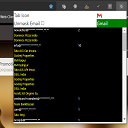
                        This Google Chrome Extension will get (fetch) the data ( email id and name ) from your Gmail id.

This Google Chrome Extension allows the gmail account holder to get all the customer name and email that had mailed him.

This Google Chrome Extension allows the gmail account holder to export the data ( email id and name ) into CSV, JSON, Comma Separated Format.

Export Format:
- CSV
- JSON
- Comma Separated Gmail Ids

Using Comma Separated Format you can mail multiple users as the email are comma separated ( Just Copy the emails and paste in compose mail option in gmail ).

Using CSV Format you can download and mail to some other person.

Using JSON Format you can use in API for website.

Webpage: https://codeeshop.com/other/66-web-scar.html

If you have any issue regarding this tool, contact us via
Email : [email protected]
Facebook : https://www.facebook.com/codeeshop/

We highly appreciate your suggestions and reviews!

(We do not need your Gmail username or password to operate. We do not store your private information on our servers.)
Grundlegende Informationen zur Erweiterung
| Name |  Email Export Tool Email Export Tool |
| ID | laeciibofligmkhkkhbonmfgbdjaiepa |
| Offizielle URL | https://chromewebstore.google.com/detail/email-export-tool/laeciibofligmkhkkhbonmfgbdjaiepa |
| Beschreibung | Export emails in CSV, XLSX and PDF |
| Dateigröße | 1.74 MB |
| Installationsanzahl | 310 |
| Aktuelle Version | 2.0.0 |
| Letztes Update | 2023-12-04 |
| Veröffentlichungsdatum | 2021-01-23 |
| Bewertung | 1.00/5 Insgesamt 1 Bewertungen |
| Entwickler | anantnegik7 |
| [email protected] | |
| Zahlungsart | free |
| Erweiterungswebsite | https://ecodeeshop.github.io/blog/email-export-tool-chrome-extension/ |
| Hilfeseite URL | https://ecodeeshop.github.io/blog/contact/ |
| URL der Datenschutzrichtlinien-Seite | https://codeeshop.com/page/2-privacy-policy |
| Unterstützte Sprachen | en |
| manifest.json | |
{
    "update_url": "https:\/\/clients2.google.com\/service\/update2\/crx",
    "name": "Email Export Tool",
    "description": "Export emails in CSV, XLSX and PDF",
    "manifest_version": 3,
    "version": "2.0.0",
    "author": "Anant Negi",
    "background": {
        "service_worker": "lib\/background.js"
    },
    "permissions": [
        "activeTab",
        "scripting",
        "webNavigation",
        "downloads"
    ],
    "action": {
        "default_title": "Email Export Tool",
        "default_popup": "popup.html",
        "default_icon": {
            "16": "\/images\/icon_16.png",
            "32": "\/images\/icon_32.png",
            "48": "\/images\/icon_48.png",
            "128": "\/images\/icon_128.png"
        }
    },
    "icons": {
        "16": "\/images\/icon_16.png",
        "32": "\/images\/icon_32.png",
        "48": "\/images\/icon_48.png",
        "128": "\/images\/icon_128.png"
    },
    "web_accessible_resources": [
        {
            "resources": [
                "images\/icon_32.png"
            ],
            "matches": [
                "https:\/\/mail.google.com\/*"
            ]
        }
    ],
    "host_permissions": [
        "https:\/\/mail.google.com\/"
    ]
} | |