Relative Links To Absolute
Adds an additional address to relative paths to files (images). Converts a relative link to an absolute one. If you are developing…
Was ist Relative Links To Absolute?
Relative Links To Absolute ist eine Chrome-Erweiterung, die von Dmitry Rodevich entwickelt wurde, und ihr Hauptmerkmal ist "Adds an additional address to relative paths to files (images). Converts a relative link to an absolute one. If you are developing…".
Erweiterungsscreenshots

Relative Links To Absolute-Erweiterungs-CRX-Datei herunterladen
Laden Sie Relative Links To Absolute-Erweiterungsdateien im crx-Format herunter, installieren Sie Chrome-Erweiterungen manuell im Browser oder teilen Sie die crx-Dateien mit Freunden, um Chrome-Erweiterungen einfach zu installieren.
Anleitung zur Verwendung der Erweiterung
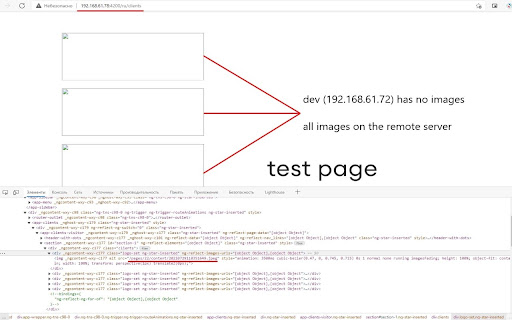
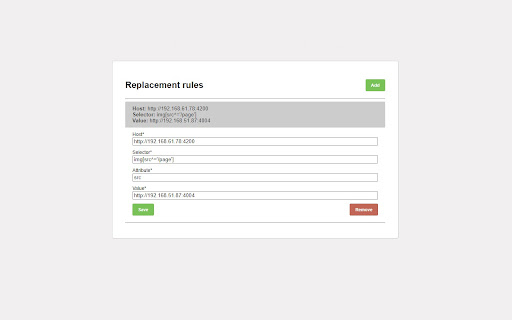
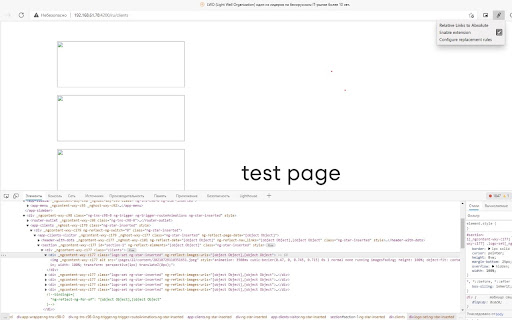
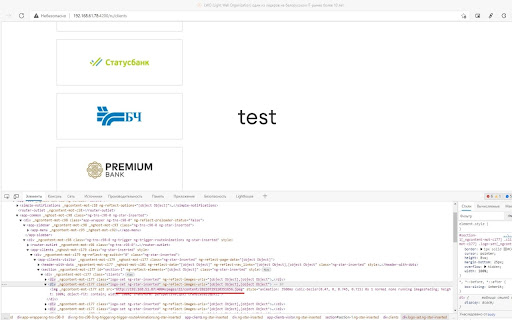
                        Adds an additional address to relative paths to files (images). Converts a relative link to an absolute one.
If you are developing a web application and the files are stored on a remote server, the extension allows you to specify the full path from where you want to take the images without any additional actions.
Grundlegende Informationen zur Erweiterung
| Name |  Relative Links To Absolute Relative Links To Absolute |
| ID | lafddlfgimneffahboncpgapcnnjckjm |
| Offizielle URL | https://chromewebstore.google.com/detail/relative-links-to-absolut/lafddlfgimneffahboncpgapcnnjckjm |
| Beschreibung | Adds an additional address to relative paths to files (images). Converts a relative link to an absolute one. If you are developing… |
| Dateigröße | 12.5 KB |
| Installationsanzahl | 24 |
| Aktuelle Version | 1.0 |
| Letztes Update | 2021-12-30 |
| Veröffentlichungsdatum | 2021-09-07 |
| Entwickler | Dmitry Rodevich |
| [email protected] | |
| Zahlungsart | free |
| URL der Datenschutzrichtlinien-Seite | https://raw.githubusercontent.com/rodewitsch/ChromeExtensionsPrivacy/main/privacy.html |
| Unterstützte Sprachen | en |
| manifest.json | |
{
"update_url": "https:\/\/clients2.google.com\/service\/update2\/crx",
"manifest_version": 2,
"name": "Relative Links To Absolute",
"version": "1.0",
"browser_action": {
"default_icon": "icon128.png",
"default_popup": "\/popup\/popup.html"
},
"content_scripts": [
{
"matches": [
" | |