PLExtension
PLExtension that provides file upload capabilities for programs such as lsky, EasyImages, chevereto, Alibaba OSS, AWS S3, and more.
Was ist PLExtension?
PLExtension ist eine Chrome-Erweiterung, die von https://fileup.dev entwickelt wurde, und ihr Hauptmerkmal ist "PLExtension that provides file upload capabilities for programs such as lsky, EasyImages, chevereto, Alibaba OSS, AWS S3, and more.".
Erweiterungsscreenshots
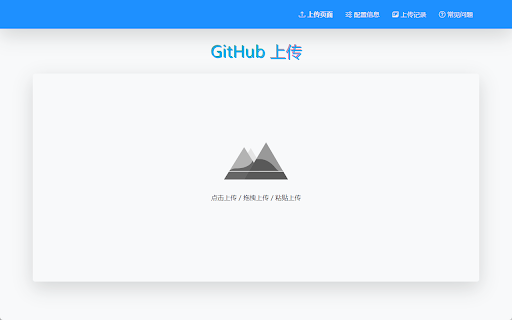


PLExtension-Erweiterungs-CRX-Datei herunterladen
Laden Sie PLExtension-Erweiterungsdateien im crx-Format herunter, installieren Sie Chrome-Erweiterungen manuell im Browser oder teilen Sie die crx-Dateien mit Freunden, um Chrome-Erweiterungen einfach zu installieren.
Anleitung zur Verwendung der Erweiterung
                        [Introduction]
PLExtension is a free upload extension program that provides file uploading for programs such as lsky, EasyImages, chevereto, Alibaba OSS, AWS S3, GitHub, and more.

1.Compatible with Chromium and Gecko-based browsers.
2.Supports real-time preview, image (cross-domain) uploading, and pre-formatted code/editor insertion.
3.Supports a persistent sidebar in the browser, sidebar drag-and-drop uploading, browser right-click menu uploading, paste/drag-and-drop uploading on upload pages, and local and URL storage.
4.Compatible with popular browsers such as Chrome, Edge, and Firefox.

GitHub: https://github.com/zenecho/plextension/
Grundlegende Informationen zur Erweiterung
| Name |  PLExtension PLExtension |
| ID | lhbncdbejjjbbljkdplddajgmeconcnk |
| Offizielle URL | https://chromewebstore.google.com/detail/plextension/lhbncdbejjjbbljkdplddajgmeconcnk |
| Beschreibung | PLExtension that provides file upload capabilities for programs such as lsky, EasyImages, chevereto, Alibaba OSS, AWS S3, and more. |
| Dateigröße | 1.14 MB |
| Installationsanzahl | 416 |
| Aktuelle Version | 1.1.8 |
| Letztes Update | 2023-12-21 |
| Veröffentlichungsdatum | 2023-01-11 |
| Bewertung | 5.00/5 Insgesamt 3 Bewertungen |
| Entwickler | https://fileup.dev |
| [email protected] | |
| Zahlungsart | free |
| Erweiterungswebsite | https://fileup.dev/ |
| Hilfeseite URL | https://fileup.dev/ |
| Unterstützte Sprachen | en,zh-CN |
| manifest.json | |
{
"update_url": "https:\/\/clients2.google.com\/service\/update2\/crx",
"name": "__MSG_app_name__",
"version": "1.1.8",
"manifest_version": 3,
"description": "__MSG_app_description__",
"homepage_url": "https:\/\/fileup.dev\/",
"default_locale": "en",
"icons": {
"16": "icons\/logo16.png",
"32": "icons\/logo32.png",
"64": "icons\/logo64.png",
"128": "icons\/logo128.png"
},
"options_page": "options.html",
"background": {
"service_worker": "background.js",
"type": "module"
},
"content_scripts": [
{
"matches": [
" | |