Auto Scroll Chrome
Auto Scroll Chrome Extension
Was ist Auto Scroll Chrome?
Auto Scroll Chrome ist eine Chrome-Erweiterung, die von autoscrollchrome.com entwickelt wurde, und ihr Hauptmerkmal ist "Auto Scroll Chrome Extension".
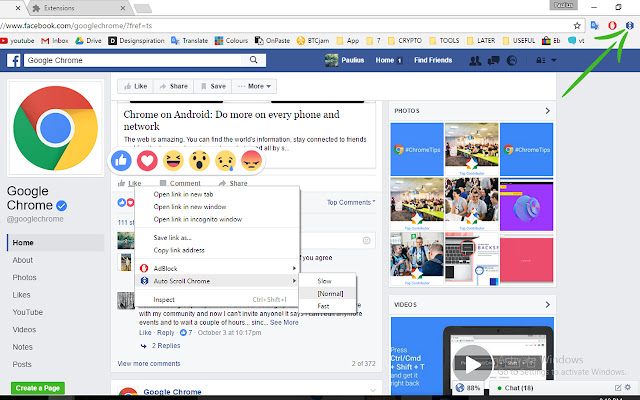
Erweiterungsscreenshots
Auto Scroll Chrome-Erweiterungs-CRX-Datei herunterladen
Laden Sie Auto Scroll Chrome-Erweiterungsdateien im crx-Format herunter, installieren Sie Chrome-Erweiterungen manuell im Browser oder teilen Sie die crx-Dateien mit Freunden, um Chrome-Erweiterungen einfach zu installieren.
Anleitung zur Verwendung der Erweiterung
                        Auto Scroll Google Chrome Extension Plugin

Are you tired of mechanical scrolling slavery? We know how annoying and tiring it is.. Let's end this boring routine by adding this extension within seconds. It perfectly fits social reading like Facebook, Pinterest, news or even books! Working or busy hands? In front of TV? Party?! We will leave it for you and your colorful imagination.

- Fast
- No adds or payments
- Three different speeds
- One click stop (press anywhere to stop it)

* Please RESTART your browser before using it!

Enjoy.
Grundlegende Informationen zur Erweiterung
| Name |  Auto Scroll Chrome Auto Scroll Chrome |
| ID | lmcjmglhbkaokoblmokmjglaifkacefn |
| Offizielle URL | https://chrome.google.com/webstore/detail/auto-scroll-chrome/lmcjmglhbkaokoblmokmjglaifkacefn |
| Beschreibung | Auto Scroll Chrome Extension |
| Dateigröße | 143 KB |
| Installationsanzahl | 4,000 |
| Aktuelle Version | 1.6 |
| Letztes Update | 2017-06-03 |
| Veröffentlichungsdatum | 2017-06-03 |
| Bewertung | 3.21/5 Insgesamt 29 Bewertungen |
| Entwickler | autoscrollchrome.com |
| Zahlungsart | free |
| Erweiterungswebsite | https://www.facebook.com/pagespeed.services/ |
| Unterstützte Sprachen | en |
| manifest.json | |
{
"update_url": "https:\/\/clients2.google.com\/service\/update2\/crx",
"name": "Auto Scroll Chrome",
"version": "1.6",
"description": "Auto Scroll Chrome Extension",
"permissions": [
"tabs",
" | |