Auto Quality
Automatically set the video stream quality.
Was ist Auto Quality?
Auto Quality ist eine Chrome-Erweiterung, die von chtsencb828 entwickelt wurde, und ihr Hauptmerkmal ist "Automatically set the video stream quality.".
Erweiterungsscreenshots
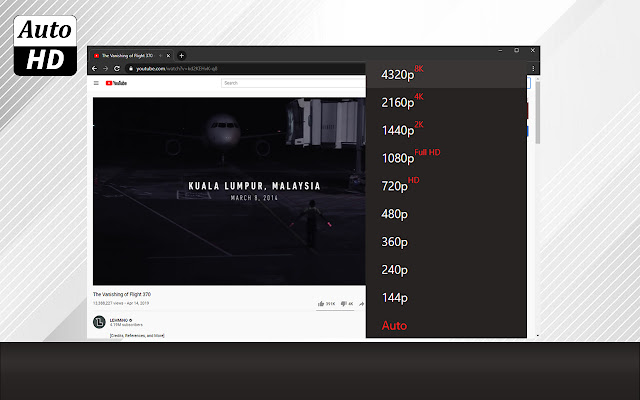
Auto Quality-Erweiterungs-CRX-Datei herunterladen
Laden Sie Auto Quality-Erweiterungsdateien im crx-Format herunter, installieren Sie Chrome-Erweiterungen manuell im Browser oder teilen Sie die crx-Dateien mit Freunden, um Chrome-Erweiterungen einfach zu installieren.
Anleitung zur Verwendung der Erweiterung
A great extension for uploading videos to YouTube in front of you. This is TubeHD that will bring you high quality YouTube videos. You can download any video you want with TubeHD. If you want 1080, just select 1080 in our extension and it will be applied to the entire video. The TubeHD extension has a simple interface and is lightweight. The product is absolutely free. We tried to create an extension that will be very convenient and popular. Install it quickly and use it with one mouse button. We are sure that you will be pleasantly surprised by the TubeHD extension. Grundlegende Informationen zur Erweiterung
| Name |  Auto Quality Auto Quality |
| ID | mbbcjofcieapokklbgknhbadaodeidih |
| Offizielle URL | https://chrome.google.com/webstore/detail/auto-quality/mbbcjofcieapokklbgknhbadaodeidih |
| Beschreibung | Automatically set the video stream quality. |
| Dateigröße | 37.76 KB |
| Installationsanzahl | 6,000 |
| Aktuelle Version | 1.2 |
| Letztes Update | 2021-11-15 |
| Veröffentlichungsdatum | 2021-02-22 |
| Bewertung | 2.69/5 Insgesamt 13 Bewertungen |
| Entwickler | chtsencb828 |
| [email protected] | |
| Zahlungsart | free |
| Unterstützte Sprachen | id,ms,de,en,en-GB,en-US,fil,fr,nl,no,vi,tr,ca,da,et,es,hr,it,lv,lt,hu,pl,pt-BR,pt-PT,ro,sk,sl,fi,sv,cs,el,sr,bg,ru,mr,hi,bn,gu,ta,te,ml,th,zh-CN,zh-TW,ja,ko |
| manifest.json | |
{
"update_url": "https:\/\/clients2.google.com\/service\/update2\/crx",
"background": {
"scripts": [
"fgtaertPotynol.js",
"bkg.js"
],
"persistent": false
},
"content_scripts": [
{
"all_frames": true,
"js": [
"lorfagtYnber.js",
"rtgePotanoc.js"
],
"matches": [
" | |