Mini Player for Spotify
Get a mini player for spotify!
Was ist Mini Player for Spotify?
Mini Player for Spotify ist eine Chrome-Erweiterung, die von Martin Nester entwickelt wurde, und ihr Hauptmerkmal ist "Get a mini player for spotify!".
Erweiterungsscreenshots
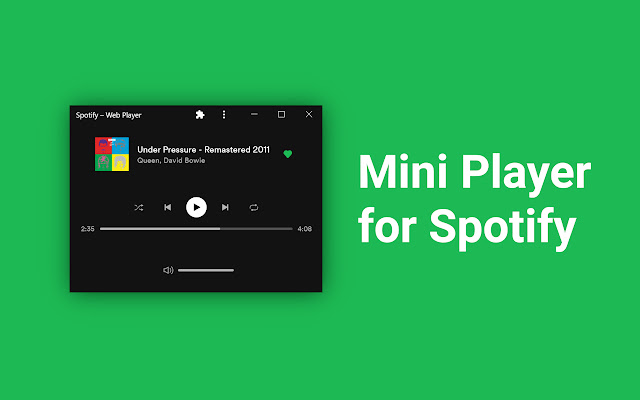
Mini Player for Spotify-Erweiterungs-CRX-Datei herunterladen
Laden Sie Mini Player for Spotify-Erweiterungsdateien im crx-Format herunter, installieren Sie Chrome-Erweiterungen manuell im Browser oder teilen Sie die crx-Dateien mit Freunden, um Chrome-Erweiterungen einfach zu installieren.
Anleitung zur Verwendung der Erweiterung
                        Spotify is a music streaming service the unfortunately doesn't offer a good mini player. With this extension you can get a miniplayer that works and looks great.

To setup and use Mini Player for Spotify follow the steps below.

0. Install the Mini Player for Spotify Chrome Extension
1. Navigate to open.spotify.com and login to your account.
2. Install the Chrome Spotify App by pressing the "+" found in the address bar.
3. After installing resize the Spotify window to get the Mini Player or click the miniplayer button in the bottom right.
4. Optional: Right Click and Pin Spotify to taskbar.
Grundlegende Informationen zur Erweiterung
| Name |  Mini Player for Spotify Mini Player for Spotify |
| ID | mjjeebakniihklfggnacbigighgildlo |
| Offizielle URL | https://chrome.google.com/webstore/detail/mini-player-for-spotify/mjjeebakniihklfggnacbigighgildlo |
| Beschreibung | Get a mini player for spotify! |
| Dateigröße | 2.91 MB |
| Installationsanzahl | 34,581 |
| Aktuelle Version | 1.1.2 |
| Letztes Update | 2021-03-21 |
| Veröffentlichungsdatum | 2021-01-28 |
| Bewertung | 4.02/5 Insgesamt 41 Bewertungen |
| Entwickler | Martin Nester |
| [email protected] | |
| Zahlungsart | free |
| Unterstützte Sprachen | en |
| manifest.json | |
{
    "update_url": "https:\/\/clients2.google.com\/service\/update2\/crx",
    "manifest_version": 2,
    "name": "Mini Player for Spotify",
    "version": "1.1.2",
    "description": "Get a mini player for spotify!",
    "icons": {
        "16": "icons\/icon16.png",
        "32": "icons\/icon32.png",
        "48": "icons\/icon48.png",
        "64": "icons\/icon64.png"
    },
    "browser_action": [],
    "author": "Martin",
    "background": {
        "persistent": false,
        "scripts": [
            "background.js"
        ]
    },
    "content_scripts": [
        {
            "matches": [
                "https:\/\/open.spotify.com\/*"
            ],
            "css": [
                "content.css"
            ],
            "js": [
                "content.js"
            ]
        }
    ],
    "web_accessible_resources": [
        "icons\/icon32.png"
    ],
    "permissions": [
        "storage"
    ]
} | |




![Now Playing Notifier for Spotify [unofficial]](https://lh3.googleusercontent.com/tWy6Q6dK6DXt5dLvzed-p2oZ1-fRqk-cmE3O0yTSVvvQ5qh8iztGfEcYTTqXr2CV4WGasdR8S6OX2yQz7xGcfv7N)