Startpage — Private Search Engine & New Tab
Take back your online privacy by using Startpage as your default search engine.
Was ist Startpage — Private Search Engine & New Tab?
Startpage — Private Search Engine & New Tab ist eine Chrome-Erweiterung, die von https://startpage.com entwickelt wurde, und ihr Hauptmerkmal ist "Take back your online privacy by using Startpage as your default search engine.".
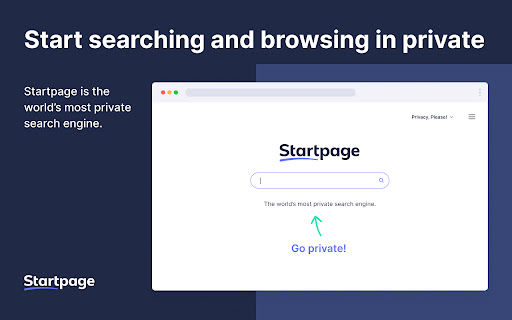
Erweiterungsscreenshots



Startpage — Private Search Engine & New Tab-Erweiterungs-CRX-Datei herunterladen
Laden Sie Startpage — Private Search Engine & New Tab-Erweiterungsdateien im crx-Format herunter, installieren Sie Chrome-Erweiterungen manuell im Browser oder teilen Sie die crx-Dateien mit Freunden, um Chrome-Erweiterungen einfach zu installieren.
Anleitung zur Verwendung der Erweiterung
                        Our new tab extension sets Startpage.com as your default search engine and your new tab to the Startpage.com homepage.

Privacy Policy: https://www.startpage.com/en/privacy-policy
Contact: [email protected]

Please let us know about your experience using our new tab feature. Contact us by email ([email protected]) or leave a review!
Grundlegende Informationen zur Erweiterung
| Name |  Startpage — Private Search Engine & New Tab Startpage — Private Search Engine & New Tab |
| ID | nfepmeogoknijeenahgdfobjfemdahmo |
| Offizielle URL | https://chromewebstore.google.com/detail/startpage-%E2%80%94-private-searc/nfepmeogoknijeenahgdfobjfemdahmo |
| Beschreibung | Take back your online privacy by using Startpage as your default search engine. |
| Dateigröße | 11.76 KB |
| Installationsanzahl | 739 |
| Aktuelle Version | 1.0.2 |
| Letztes Update | 2022-03-29 |
| Veröffentlichungsdatum | 2020-05-28 |
| Bewertung | 5.00/5 Insgesamt 1 Bewertungen |
| Entwickler | https://startpage.com |
| [email protected] | |
| Zahlungsart | free |
| Hilfeseite URL | https://support.startpage.com/ |
| URL der Datenschutzrichtlinien-Seite | https://www.startpage.com/en/privacy-policy |
| Unterstützte Sprachen | en |
| manifest.json | |
{
    "update_url": "https:\/\/clients2.google.com\/service\/update2\/crx",
    "manifest_version": 2,
    "name": "__MSG_extensionName__",
    "description": "__MSG_extensionDescription__",
    "version": "1.0.2",
    "icons": {
        "16": "icons\/sp_icon_16.png",
        "48": "icons\/sp_icon_48.png",
        "128": "icons\/sp_icon_128.png"
    },
    "minimum_chrome_version": "56",
    "permissions": [
        "storage",
        "webRequest",
        "webRequestBlocking",
        "https:\/\/*.startpage.com\/*"
    ],
    "chrome_settings_overrides": {
        "search_provider": {
            "name": "__MSG_searchEngineName__",
            "keyword": "startpage.com",
            "search_url": "https:\/\/www.startpage.com\/do\/dsearch?query={searchTerms}&cat=web&pl=ext-chrome&language=__MSG_extensionUrlLanguage__&extVersion=1.0.2",
            "favicon_url": "https:\/\/www.startpage.com\/favicon.ico",
            "encoding": "UTF-8",
            "is_default": true
        }
    },
    "chrome_url_overrides": {
        "newtab": "newtab\/index.html"
    },
    "browser_action": {
        "default_icon": {
            "16": "icons\/sp_icon_16.png",
            "48": "icons\/sp_icon_48.png",
            "128": "icons\/sp_icon_128.png"
        },
        "default_title": "__MSG_extensionName__"
    },
    "background": {
        "scripts": [
            "js\/background.js"
        ],
        "persistent": true
    },
    "content_scripts": [
        {
            "matches": [
                "https:\/\/*.startpage.com\/*"
            ],
            "js": [
                "js\/content.js"
            ],
            "css": [
                "css\/content.css"
            ],
            "run_at": "document_end"
        }
    ],
    "default_locale": "en"
} | |