New Tab
speed dial with websites catalog, that helps people to bookmark desired websites and also find popular.
Was ist New Tab?
New Tab ist eine Chrome-Erweiterung, die von http://oho.ge entwickelt wurde, und ihr Hauptmerkmal ist "speed dial with websites catalog, that helps people to bookmark desired websites and also find popular.".
Erweiterungsscreenshots
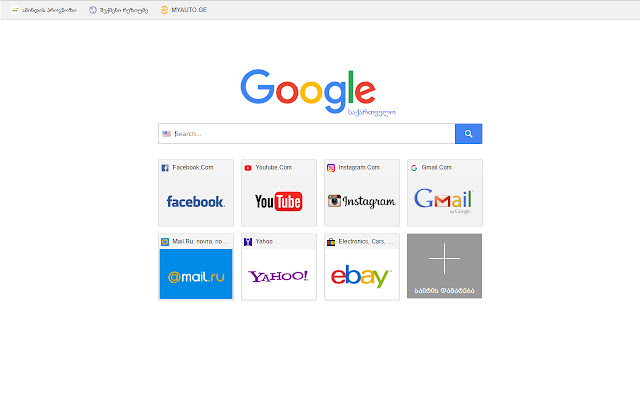

New Tab-Erweiterungs-CRX-Datei herunterladen
Laden Sie New Tab-Erweiterungsdateien im crx-Format herunter, installieren Sie Chrome-Erweiterungen manuell im Browser oder teilen Sie die crx-Dateien mit Freunden, um Chrome-Erweiterungen einfach zu installieren.
Anleitung zur Verwendung der Erweiterung
                        The Speed Dial expansion changes standard browser tab to beautiful new tab page with Visual Bookmarks.

The main advantage of Speed Dial in comparison with the standard page is that you can add the links to the websites of your choice so you always have direct access to them. And also you can sort the icons of already added links.

Our expansion also adds the search bar. The page layout can be changed in the expansion settings, you can also change the search engine used for the search bar.

Thanks to "import and export" function your visual bookmarks will not be lost after browser or system reinstallation. This function also allows you to transfer your saved bookmarks to other computers with New Tab Page installed instead of standard page.
Grundlegende Informationen zur Erweiterung
| Name |  New Tab New Tab |
| ID | nfgknffehbeogamfmkjbmhiifppdljoa |
| Offizielle URL | https://chrome.google.com/webstore/detail/new-tab/nfgknffehbeogamfmkjbmhiifppdljoa |
| Beschreibung | speed dial with websites catalog, that helps people to bookmark desired websites and also find popular. |
| Dateigröße | 14.73 KB |
| Installationsanzahl | 570 |
| Aktuelle Version | 0.1 |
| Letztes Update | 2018-01-17 |
| Veröffentlichungsdatum | 2018-01-17 |
| Bewertung | 3.67/5 Insgesamt 3 Bewertungen |
| Entwickler | http://oho.ge |
| [email protected] | |
| Zahlungsart | free |
| Erweiterungswebsite | http://tab.oho.ge |
| Hilfeseite URL | http://tab.oho.ge/faq |
| Unterstützte Sprachen | en |
| manifest.json | |
{
    "update_url": "https:\/\/clients2.google.com\/service\/update2\/crx",
    "chrome_url_overrides": {
        "newtab": "tab.html"
    },
    "description": "speed dial with websites catalog, that helps people to bookmark desired websites and also find popular.",
    "icons": {
        "128": "i\/icon128.png",
        "16": "i\/icon16.png",
        "19": "i\/icon19.png",
        "32": "i\/icon32.png",
        "48": "i\/icon48.png"
    },
    "manifest_version": 2,
    "name": "New Tab",
    "short_name": "New Tab - Speed Deals",
    "version": "0.1",
    "web_accessible_resources": [
        "icon48.png"
    ]
} | |