Easy New Tab
New tab page with beautiful background and without distracting things
Was ist Easy New Tab?
Easy New Tab ist eine Chrome-Erweiterung, die von C.A.M. First Agency Kft. entwickelt wurde, und ihr Hauptmerkmal ist "New tab page with beautiful background and without distracting things".
Erweiterungsscreenshots
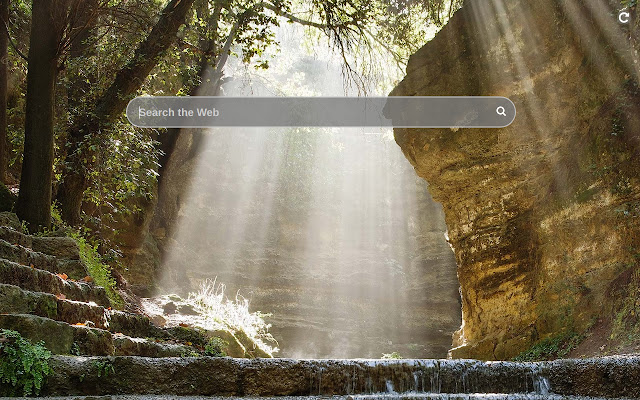
Easy New Tab-Erweiterungs-CRX-Datei herunterladen
Laden Sie Easy New Tab-Erweiterungsdateien im crx-Format herunter, installieren Sie Chrome-Erweiterungen manuell im Browser oder teilen Sie die crx-Dateien mit Freunden, um Chrome-Erweiterungen einfach zu installieren.
Anleitung zur Verwendung der Erweiterung
                        This extension replaces default new tab page with one where there is only a search bar with autocomplete, and the background is a random landscape image. Enjoy and relax while surfing the Internet!

By clicking "Add to chrome", I accept and agree to installing the Easy New Tab Chrome extension and setting Chrome™ New Tab to that provided by the service and the Terms of Use and Privacy Policy
Grundlegende Informationen zur Erweiterung
| Name |  Easy New Tab Easy New Tab |
| ID | npiipcjhnhgklimfncldongkkhijemgm |
| Offizielle URL | https://chrome.google.com/webstore/detail/npiipcjhnhgklimfncldongkkhijemgm |
| Beschreibung | New tab page with beautiful background and without distracting things |
| Dateigröße | 290 KB |
| Installationsanzahl | 57,925 |
| Aktuelle Version | 2.1 |
| Letztes Update | 2023-03-30 |
| Veröffentlichungsdatum | 2019-12-22 |
| Bewertung | 3.00/5 Insgesamt 2 Bewertungen |
| Entwickler | C.A.M. First Agency Kft. |
| [email protected] | |
| Zahlungsart | free |
| URL der Datenschutzrichtlinien-Seite | https://docs.google.com/document/d/e/2PACX-1vSZa40A0A9wELr9wJEB2nEGtltOPnWE3P3w9TicYLkJeixMZlv2vx6LOgtUfzdFZJFNUSOhRORML3tJ/pub |
| Unterstützte Sprachen | en |
| manifest.json | |
{
    "update_url": "https:\/\/clients2.google.com\/service\/update2\/crx",
    "manifest_version": 3,
    "version": "2.1",
    "name": "Easy New Tab",
    "description": "New tab page with beautiful background and without distracting things",
    "chrome_url_overrides": {
        "newtab": "index.html"
    },
    "icons": {
        "128": "128.png"
    },
    "action": {
        "default_title": "Open Easy New Tab"
    },
    "background": {
        "service_worker": "js\/bg.js"
    }
} | |