Polar Bear Wallpaper New Tab
Polar Bear wallpaper turn new tab to custom HD Polar Bear background. Polar Bear wallpaper background theme for animal fans
Was ist Polar Bear Wallpaper New Tab?
Polar Bear Wallpaper New Tab ist eine Chrome-Erweiterung, die von https://coolthemestores.com entwickelt wurde, und ihr Hauptmerkmal ist "Polar Bear wallpaper turn new tab to custom HD Polar Bear background. Polar Bear wallpaper background theme for animal fans".
Erweiterungsscreenshots
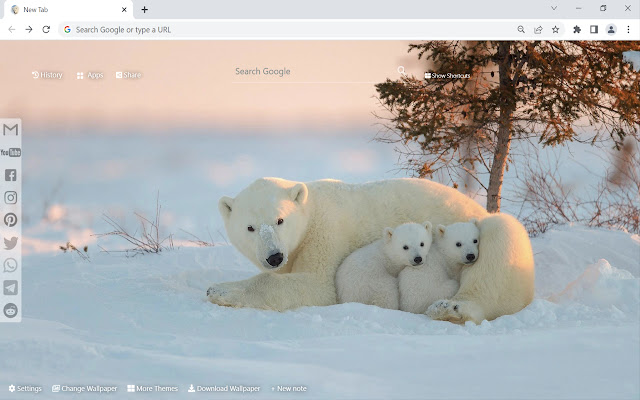

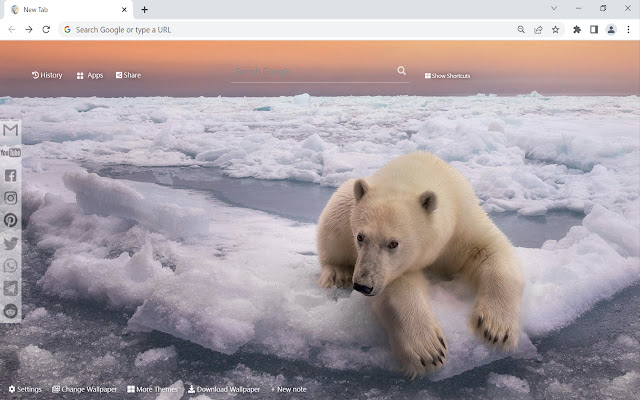
Polar Bear Wallpaper New Tab-Erweiterungs-CRX-Datei herunterladen
Laden Sie Polar Bear Wallpaper New Tab-Erweiterungsdateien im crx-Format herunter, installieren Sie Chrome-Erweiterungen manuell im Browser oder teilen Sie die crx-Dateien mit Freunden, um Chrome-Erweiterungen einfach zu installieren.
Anleitung zur Verwendung der Erweiterung
                        This extension features some of the great Polar Bear background to make you feel good on your Chrome browser.

Extension Features:

1. Shuffle Polar Bear wallpaper every time you open a new tab.
2. Randomize Polar Bear background or favorite it in wallpaper selection panel.
3. Get easy access to popular sites with Google search.
4. Quick access to your emails and social media accounts.
5. Show current date and time automatically.
6. New Note for you to write down your tasks.
7. Easy access to your history websites.
8. Add website to Shortcut panel for quick access.
9. Quick access to Google apps.
10. Quick access to More Themes.
11. Easy Sharing to Social Media.
12. Enable fun snow, rain, falling leaves, fireworks animation in new tab.

If you have any questions about our Polar Bear wallpaper new tab extension or just want to give us some feedback, feel free to send us a message or write a review! We'd love to hear from you. You can mouse over to Support tab on the extension, then click on "visit the developer's support site" to contact us.

If you wish to remove this new tab extension, follow this steps:
1. Click the 3-dot icon at the top-right corner of your screen.
2. Hover your mouse on More tools then click Extensions.
3. Find the Polar Bear wallpaper extension.
4. Press "Remove"

- OR -
Right-click the extension icon on the extension bar (next to the URL bar) and select Remove from Chrome.
Grundlegende Informationen zur Erweiterung
| Name |  Polar Bear Wallpaper New Tab Polar Bear Wallpaper New Tab |
| ID | oknghoegkeapeignghcnahoigfamdkeo |
| Offizielle URL | https://chrome.google.com/webstore/detail/polar-bear-wallpaper-new/oknghoegkeapeignghcnahoigfamdkeo |
| Beschreibung | Polar Bear wallpaper turn new tab to custom HD Polar Bear background. Polar Bear wallpaper background theme for animal fans |
| Dateigröße | 9.29 MB |
| Installationsanzahl | 630 |
| Aktuelle Version | 1.30.27.31 |
| Letztes Update | 2022-10-21 |
| Veröffentlichungsdatum | 2022-04-19 |
| Bewertung | 5.00/5 Insgesamt 3 Bewertungen |
| Entwickler | https://coolthemestores.com |
| [email protected] | |
| Zahlungsart | free |
| Erweiterungswebsite | https://coolthemestores.com/polar-bear-wallpaper-hd-new-tab/ |
| Hilfeseite URL | https://coolthemestores.com/contact-us |
| URL der Datenschutzrichtlinien-Seite | https://coolthemestores.com/privacy-policy |
| Unterstützte Sprachen | de,en,fr,tr,ca,da,es,it,pl,pt-BR,pt-PT,fi,sv,cs,el,ru,zh-CN,zh-TW,ja,ko |
| manifest.json | |
{
    "update_url": "https:\/\/clients2.google.com\/service\/update2\/crx",
    "manifest_version": 3,
    "description": "__MSG_appDesc__",
    "default_locale": "en",
    "name": "__MSG_appName__",
    "offline_enabled": true,
    "background": {
        "service_worker": "coolthemestores_bg.js"
    },
    "action": {
        "default_icon": "img\/icon128.png"
    },
    "chrome_url_overrides": {
        "newtab": "coolthemestores_index.html"
    },
    "icons": {
        "128": "img\/icon128.png",
        "48": "img\/icon48.png"
    },
    "version": "1.30.27.31",
    "permissions": [
        "unlimitedStorage",
        "storage"
    ]
} | |