Text to speech extension
Listen to the content of the websites, pages or articles
Τι είναι το Text to speech extension;
Το Text to speech extension είναι ένα πρόσθετο Chrome που αναπτύχθηκε από τον Nina Bon, και η κύρια λειτουργία του είναι "Listen to the content of the websites, pages or articles".
Στιγμιότυπα Επέκτασης
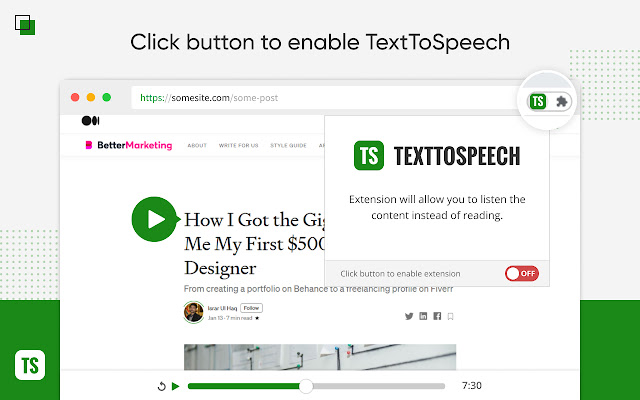

Λήψη αρχείου CRX της επέκτασης Text to speech extension
Λήψη αρχείων επέκτασης Text to speech extension σε μορφή crx, εγκατάσταση των επεκτάσεων Chrome μη αυτόματα στον περιηγητή ή κοινοποίηση των αρχείων crx με φίλους για εύκολη εγκατάσταση των επεκτάσεων Chrome.
Οδηγίες Χρήσης της Επέκτασης
                        Listen to content of any website in an easy and customizable way.

The fastest and easiest text to speech extension.

After finding myself struggling to read long articles I've decided to do this Chrome extension.

Why is this extension different than the rest? What I've done is improve the way I can recognize text in the pages so it's faster to find the text and uses less Chrome resources.

Give it a try and let me know if you find issues or improvements :)
Βασικές Πληροφορίες Επέκτασης
| Όνομα |  Text to speech extension Text to speech extension |
| ID | ajgpaojefmgchgeicdicdhikdlaihjdk |
| Επίσημο URL | https://chrome.google.com/webstore/detail/ajgpaojefmgchgeicdicdhikdlaihjdk |
| Περιγραφή | Listen to the content of the websites, pages or articles |
| Μέγεθος Αρχείου | 305 KB |
| Αριθμός Εγκαταστάσεων | 9,672 |
| Τρέχουσα Έκδοση | 1.2.0 |
| Τελευταία Ενημέρωση | 2023-01-03 |
| Ημερομηνία Δημοσίευσης | 2021-07-04 |
| Αξιολόγηση | 4.24/5 Συνολικά 21 Αξιολογήσεις |
| Προγραμματιστής | Nina Bon |
| Ηλεκτρονικό ταχυδρομείο | [email protected] |
| Τύπος Πληρωμής | free |
| Υποστηριζόμενες Γλώσσες | en |
| manifest.json | |
{
    "update_url": "https:\/\/clients2.google.com\/service\/update2\/crx",
    "manifest_version": 2,
    "name": "Text to speech extension",
    "description": "Listen to the content of the websites, pages or articles",
    "version": "1.2.0",
    "icons": {
        "16": "icons\/icon16.png",
        "19": "icons\/icon19.png",
        "32": "icons\/icon32.png",
        "38": "icons\/icon38.png",
        "48": "icons\/icon48.png",
        "96": "icons\/icon96.png",
        "128": "icons\/icon128.png",
        "256": "icons\/icon256.png"
    },
    "background": {
        "persistent": true,
        "scripts": [
            "javascripts\/background.js"
        ]
    },
    "browser_action": {
        "default_title": "Popup",
        "default_popup": "popup\/popup.html"
    },
    "web_accessible_resources": [
        "styles\/controls.css",
        "javascripts\/page.zIndex.js",
        "libraries\/vue-files\/vue.esm-browser.js"
    ],
    "permissions": [
        "*:\/\/*\/*",
        "storage",
        "tts",
        "contextMenus",
        "tabs",
        "activeTab",
        "webRequest",
        "webRequestBlocking"
    ],
    "content_scripts": [
        {
            "matches": [
                "*:\/\/*\/*"
            ],
            "js": [
                "javascripts\/libraries\/Readability-readerable.js",
                "javascripts\/libraries\/Readability-0.4.0.js",
                "javascripts\/content-compiled.js"
            ],
            "css": [
                "styles\/content.css",
                "styles\/fonts.css"
            ],
            "run_at": "document_start"
        },
        {
            "matches": [
                "*:\/\/*\/*"
            ],
            "js": [
                "content-scripts\/idle.js"
            ],
            "all_frames": true,
            "run_at": "document_idle"
        },
        {
            "matches": [
                "*:\/\/*\/*"
            ],
            "js": [
                "content-scripts\/start.js"
            ],
            "all_frames": true,
            "run_at": "document_start"
        }
    ],
    "commands": {
        "reload-extension": {
            "description": "Reloads extension"
        }
    }
} | |