Push Message to Mobile
Select content on HTML and push it to mobile device
Τι είναι το Push Message to Mobile;
Το Push Message to Mobile είναι ένα πρόσθετο Chrome που αναπτύχθηκε από τον www.3x.com.tw, και η κύρια λειτουργία του είναι "Select content on HTML and push it to mobile device".
Στιγμιότυπα Επέκτασης


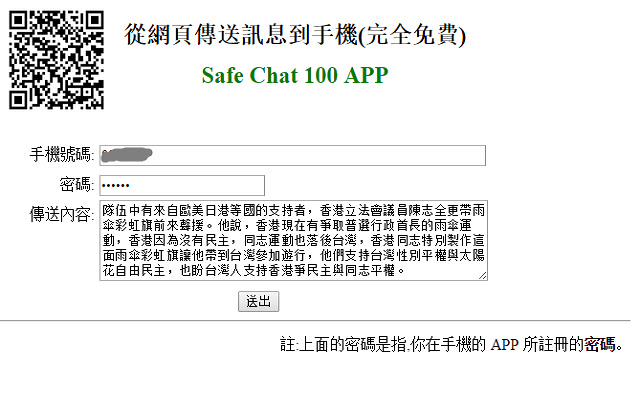

Λήψη αρχείου CRX της επέκτασης Push Message to Mobile
Λήψη αρχείων επέκτασης Push Message to Mobile σε μορφή crx, εγκατάσταση των επεκτάσεων Chrome μη αυτόματα στον περιηγητή ή κοινοποίηση των αρχείων crx με φίλους για εύκολη εγκατάσταση των επεκτάσεων Chrome.
Οδηγίες Χρήσης της Επέκτασης
                        1.
Push html message to mobile
2.
From the computer to the phone,
you can easily push text or web content to your phone.
Typing on the Computer →
phone notified →
copy, send text messages, open a URL or map.
3.Translation : the process of translating words or text from one language into another.
Βασικές Πληροφορίες Επέκτασης
| Όνομα |  Push Message to Mobile Push Message to Mobile |
| ID | bcagbbkmockgkkdggjimkijinbabcapp |
| Επίσημο URL | https://chrome.google.com/webstore/detail/push-message-to-mobile/bcagbbkmockgkkdggjimkijinbabcapp |
| Περιγραφή | Select content on HTML and push it to mobile device |
| Μέγεθος Αρχείου | 196 KB |
| Αριθμός Εγκαταστάσεων | 14 |
| Τρέχουσα Έκδοση | 1.9 |
| Τελευταία Ενημέρωση | 2014-10-30 |
| Ημερομηνία Δημοσίευσης | 2014-10-30 |
| Αξιολόγηση | 3.00/5 Συνολικά 1 Αξιολογήσεις |
| Προγραμματιστής | www.3x.com.tw |
| Τύπος Πληρωμής | free |
| Υποστηριζόμενες Γλώσσες | en |
| manifest.json | |
{
    "update_url": "https:\/\/clients2.google.com\/service\/update2\/crx",
    "version": "1.9",
    "name": "__MSG_manifest_name__",
    "manifest_version": 2,
    "default_locale": "en",
    "description": "__MSG_manifest_description__",
    "author": "www.3x.com.tw",
    "icons": {
        "16": "images\/icon_16.png",
        "48": "images\/icon_48.png",
        "128": "images\/icon_128.png"
    },
    "permissions": [
        "tabs",
        "http:\/\/*\/*",
        "https:\/\/*\/*"
    ],
    "background": {
        "scripts": [
            "background.js"
        ]
    },
    "browser_action": {
        "default_icon": "images\/icon_128.png",
        "default_popup": "popup.html"
    },
    "content_scripts": [
        {
            "matches": [
                "http:\/\/dict.cn\/*"
            ],
            "js": [
                "my_dict.js"
            ],
            "run_at": "document_end",
            "all_frames": true
        },
        {
            "matches": [
                "http:\/\/*\/*",
                "https:\/\/*\/*"
            ],
            "js": [
                "my.js"
            ],
            "run_at": "document_end",
            "all_frames": true
        }
    ]
} | |