Task Timeline
Organizing the day to day task activity and Manage your time.
Τι είναι το Task Timeline;
Το Task Timeline είναι ένα πρόσθετο Chrome που αναπτύχθηκε από τον Sridhar, και η κύρια λειτουργία του είναι "Organizing the day to day task activity and Manage your time.".
Στιγμιότυπα Επέκτασης


Λήψη αρχείου CRX της επέκτασης Task Timeline
Λήψη αρχείων επέκτασης Task Timeline σε μορφή crx, εγκατάσταση των επεκτάσεων Chrome μη αυτόματα στον περιηγητή ή κοινοποίηση των αρχείων crx με φίλους για εύκολη εγκατάσταση των επεκτάσεων Chrome.
Οδηγίες Χρήσης της Επέκτασης
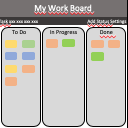
                        Organizing your task day to day task. Overview your tasks in a calendar.  Your data is stored in chrome browser. This extension helps to manage your workflow.
Simple UI make to use efficient and user-friendly.

Feature:
User-friendly.
No need to create an account.
Your data is secure, Its stored in your chrome browser itself.

Version:
1.0.0 - Task list.
1.1.0 - Task update for list.
1.2.0 - Month issue solved and duplicate skip.
1.3.0 - Chrome mapping issue solved.
1.4.0 - Theme Updated.
2.0.0 - Timer and Task Overview added.
2.1.0 - Chrome Storage issue solved and Timer removed.
2.2.0 - Overview chart changes update added.
2.3.0 - Overview issue fixed and css updated.
2.4.0 - List ordered in Ascending.
2.5.0 - Overview graph issue fixed.
2.6.0 - Graph order issue fixed.
Βασικές Πληροφορίες Επέκτασης
| Όνομα |  Task Timeline Task Timeline |
| ID | dokmpfkihfmpflmfmincimolaonbmkeo |
| Επίσημο URL | https://chrome.google.com/webstore/detail/task-timeline/dokmpfkihfmpflmfmincimolaonbmkeo |
| Περιγραφή | Organizing the day to day task activity and Manage your time. |
| Μέγεθος Αρχείου | 637 KB |
| Αριθμός Εγκαταστάσεων | 263 |
| Τρέχουσα Έκδοση | 2.6.0 |
| Τελευταία Ενημέρωση | 2018-11-27 |
| Ημερομηνία Δημοσίευσης | 2018-11-27 |
| Αξιολόγηση | 4.00/5 Συνολικά 4 Αξιολογήσεις |
| Προγραμματιστής | Sridhar |
| Τύπος Πληρωμής | free |
| Υποστηριζόμενες Γλώσσες | en |
| manifest.json | |
{
    "update_url": "https:\/\/clients2.google.com\/service\/update2\/crx",
    "name": "Task Timeline",
    "version": "2.6.0",
    "short_name": "Task Timeline",
    "description": "Organizing the day to day task activity and Manage your time.",
    "permissions": [
        "storage",
        "tabs",
        "notifications"
    ],
    "chrome_url_overrides": {
        "newtab": "index.html"
    },
    "background": {
        "scripts": [
            "background.js"
        ],
        "persistent": false
    },
    "page_action": {
        "default_icon": {
            "16": "images\/task_16.png",
            "32": "images\/task_32.png",
            "48": "images\/task_48.png",
            "128": "images\/task_128.png"
        }
    },
    "icons": {
        "16": "images\/task_16.png",
        "32": "images\/task_32.png",
        "48": "images\/task_48.png",
        "128": "images\/task_128.png"
    },
    "manifest_version": 2
} | |